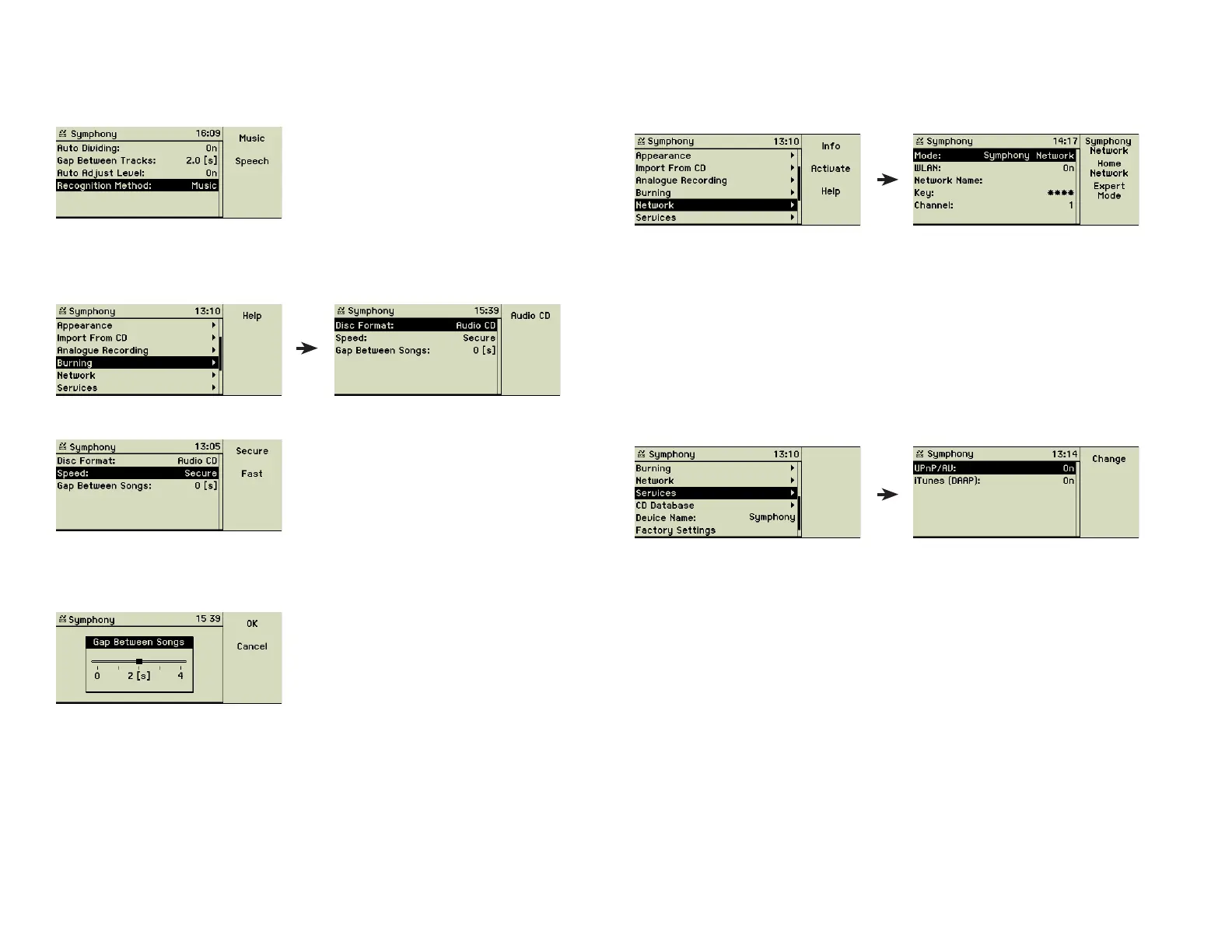
Auto Adjust Level set to On lets your music center do the leveling automati-
cally. This is mostly suffi cient and saves a lot of work. If you are to record
spoken text the Recognition Method should set to Speech.
4.7 Burning
Here are the settings concerning the burning of music CDs.
The music center burns music CDs only.
The Speed option lets you choose between a safer or faster burning. The set-
ting Secure leads to 8x speed, the setting Fast burns up to 24x speed. This
depends on the qualitiy of the used CD material.
You can defi ne the length of the gaps between songs in seconds.
4.8 Network
These settings defi ne the music centerʼs properties for integrating with other
computers in a local area network, wired and wireless.
You can choose from three modes: “Symphony/Musica Network” is described
in the fi rst section of the chapter «Networking», “Home Network” shows up
in the second section. “Expert Mode” and the details of the other modes are
discussed in the next chapter «Advanced Networking». The music center can
be connected with 10/100BaseT cabling as well as wireless.
4.9 Services
Here you can enable and disable the server mode of your music center. De-
pending on the technology used by your satellites one of these modes must
be enabled.
Sometimes it may be necessary to switch off both modes to protect the UPnP/
AV resp. DAAP server from unauthorised access.
4.10 CD database
The music center maintains a large internal music database of about 2 million
titles. Almost every music CD you insert, is recognised and the meta data, the
names of the tracks, the artist, and the CD title is displayed immediately. If the
music center is connected to the Internet it can look into the online database,
too.
27



 To Next Page