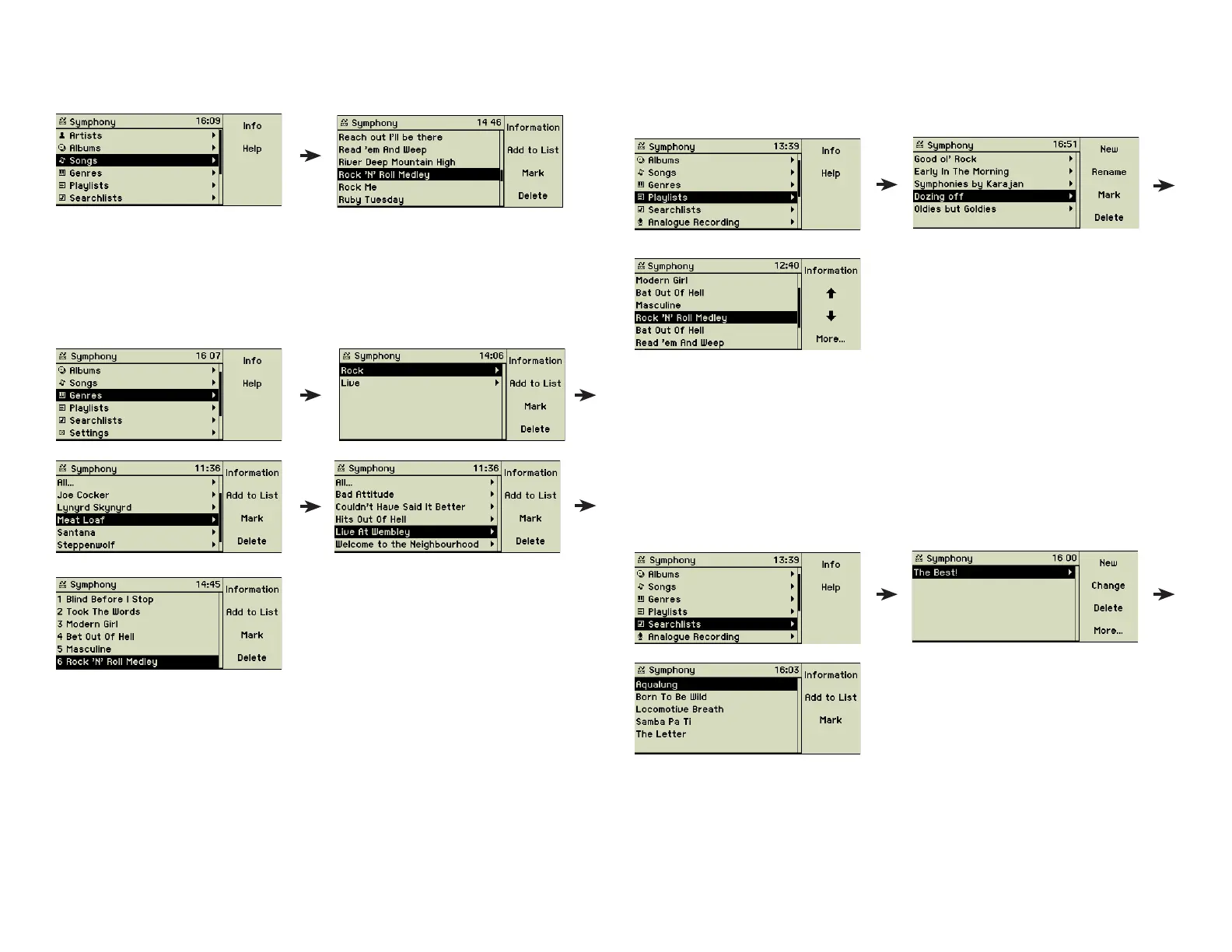
2.1.4 Songs
This reveals an alphabetical list of all songs found on your music center.
This list is fi lled by importing songs into the music center. The cursor defi nes the
set of songs to be played or added to a list.
2.1.5 Genres
This option provides a list of genres in which your songs, albums, or artists are
categorized.
Behind every genre you fi nd the list of artists, albums, and songs assigned to
this genre. “All...” shows all songs of the chosen genre including songs which
are not part of an album.
Genres without assigned songs are not visible here. But you may chose from
all genres when assigning one to a song or an album. You may add your own
genre by just typing an appropriate text into the genre fi eld of a song, album,
or artist.
2.1.6 Playlists
Using this option you can create your own selections of songs and group them
together. The right music for every mood can be collected here.
For detailled explanation about how to add a new playlist, please refer to
section 3.1 «Playlists» on page 12.
2.1.
7 Searchlists (Smart playlists)
You can create searchlists based on different selection criteria - so-called
smart playlists. These lists are dynamic as the content of a list depends on the
available set of songs on your music center. And changing attributes of songs,
albums, or artists will change the contents of these lists immediately.
For detailled explanations about how to add a new searchlist, please refer to
section 3.2 «Searchlists (Smart playlists)» on page 13.
8



 To Next Page