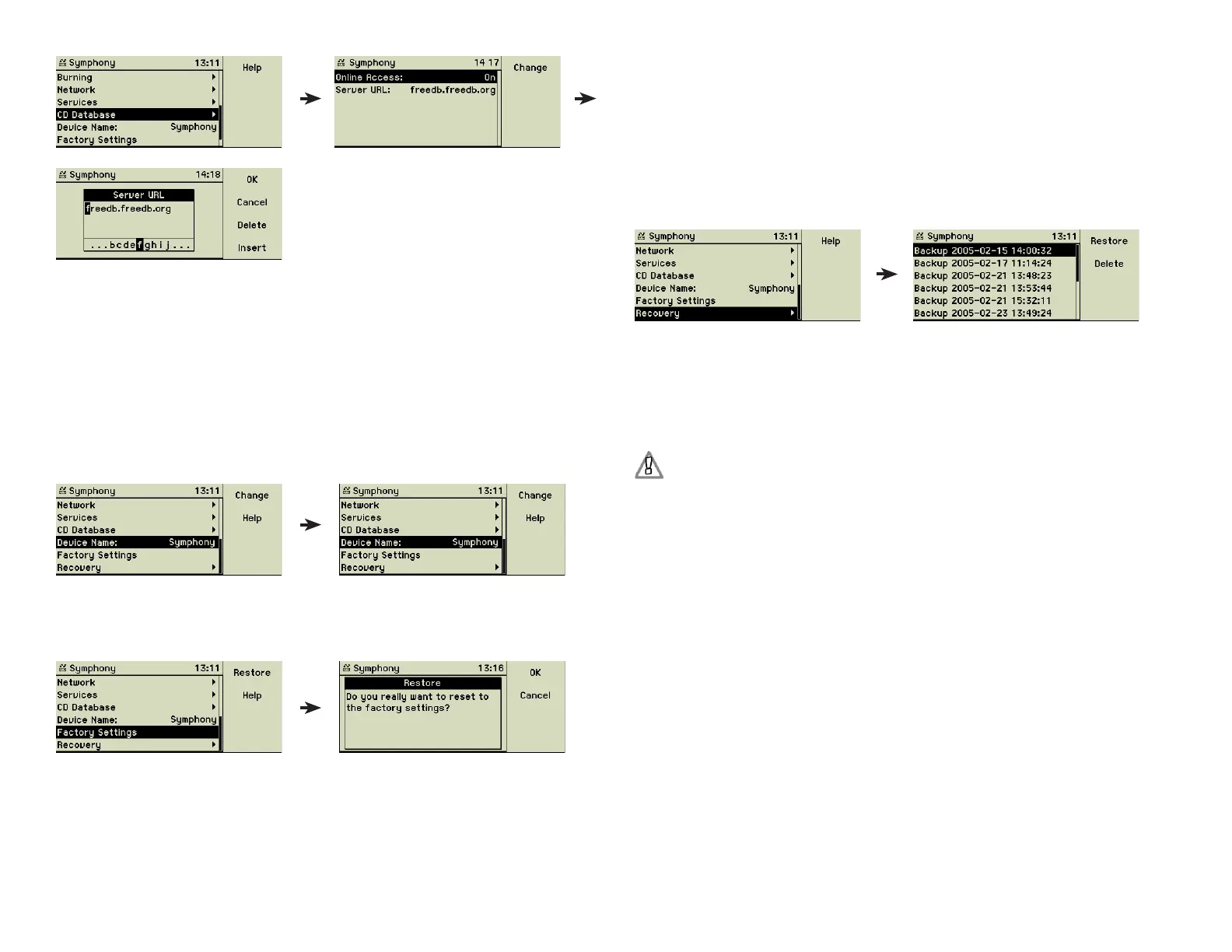
The setting for Online Access enables or disables this feature. The URL of the
Internet database can be changed here, if some time in the future the server
provider decides to change the web address. The freeDB access uses HTTP
port 80.
If the online access to the freeDB database fails, the music center automati-
cally uses its integrated database for retrieving meta data.
4.11 Device name
Change the name of your music center here.
4.12 Factory settings
Using this menu option you can restore all settings back to their default val-
ues.
This affects ALL parameters of the Settings menu. Your imported music and
their meta data is not endangered at all - all songs will still be available after
executing this command.
4.13 Recovery
The internal database containing the meta data of all stored tracks is dupli-
cated on every startup of the system. The option Recovery shows a list of the
20 recent backup fi les.
If your meta data gets corrupted you can restore it from these fi les. Choose
the desired version and press the function key 1 “Set”. Since this may delete
information you entered after the creation of the backup fi le, you have to
confi rm this action by pressing function 1 “Restore” again.
Use function key 2 “Delete” to remove backup fi les you do not need.
If a backup fi le shows a future date, we recommend to delete this
fi le. The music center looks at the latest date of a backup fi le and
starts a new backup only if the music center internal current date is
later.
28



 To Next Page