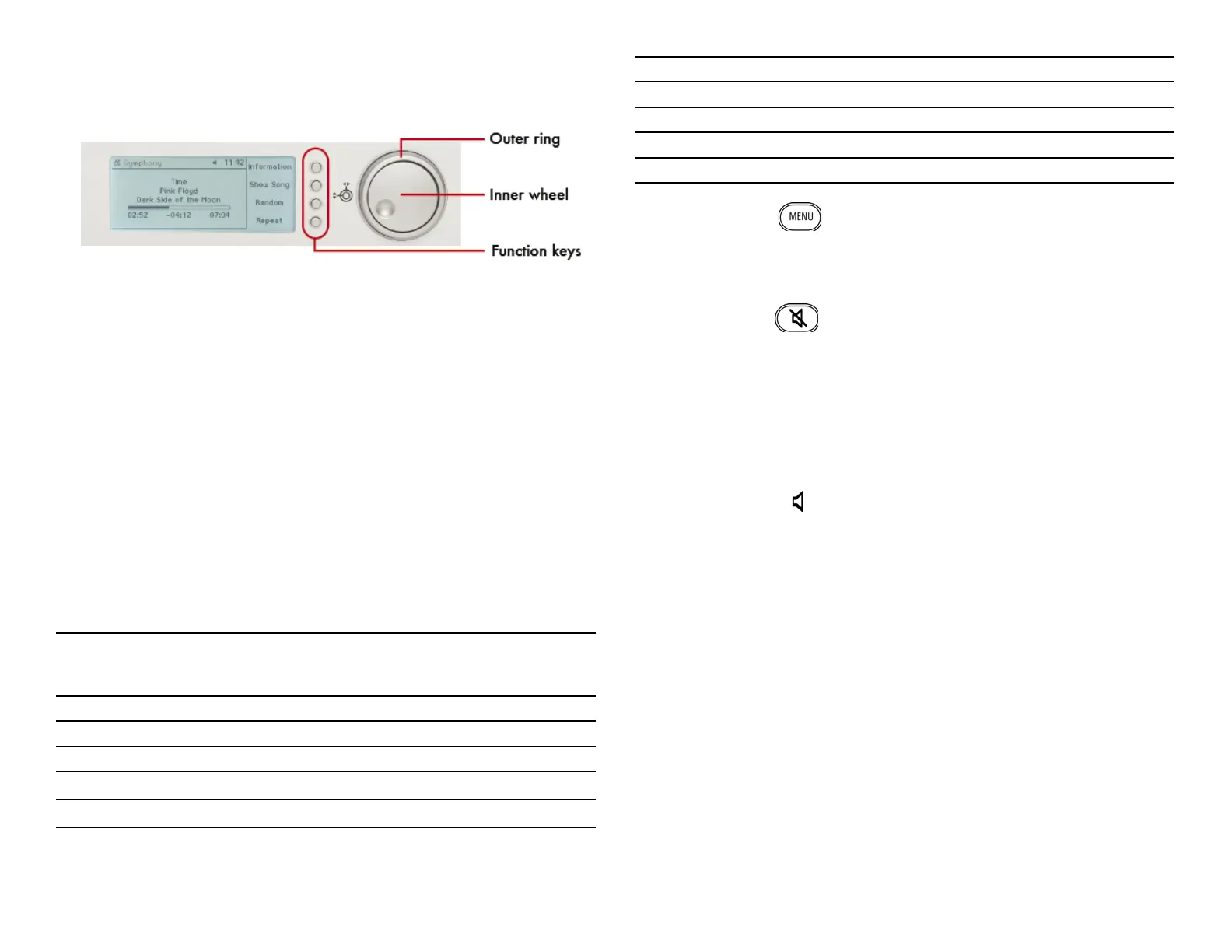
If headphones are connected and the music center is playing music the inner
ring controls the volume of the headphones output.
1.5 The remote control
The remote control device is a second way to control the functions of the music
center. Its keys duplicates all the buttons on the front panel. Please refer to
the illustration page for details. The bracketed numbers refer to the numbers
in this drawing.
The On/Off switch (1), the control elements (3) to (8) and the function keys
(10) are identical to the same buttons on the front panel of the music center
(except fast forward and rewind). They are discussed earlier in this chapter.
1.5.1 Keypad (30)
You may address an individual track of a music CD or of a list contained on
the music center directly by its number. Use the numerical keypad to enter the
number.
The keypad can be used to enter textual information like meta data. It works
like the keypad of a mobile phone.
The keypad has this layout:
Key Edit:
1. character, also
after space
Edit:
2. character, also
after space
Browse:
Artists, albums,
songs
Browse:
Albums
0 0@_-*#[]()+= 0@_-*#[]()+= 0@_-*#[]()+= 0
1 1./,?ʼ:;&~! 1./,?ʼ:;&~! 1./,?ʼ:;&~! 1
2 ABCabc2 abcABC2 abc2 2
3 DEFdef3 defDEF3 def3 3
4 GHIghi4 ghiGHI4 ghi4 4
5 JKLjkl5 jklJKL5 jkl5 5
6 MNOmno6 mnoMNO6 mno6 6
7 PQRSpqrs7 pqrsPQRS7 pqrs7 7
8 TUVtuv8 tuvTUV8 tuv8 8
9 WXYZwxyz9 wxyzWXYZ9 wxyz9 9
1.5.2 Menu (31)
A shortcut to the main menu of the music center.
In edit mode this key toggles between upper case, lower case, and special
characters (umlauts).
1.5.3 Mute (32)
Toggles the volume of the output between zero and your preset value.
1.5.4 Navigation (33)
According to the function of the Turn&Select wheel you can navigate using
these keys through the menus of the music center. The centred “OK” key is
equivalent to function key 1, which almost everywhere confi rms the chosen
action.
1.5.5 Volume (34)
Adjusts the level of the Audio Out port, which usually is connected to your
stereo components.
1.5.6 Brightness (35)
Adjusts the level of the background lighting of the keys.
1.5.7 Additional function keys (36)
These keys directly select main menu options. They are labelled accordingly to
the options. “Source” is temporarily unused. “Info” shows either the general
statistics or, while playing a song, its meta data.
6



 To Next Page