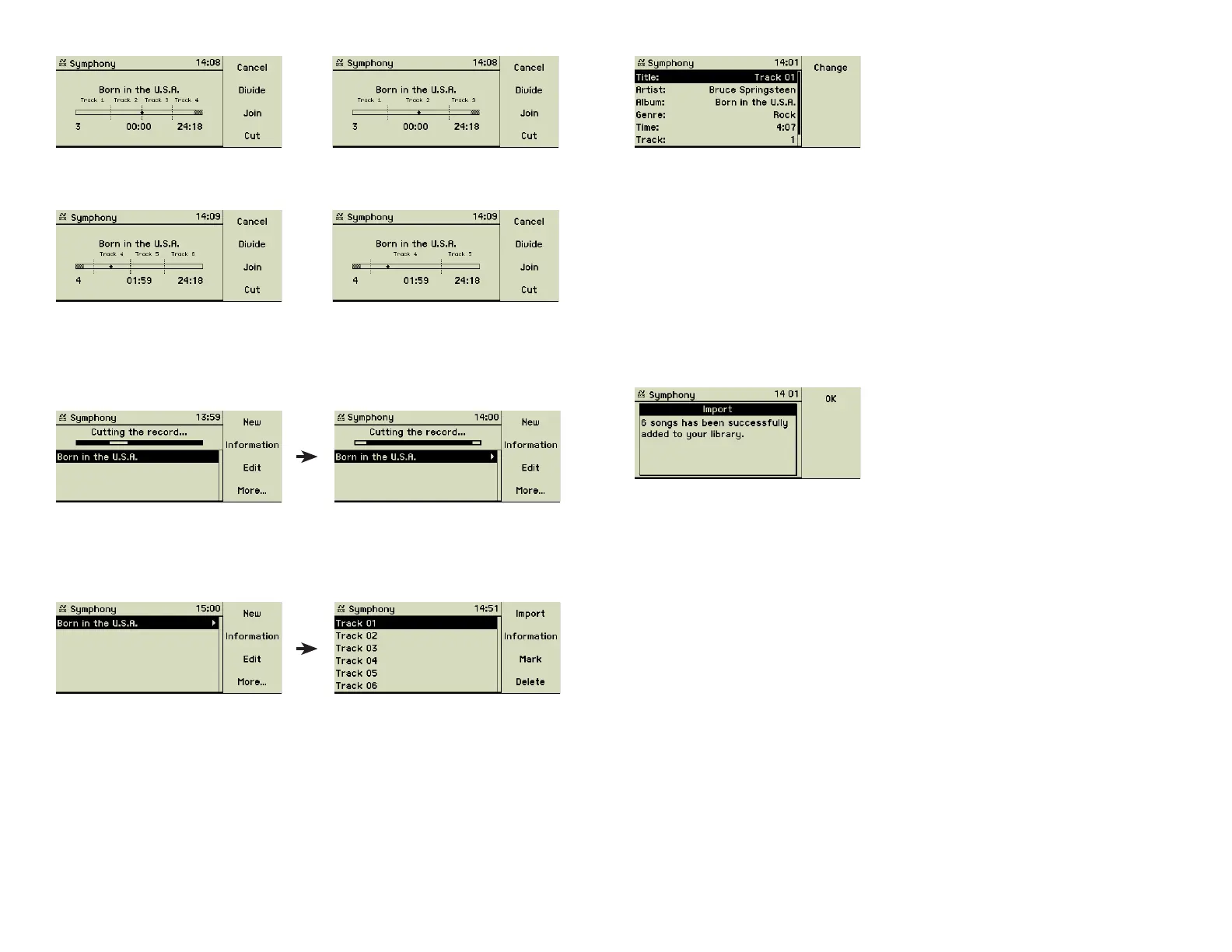
The meta data is displayed showing Artist, Album, and Genre according to
your entries for the recorded fi le. You may now edit the Title information of
this track. General information on editing meta data can be found in section
3.3.1 «Editing meta data» on page 15.
3.4.6 Importing the tracks
Finally all preparing tasks had been done and the tracks can be imported into
the music centerʼs music library. Press the Record button (7) or the function
key 1 “Import” to import all tracks. If you do not want to import all displayed
tracks, select the ones you like and then press the Record button (7). When
the import is done, the display shows the fi nal message.
During the import the tracks are converted to the format given in the settings,
see section 4.5 «Import from CD» on page 25 on this topic.
If you want to transfer the music to MP3 player or plan to hear it via Multi-
room Streaming the encoding must be set to a format these devices are able
to process.
If you do not cut or rename the recorded fi le it is imported with the Album and
Title name composed from the current date and time, i.e. “Record 25.04.2005
11:34”
The original recording fi le remains inside the “Record” folder of your music
center as long as it is not deleted manually. You may copy it to a connected
computer and save it on disk or CD-R before deleting it to reuse the space.
F3
If the cursor is inside a track, pressing the function key 3 “Join” joins the cur-
rent track with its direct successor.
F3
Cutting the recorded fi le
When all gaps are in place you can cut the recorded fi le into its tracks by
pressing the function key 4 “Cut”. The process is visualized on the display.
To the right of the title of the recording appears a triangle, indicating that
additional information is available. Turn the outer wheel of the Turn&Select
wheel (11) to the right to move to this level.
Unwelcome tracks, like the before mentioned silence, may now be deleted
from the list (function key 4 “Delete”).
Editing meta data of tracks
Choose the track you want to edit and press the function key 2 “Informa-
tion”.
19



 To Next Page