resp.
If the Large Play View option is enabled, the display switches after the preset
time to this view. Now you may see the song title and artists right from your
couch.
The control buttons (3) - (6) give you the options to pause the playback, to
stop it, and to fast forward or rewind.
2.5 Copying a music CD
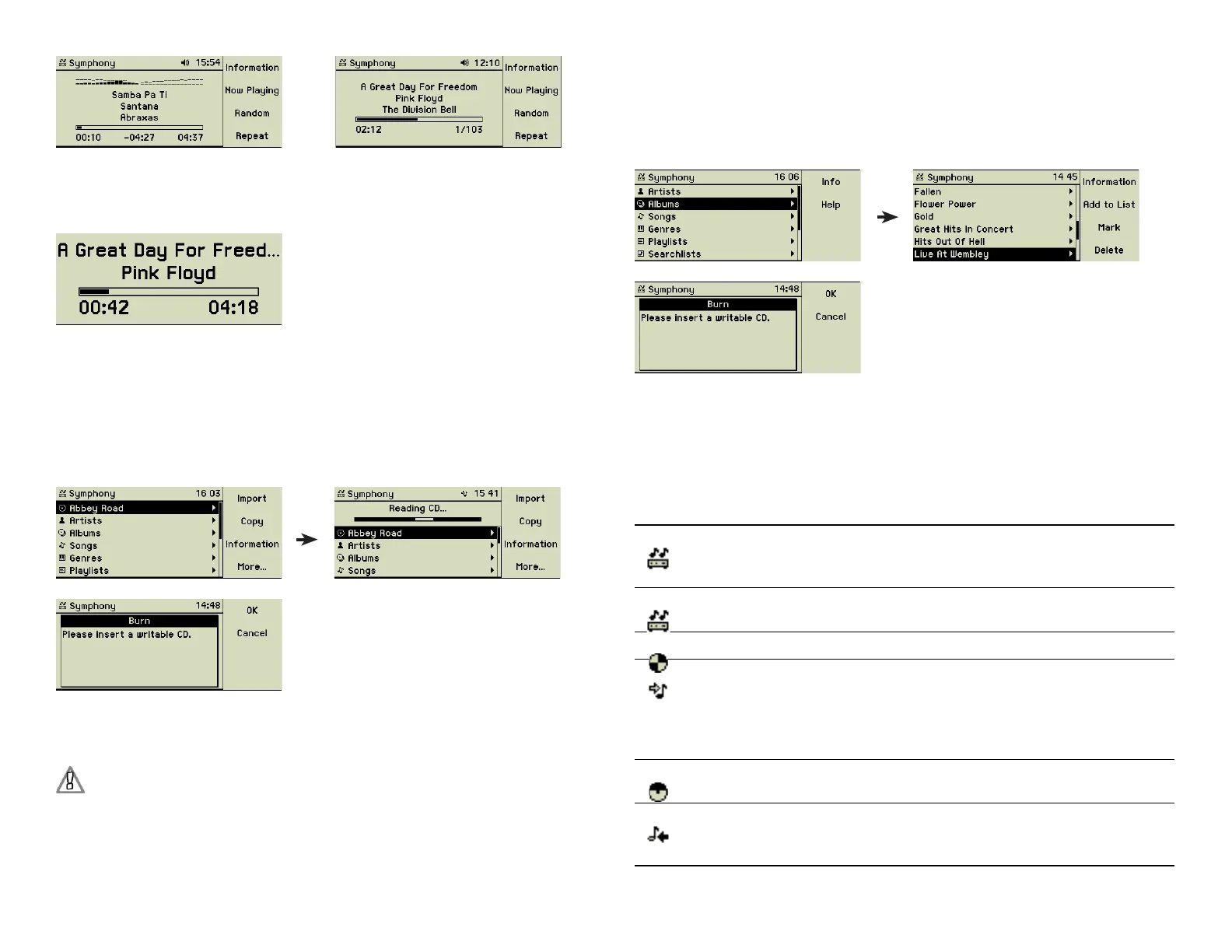
After inserting a music CD its title is shown as the topmost entry of the main
menu. Press the function key 2 “Copy” to copy all tracks of the CD onto a
second one.
Your music center reads all tracks off the music CD and then asks you to insert
a fresh CD-R into the CD slot (2). When a CD-R has been inserted, it begins
the burning.
Duplication of copy-protected audio CDs may infringe copyright and
digital rights laws of your country.
2.6 Burning a music CD
Choose an album or collect some songs into a playlist. Select the album or the
playlist and press the Record button (7). The music center adds up the length
of the songs and warns you if the total playing time exceeds the capacity of
a CD-R.
(7)
The music center asks you to insert a fresh CD-R into the CD slot (2). After
confi rming with function key 1 “OK” the burn process starts. After an optional
verifying the newly burned CD is ejected.
2.7 Header icons
The header line of the display often shows little icons, fl ashing, animated, or
steadily. The following table shows the meaning of each one.
Steady The music center icon shows that the main menu is
referring to the music library located on the music
center.
Flashing The music center system is busy with a complex
operation, e.g. with encoding of music fi les.
Animated A music CD is currently played back.
Animated The music center is currently encoding music tracks,
e.g. from a music CD. This action is done at 3x speed.
The encoding of one hour of music takes about 20 to
30 minutes, whereas the import of the music tracks is
completed within 10 minutes using 10x speed.
Animated The music center is currently burning the chosen tracks
on a music CD.
Animated The music center is currently writing tracks to other
devices, for example on an MP3 player or to the music
center backup hard disk.
11



 To Next Page