5 NETWORKING
Your music center is great for archiving and listening to music. But as a mem-
ber of a network of additional music centers, satellites and your home comput-
ers it shines even more.
You may
• play songs from the music center on your computer,
• play songs from your computer on the music center,
• control the music center with a web browser,
• transfer songs from your computer to the the music center,
• listen to Internet radio broadcasts with the music center,
• use the online music database as additional source of information if
you have Internet access.
Your music center can communicate with other devices is many ways. The
factory set mode defi nes your music center as the main device and is called
“Symphony/Musica Network”. Using this mode the music center is respon-
sible for the communication and the other devices “ask” it for the necessary
information. The alternate mode is called “Home Network” confi guring the
music center as part of an existing local computer network. Another computer
or router must be available which administrates the network. The music center
checks with this device and receives the necessary data from it.
5.1 The center of your music
Would you like to listen to your music collection at other locations? Not only
in your living room, but in your home offi ce, in the basement or the sleeping
room? Technical buzz words like “computer network”, “LAN”, and “router”
donʼt tell you anything? Sometimes you are using a stand alone Macintosh or
Windows PC? No problem, the Olive music center can access, and connect,
all your digital music in your home.
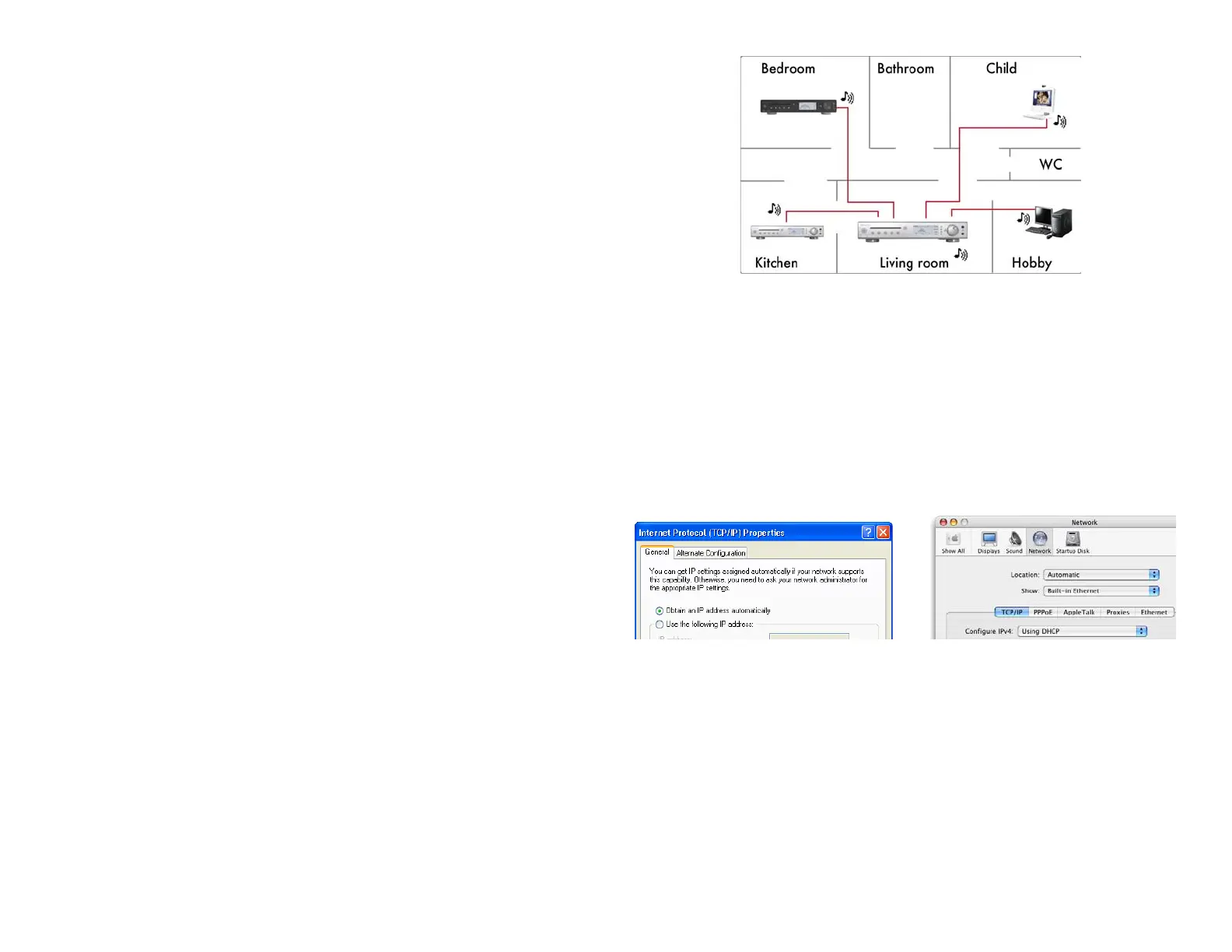
Each music center is preset for this situation and enabled for wireless com-
munication with your devices. Additional networking by cable is also avail-
able. On the back the music center provides four jacks (21) made for normal
computer network cables. Switch on your music center fi rst and then the other
devices. They will detect the music center and adjust to it automatically. After
this fi rst mutual communication, all devices got their information and you may
use them in arbitrary sequence.
The network settings of Windows PCs and Macintosh must be set to “Obtain
an IP address automatically” resp. “DHCP”. This is especially important if
your are using a portable computer alternately at home and at the offi ce and
its networking settings are confi gured for your offi ce.
This enables the music center to act as the main device and to provide network
information to your other components.
More information about the music centerʼs networking capabilities can be
found in chapter 7 «Advanced Networking» on page 34.
29



 To Next Page