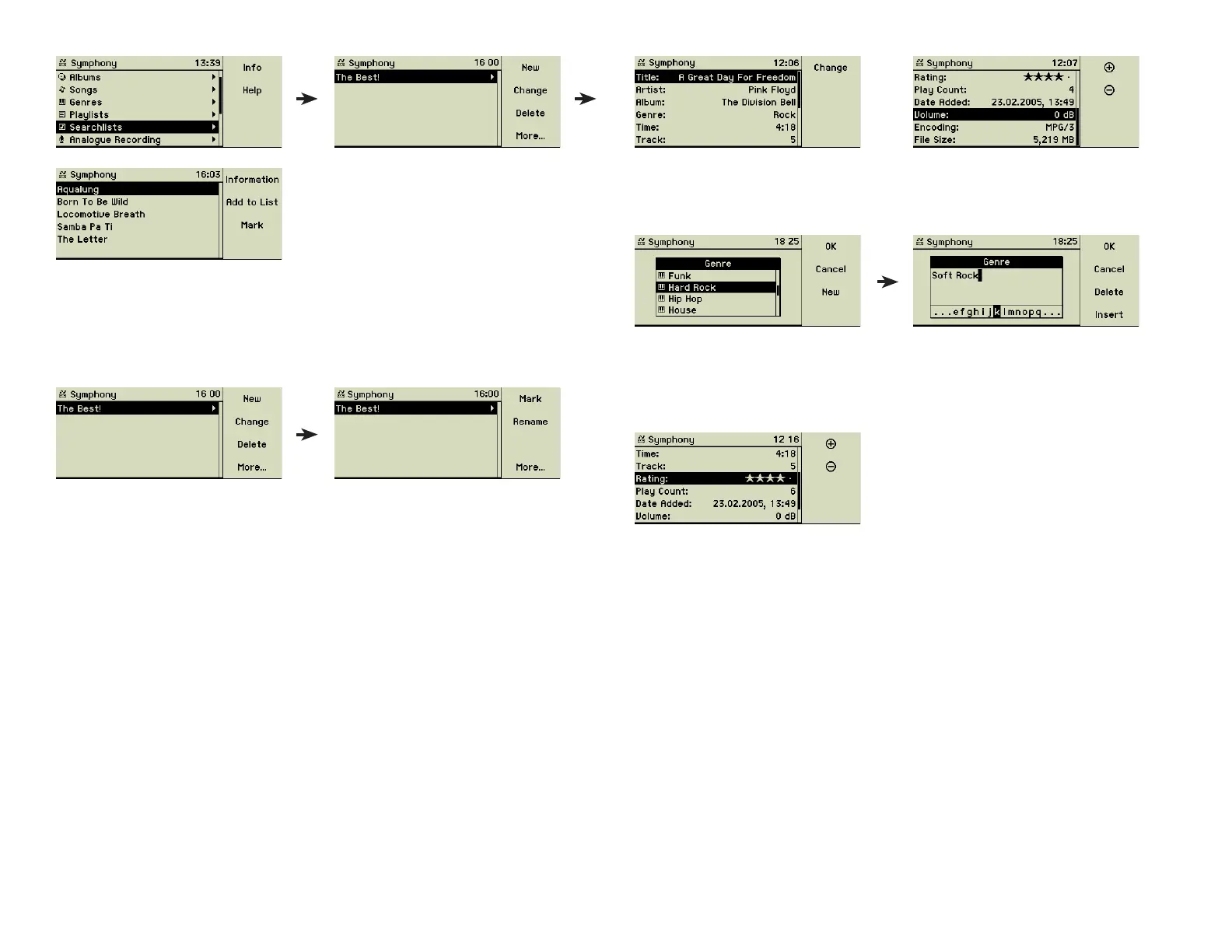
The song, artist, and album information can be changed by you at any time.
Changing a music genre can be done by selecting from the given list or you
can add your own genres by pressing function key 3 “New”.
The Track number represents the position of the song inside an album. You
may adjust the playing sequence using this data.
Ranking: The function key 1 “+” increases the ranking one star at a time, while
function key 2 “-” decreases it accordingly.
A Play Count shows how often the songs had been played already. Date and
time of the import and the playing time is displayed and cannot be changed.
The playback volume can be adjusted to correct output level differences of the
songs. At last you see the type of encoding and the size of the audio fi le.
3.3.1 Editing meta data
Sometimes the internal database and the Internet database do not offer meta
data for your songs. Then you may enter these details manually.
Please notice that the following procedure of entering text manually into the
music centerʼs database is not suitable for larger amounts of data. You may
want to use the web interface on a Macintosh or Windows-PC. Details about
connecting a music center to your computer are found in the next chapter 5
«Networking» on page 29.
If the searchlist shows no entries the music center contains no songs matching
your criteria.
3.2.2 Edit an existing searchlist
The criteria of searchlists may be changed at any time.
Select the searchlist from the list and use function key 2 “Change” to see and
edit the search criteria. Searchlists may be renamed or deleted, too.
3.2.3 Playback of a searchlist
To play such a searchlist, just choose it from the menu option Searchlists and
press the Play button (5). If the play mode is set to Repeat or Random the
songs of the searchlist are played in random order resp. the songs of the
searchlists are repeated forever. See section 4.3 «Play mode» on page 23 for
additional information on these options.
3.3 Meta data
Function key 1 mostly offers the option “Information” which gives you access
to the meta data of a song, an album, or an artist.
These data originate from the internal database, the online “freeDB” music
database, or by manual entries.
15



 To Next Page