3.6 Connecting an MP3 player
The USB ports (22) on the back of your music center can be used for connect-
ing an MP3 player. Then you can play the songs of the MP3 player via the
music center and may edit meta data and playlists.
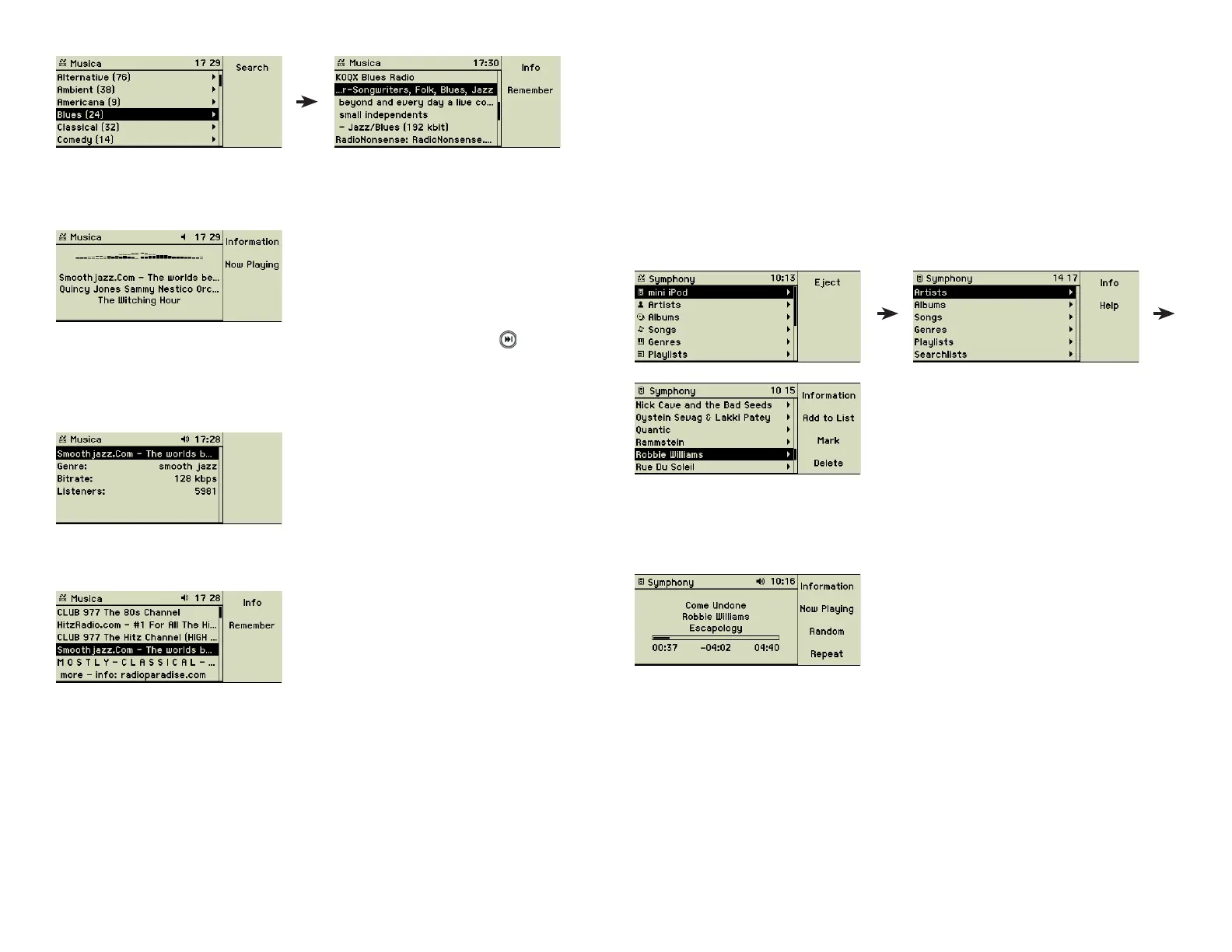
After an MP3 player is plugged into the music center it is handled like a music
CD and appears with its own name as a new entry in the main menu. Behind
the menu option of the MP3 player you fi nd a complete menu containing
Songs, Artists, Albums, Genres, and Playlists of the external device. Navigat-
ing this menu does not present you with any surprise, it is all the same as you
are used to.
Every time the menus of the MP3 player are selected, the name of the ex-
ternal device appears as header on the display. Despite the identical menu
naming, looking at the header gives you the exact information, what music
collection your are dealing with at the moment.
Copying songs to an MP3 player
Choose the songs you want to copy using the music centerʼs main menu op-
tions Artists, Albums, or Songs. The menu option “Mark” may help in selecting
more than one item of a list. Then press function key 2 “Add to List” and the
list of playlists is displayed.
3.5.4 Receiving a radio broadcast
Choose the entry you like and press the Play/Pause button (5).
To change to the next station of the list, press the Next Track (6 ) button on
the front panel or the remote control.
The function key 1 “Information” provides you with information about the
genre or the number of listeners.
The function key 2 “Now Playing” provides you with the name of the radio
station your are currently listening to.
The function key 2 “Remember” transfers the current station to your personal
station list. That is the easiest way to compile your favourites and you are
independent of other, maybe changing, lists.
21



 To Next Page