2-48
Installing and Setting up the Machine > Installing Software
4
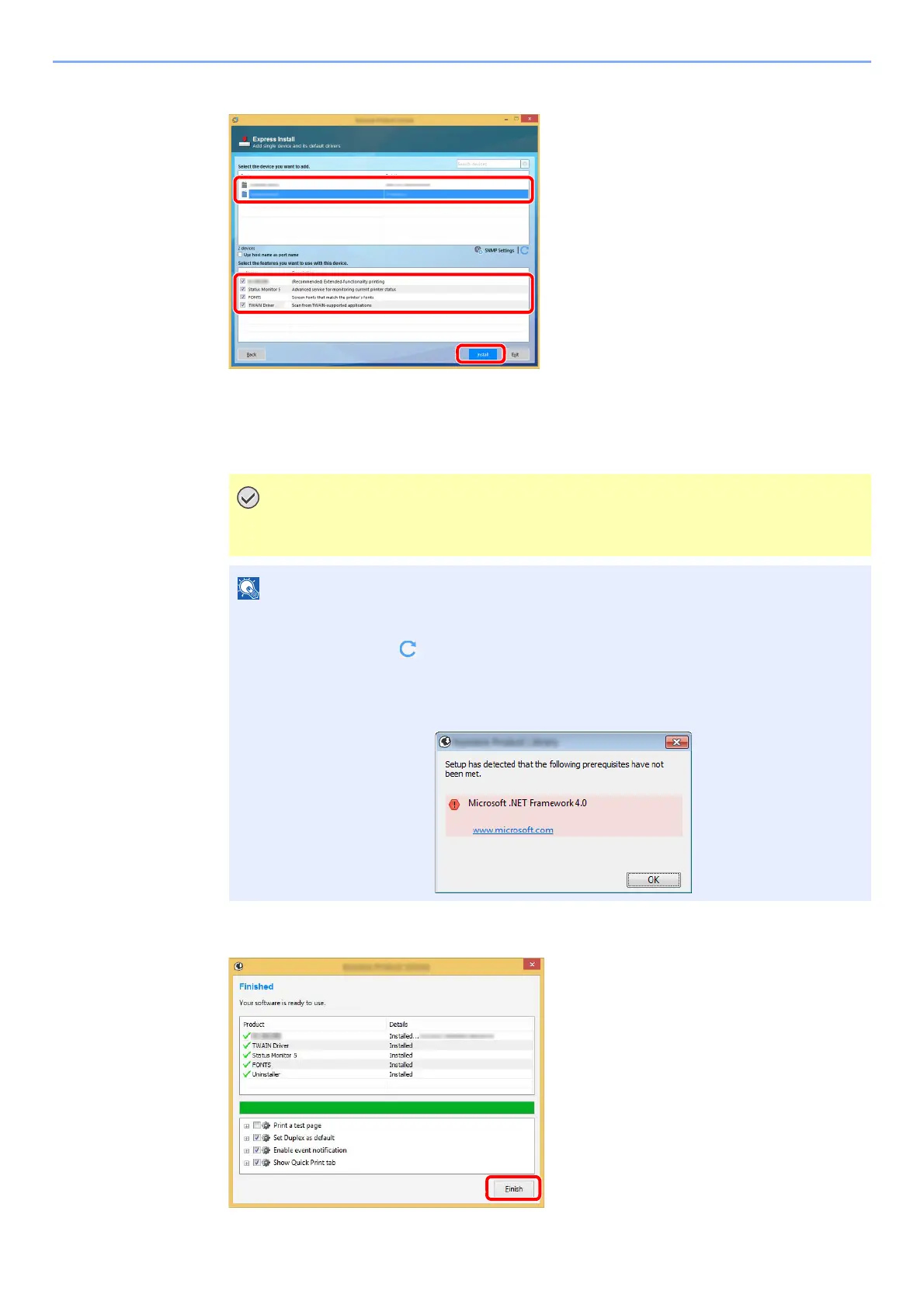
Install the software.
You can also select [Use host name for port name] and set to use the host name of the
standard TCP/IP port. (A USB connection cannot be used.)
When you click [Install], a screen asking for your cooperation with data collection will be
displayed. Select one of the answer choices and click [OK].
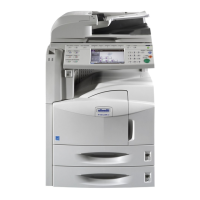
5
Finish the installation.
If Wi-Fi or Wi-Fi Direct is enabled, be sure to specify the IP address for the port name.
Installation may fail if the host name is specified.
• The machine cannot be detected unless it is on. If the computer fails to detect the
machine, verify that it is connected to the computer via a network or USB cable and that it
is turned on and click (Reload).
• If the Windows security window appears, click [Install this driver software anyway].
• To install Status Monitor on Windows versions preceding Windows 8.1, it is necessary to
install Microsoft .NET Framework 4.0 beforehand.




 To Next Page