6-74
Using Various Functions > Functions
File Format
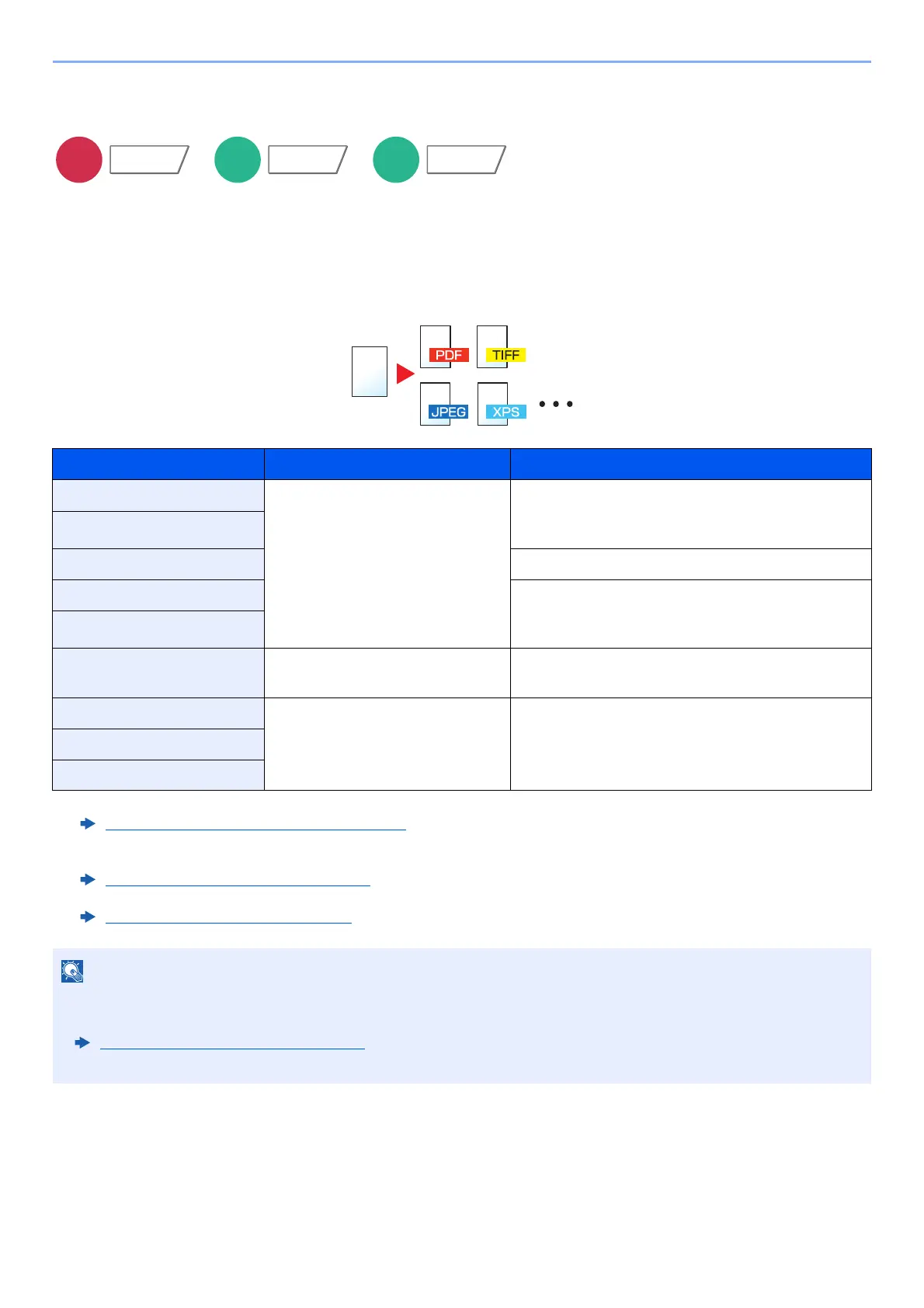
Specify the image file format. Image quality level can also be adjusted.
Select the file format from [PDF], [TIFF], [JPEG], [XPS], [OpenXPS], [High Comp. PDF], [Word], [Excel], and
[PowerPoint].
When the color mode in scanning has been selected for Grayscale or Full Color, set the image quality.
If you selected [PDF] or [High Comp. PDF], you can specify encryption or PDF/A settings.
Item Value Color mode
PDF
*1*2*3
*1 You can create Searchable PDF file by running OCR on the scanned document.
OCR Text Recognition (Option)
(page 6-75)
*2 Set the PDF/A. (Value: [Off] / [PDF/A-1a] / [PDF/A-1b] / [PDF/A-2a] / [PDF/A-2b] / [PDF/A-2u]).
*3 Set PDF encryption.
PDF Encryption Functions
(page 6-76)
1 Low Quality (High Comp.) to
5 High Quality (Low Comp.)
Auto Color (Color/Grayscale), Auto Color (Color/
Black and White), Full Color, Grayscale, Black and
White
TIFF
JPEG
Auto Color (Color/Grayscale), Full Color, Grayscale
XPS Auto Color (Color/Grayscale), Auto Color (Color/
Black and White), Full Color, Grayscale, Black and
White
OpenXPS
High Comp. PDF
*1*2
Compression Ratio Priority,
Standard, Quality Priority
Auto Color (Color/Grayscale), Auto Color (Color/
Black and White), Full Color, Grayscale
Word
*4
*4 Word, Excel and PowerPoint will be saved in a Microsoft Office 2007 or later file format.
Scan to Office Function
(page 6-78)
1 Low Quality (High Comp.) to
5 High Quality (Low Comp.)
Auto Color (Color/Grayscale), Full Color,
Grayscale
Excel
*4
PowerPoint
*4
• When [High Comp. PDF] is selected, you cannot adjust the image quality.
• You can use PDF encryption functions.
PDF Encryption Functions
(page 6-76)
• If encryption is enabled, PDF/A settings cannot be specified.
Functions
Functions









 To Next Page