5-18
Operation on the Machine > Copying
Copying
The procedures here represent the basic copy operation and how to cancel the copy.
Basic Operation
1
[Home] ( ) key > [Copy]
2
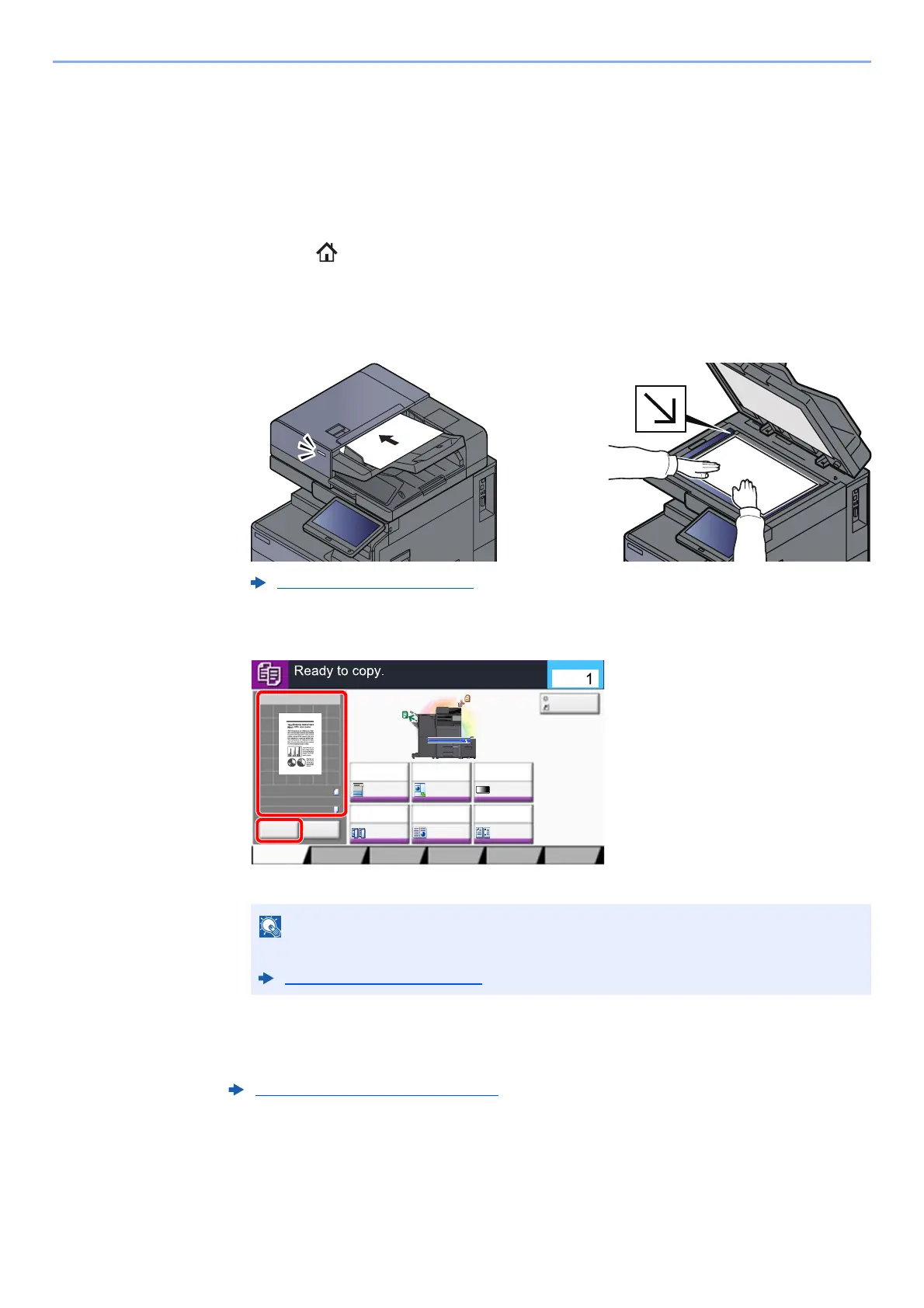
Place the originals.
1 Place the originals.
2 Check the preview image.
Check the Original, Zoom, and Paper settings.
3
Select the functions.
To configure the settings for functions, select the function key.
Loading Originals (page 5-2)
Select [Preview] to show a preview image.
Original Preview (page 2-20)
How to Select Functions (page 6-2)
Image QualityOrg./Paper/
Finishing
Quick Setup Layout/Edit Advanced
Setup
Program
:
:
:
100%
A4
A4
Preview
Original
Zoom
Paper
Preview
Proof Copy
c010101_01
Copies
Staple
/Punch
Normal 0
DensityPaper
Selection
Auto
Zoom
100%
Off1-sided
>>1-sided
Duplex
Off
Combine
ID Card Copy









 To Next Page