6-2
Using Various Functions > Functions Available on the Machine
Functions Available on the Machine
About Functions Available on the Machine
This machine provides the various functions available.
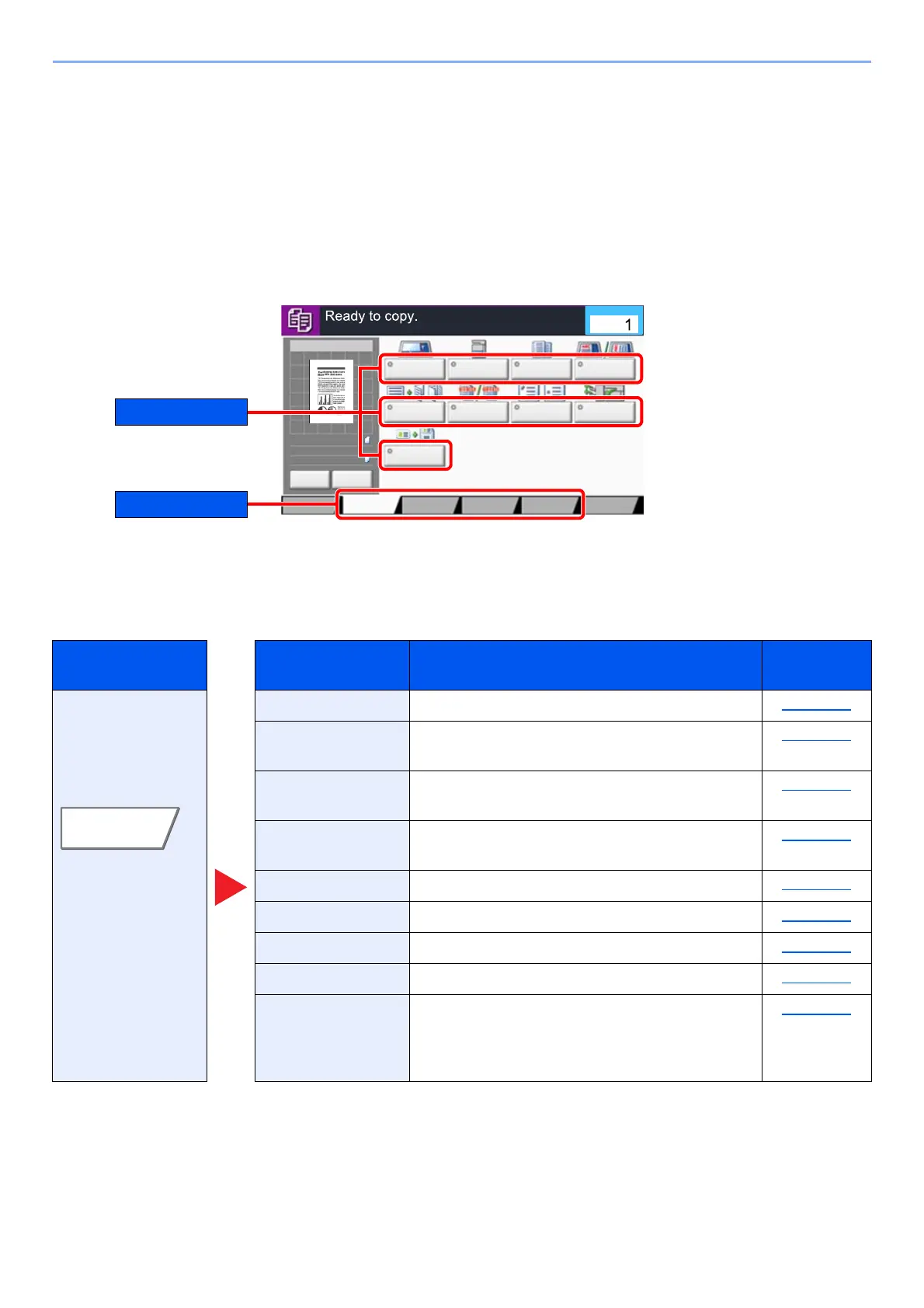
How to Select Functions
To configure the settings for functions, select the tab and press the function key.
Copy
For details on each function, see the table below.
Tab Function key Description
Reference
page
Configure the
settings for
originals, paper,
and finishing such
as collate and
staple.
Original Size Specify the original size to be scanned. page 6-18
Paper Selection Select the cassette or multipurpose tray that
contains the required paper size.
page 6-19
Mixed Size
Originals
Scan the documents of different sizes that are
set in the document processor all at once.
page 6-21
Original
Orientation
Select the orientation of the original document
top edge to scan correct direction.
page 6-24
Fold Fold the finished documents. page 6-25
Collate/Offset Offsets the output by page or set. page 6-26
Staple/Punch Staples or punches printed documents. page 6-27
Paper Output Specify the output tray. page 6-31
ID Card Copy Use this when you want to copy a driver's license
or an insurance card. When you scan the front
and back of the card, both sides will be combined
and copied onto a single sheet.
page 6-32
Original
Size
Paper
Selection
Mixed Size
Originals
Original
Orientation
Collate/
Offset
Staple
/Punch
Paper Output
Quick Setup Advanced
Setup
Program
100%
A4
A4Original
Zoom
:
:
:Paper
Preview
Image Quality
Org./Paper/
Finishing
Layout/Edit
c0102
Preview Proof Copy
Fold
Copies
ID Card Copy









 To Next Page