2-6
Installing and Setting up the Machine > Connecting the Machine and Other Devices
Connecting the Machine and Other Devices
Prepare the cables necessary to suit the environment and purpose of the machine use.
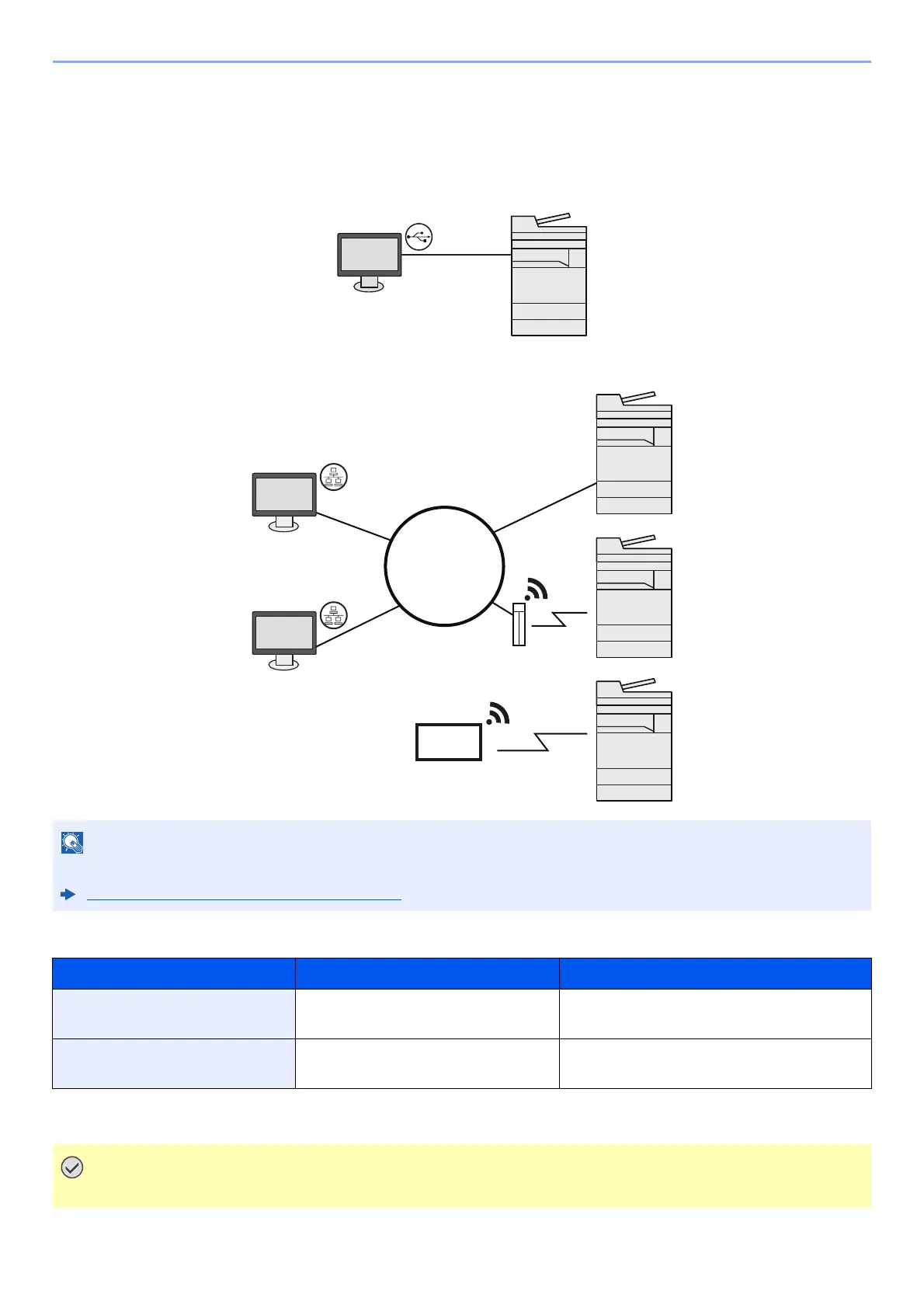
When Connecting the Machine to the PC via USB
When Connecting the Machine to the PC or Tablet by network cable, Wi-Fi, or Wi-Fi direct
Cables that Can Be Used
If you are using wireless LAN, refer to the following.
Configuring the Wireless Network (page 2-32)
Connection Environment Function Necessary Cable
Connect a LAN cable to the
machine.
Printer/Scanner/Network FAX
*1
*1 Function available when using optional FAX kit. For more information on using the Network FAX, refer to the FAX
Operation Guide.
LAN cable (10BASE-T, 100BASE-TX,
1000BASE-T)
Connect a USB cable to the
machine.
Printer USB 3.0 compatible cable (Super-Speed
USB compliant, max. 5.0 m, shielded)
Using a cable other than a USB 3.0 compatible cable may cause failure.
Network
Network cable
connection
Wi-Fi
connection
*1
Wi-Fi Direct
connection
*1
*1 Only for models with
Wi-Fi.
Wi-Fi connection or
Wi-Fi Direct connection
Tablet
Wi-Fi access point









 To Next Page