3-9
Preparation before Use > Loading Paper
5
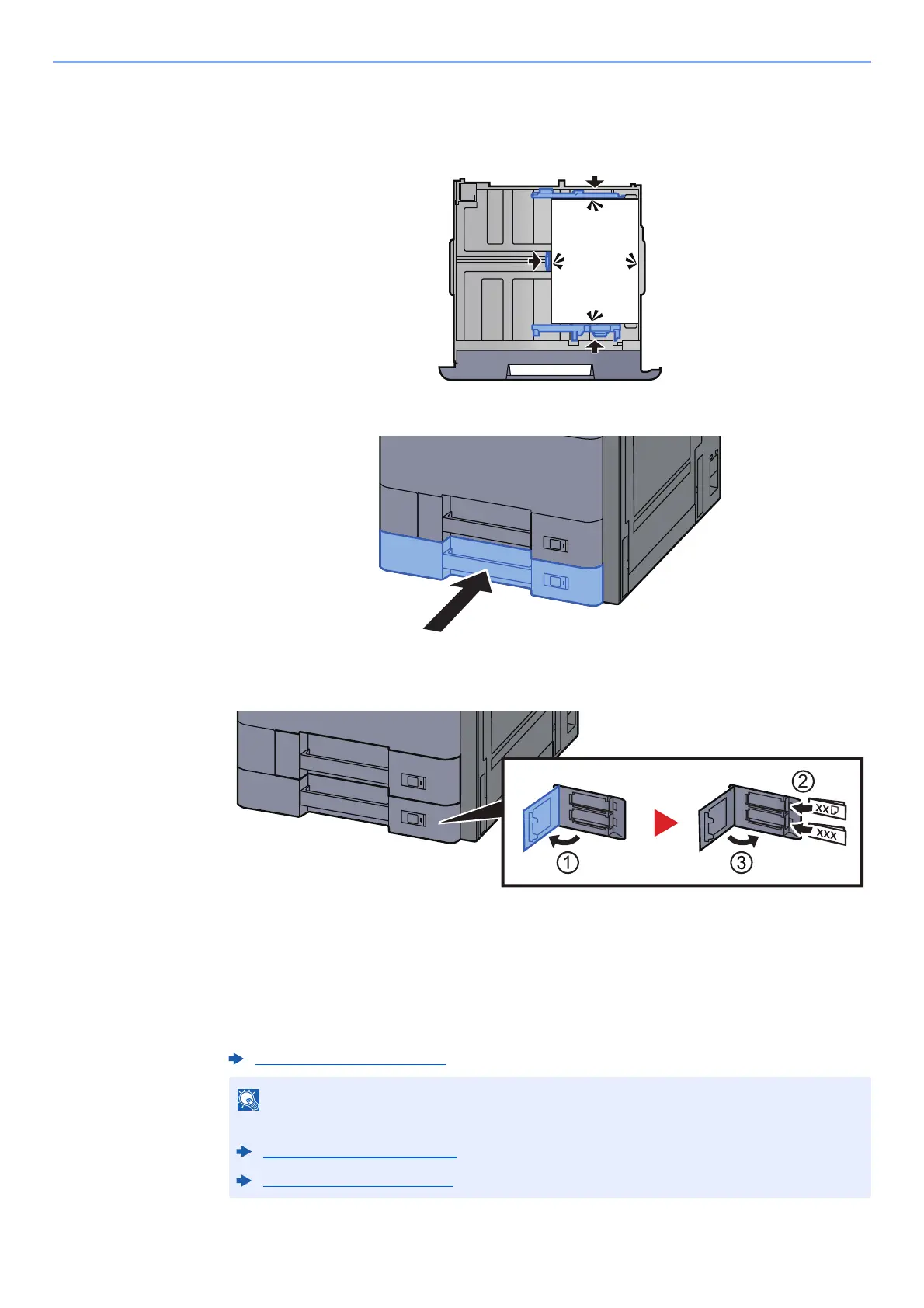
Be sure that the paper length and width guides rest securely
against the paper.
If there is a gap, readjust the guides to fit the paper.
6
Gently push the cassette back in.
7
Insert the indication on the sheet so as to match the size and
type of paper to be placed.
8
Display the screen.
[System Menu/Counter] > [Cassette/MP Tray Settings] > "Cassette 2" [Next]
9
Configure the function.
Select the paper size and paper type.
Cassette 1 (to 5) (page 8-7)
Paper size can be automatically detected and selected, refer to the following.
Paper Selection (page 6-19)
Cassette 1 (to 5) (page 8-7)









 To Next Page