3-11
Preparation before Use > Loading Paper
4
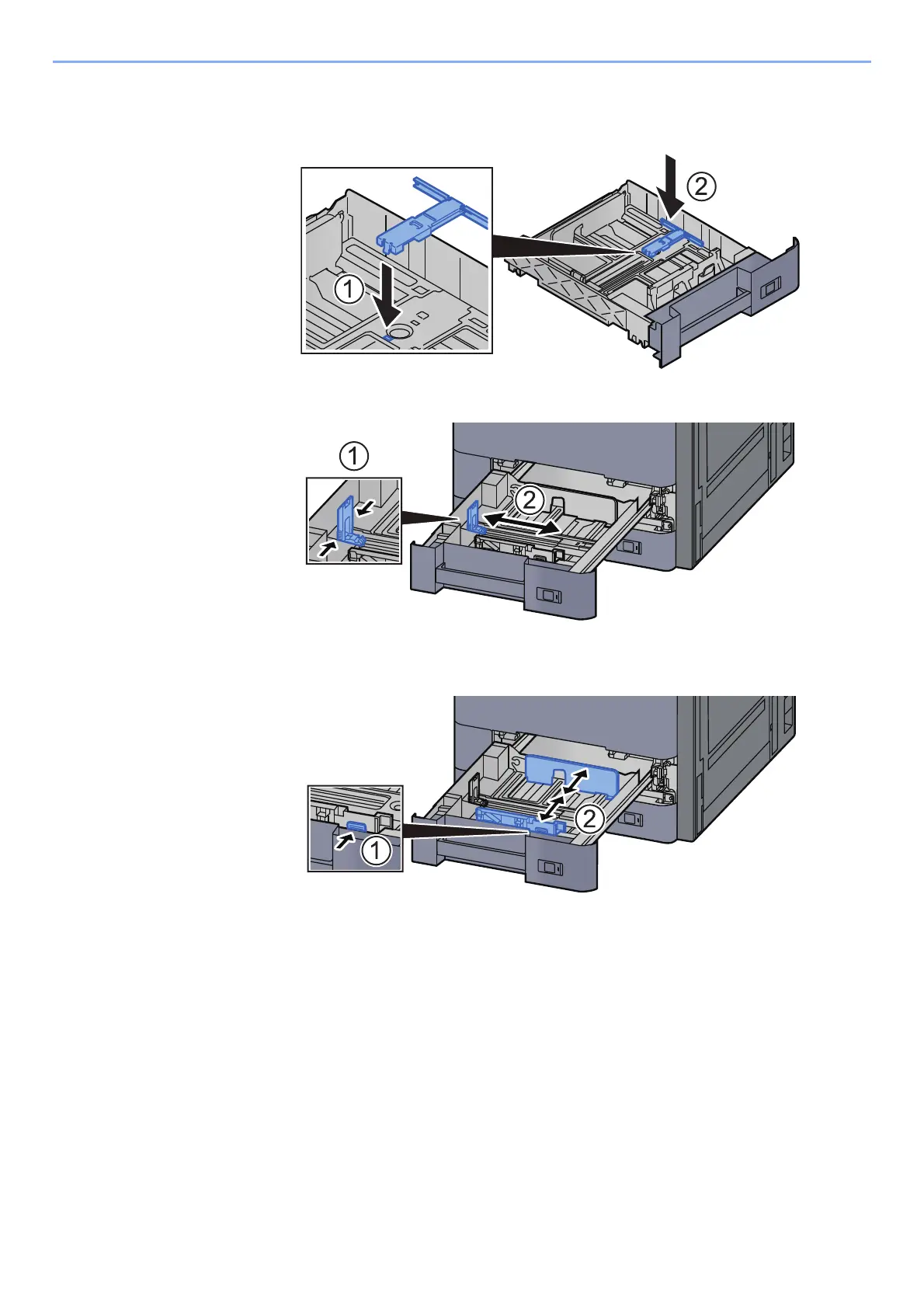
Attach the envelope feed guide as shown in the illustration.
The illustration below shows that the lever of the envelope feed guide is expanded.
5
Adjust the paper length guide to the paper size required.
6
Adjust the position of the paper width guides located on the
left and right sides of the cassette.









 To Next Page