3-17
Preparation before Use > Loading Paper
3
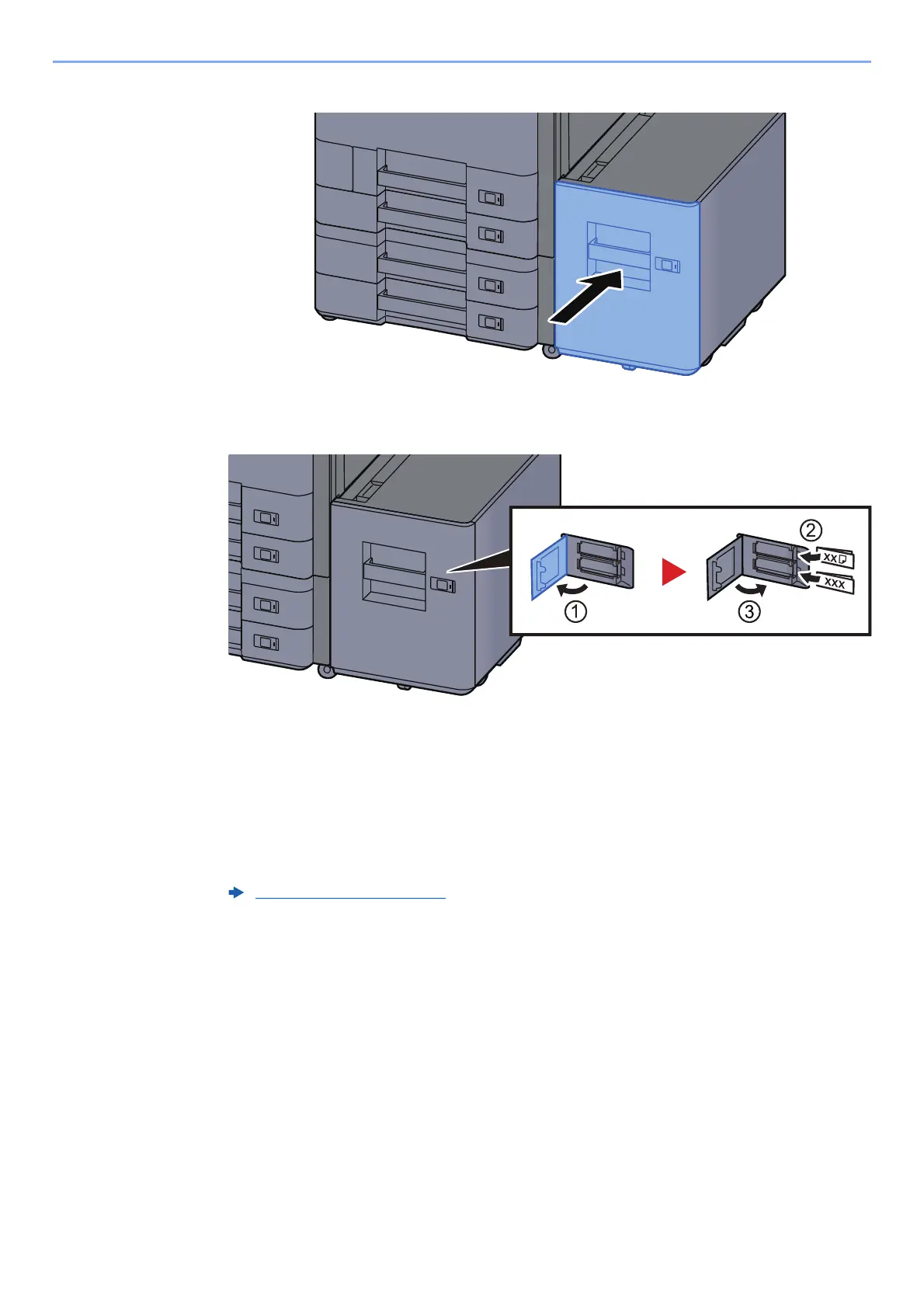
Gently push the cassette back in.
4
Insert the indication on the sheet so as to match the size and
type of paper to be placed.
5
Display the screen.
[System Menu/Counter] > [Cassette/MP Tray Settings] > "Cassette 5" [Next] > "Media
Type" [Change]
6
Configure the function.
Select the paper type.
Cassette 1 (to 5) (page 8-7)









 To Next Page