4-12
Printing from PC > Printing from PC
Using the Banner Tray (Option)
When the banner tray (option) is used, up to 10 sheets of banner paper can be fed continuously.
The operation procedure for setting the banner paper by using the Printing System Driver is the same as that
of
using the multipurpose tray.
Using the Multipurpose Tray (page 4-9)
1
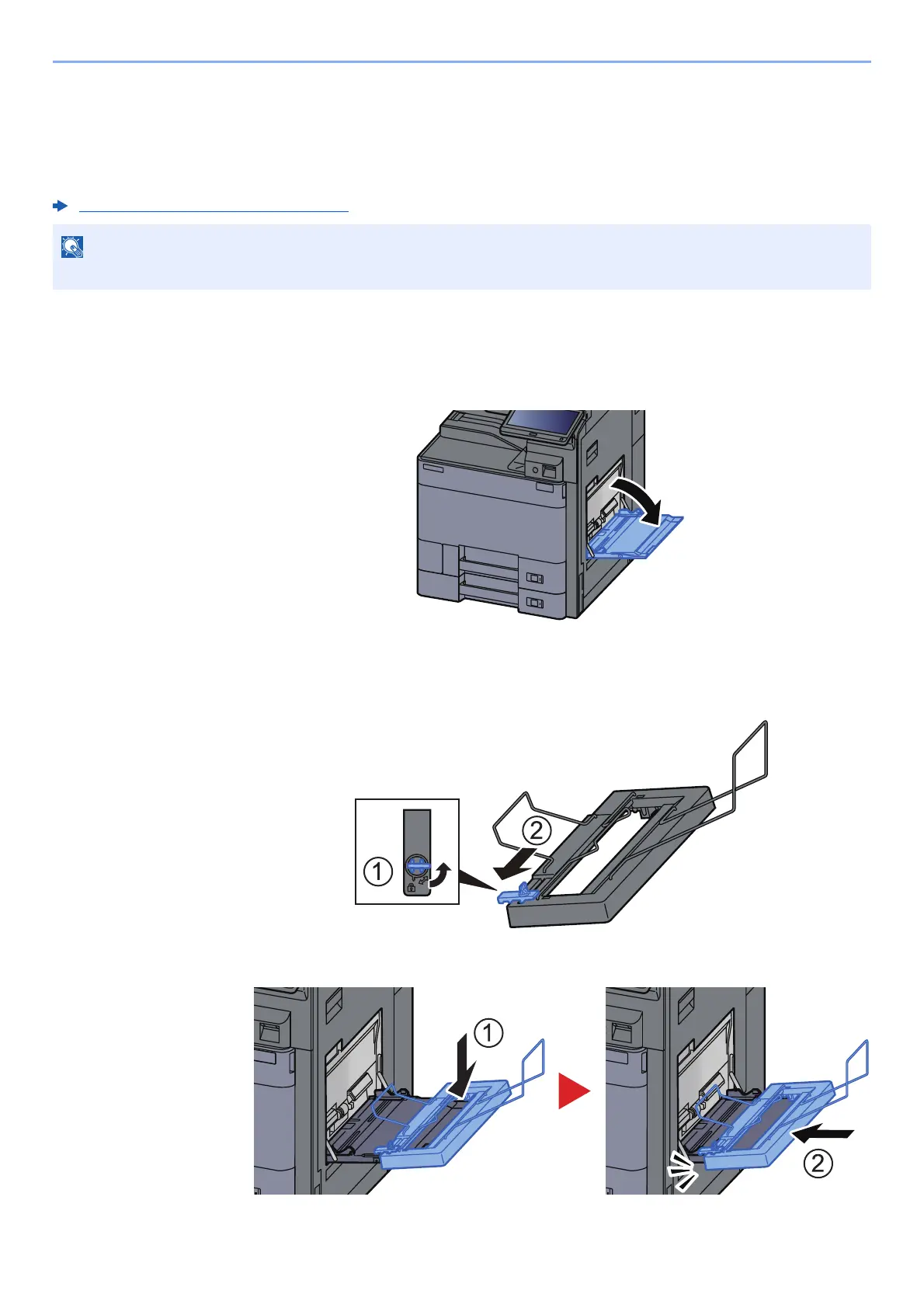
Open the multipurpose tray.
Open the multipurpose tray until it stops.
Do not extend the multipurpose auxiliary tray.
2
Attach the banner tray.
1 Release the paper width guide lock on the banner tray and open to the maximum width.
2 Attach the banner tray to the multipurpose tray.
The paper length supported in banner tray is 488.1 mm to 1,220 mm (18.5" to 48.03").









 To Next Page