DP2-SAL
81
} This step is displayed when the applicable coded illuminator is
combined.
If this step is not displayed, go to
13
.
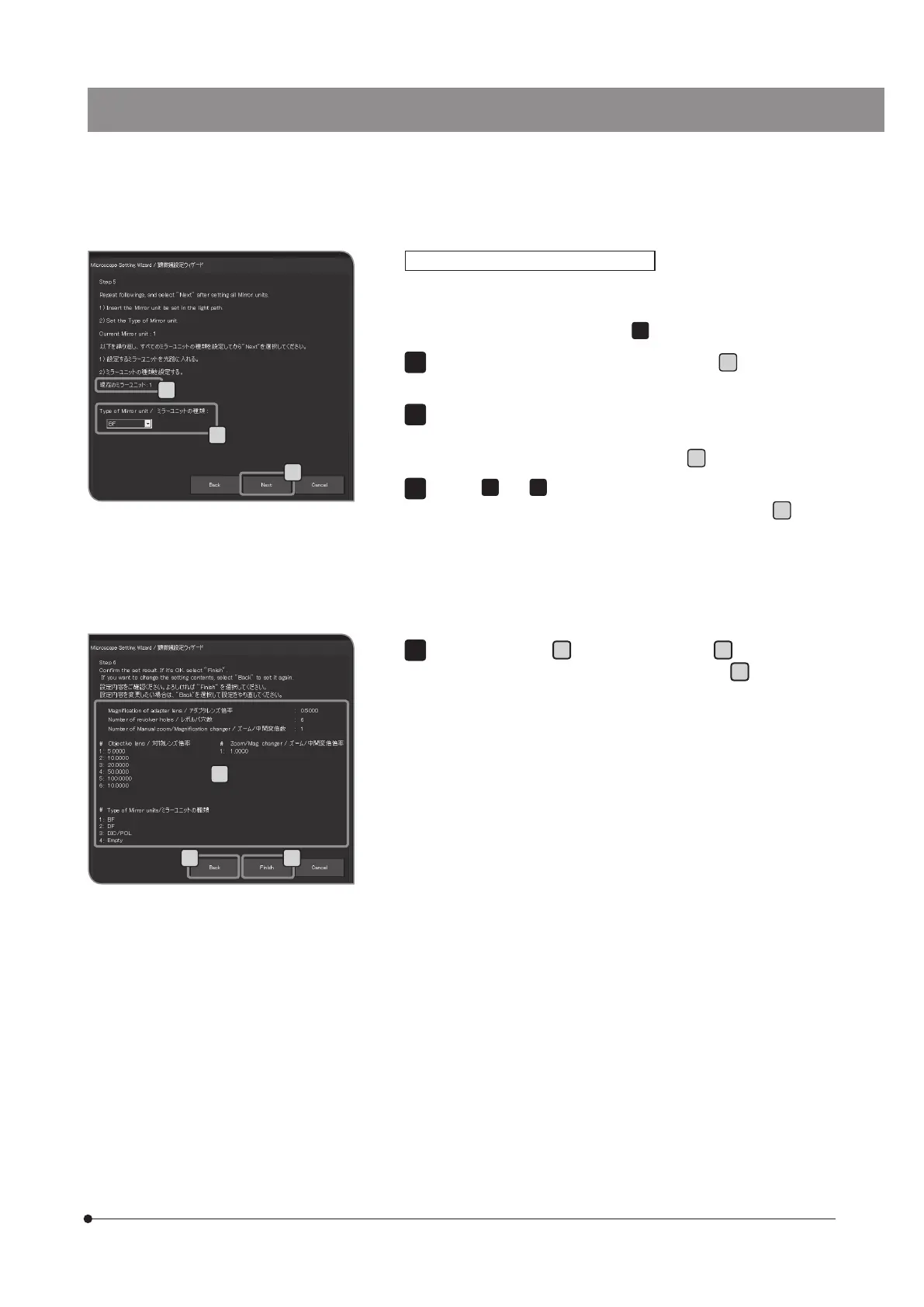
Set the type of the mirror unit in the light path to
q
.
If the mirror unit is not engaged in the light path, select [Empty].
Rotate the mirror unit cassette and engage the adjacent mirror
unit into the light path. The information of the mirror unit position is
acquired automatically and is displayed in
r
in the left picture.
Repeat
10
and
11
to set the type of each mirror unit.
When the settings are completed, press the [Next] button
s
.
When the coded illuminator is combined
10
11
12
Confirm the settings
t
. Press the [Finish] button
u
if it is OK with you.
If you change the settings, press the [Back] button
v
and set again.
r
q
s
t
uv


 To Next Page