12
2-2 Control window
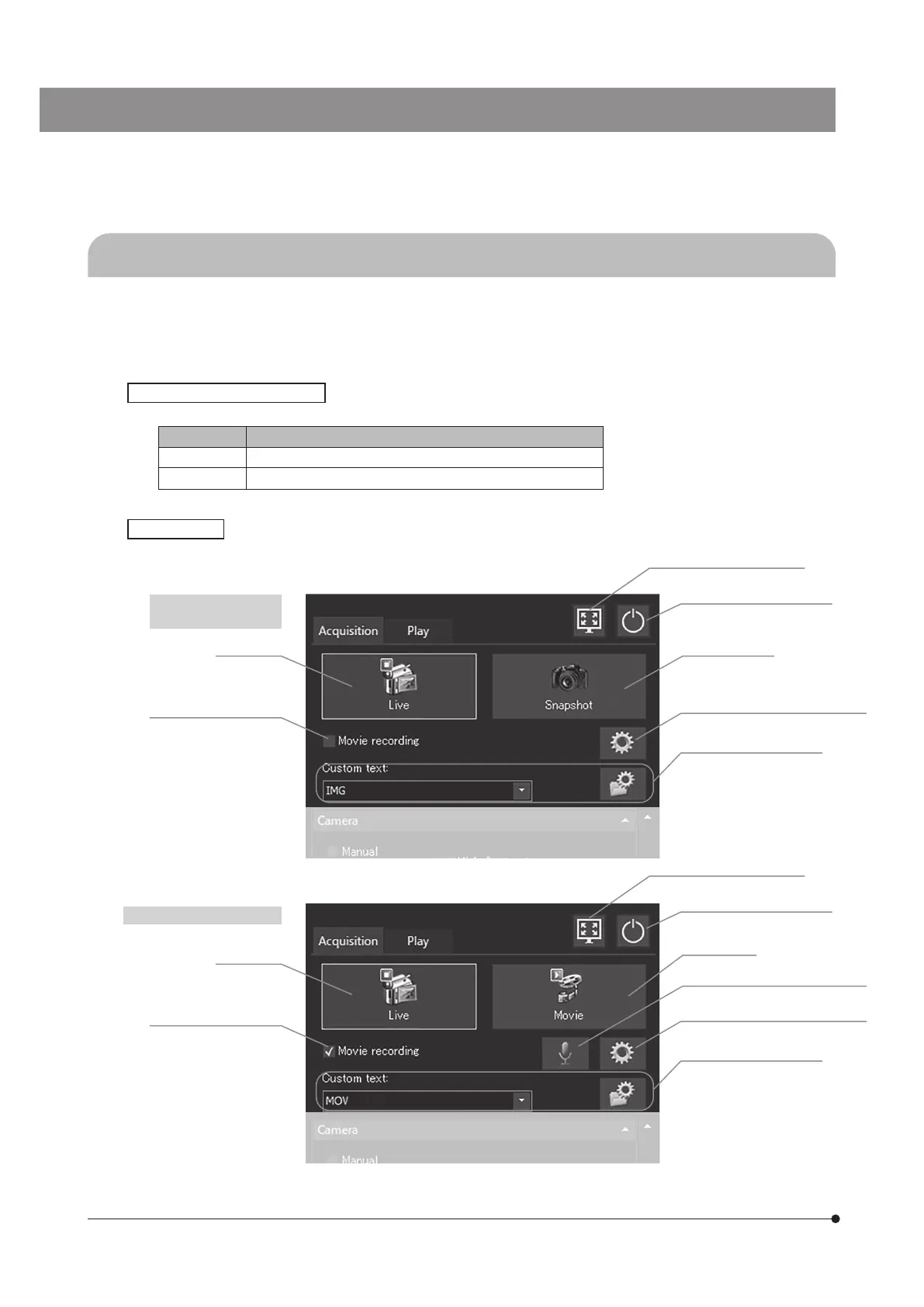
Setting the main switch of DP2-AOU to ON allows you to start the camera control software. The camera control software
is displayed in the upper right area of the display window. The [Acquisition] tab and the [Play] are are shown on the
control window.
The [Acquisition] tab is used mainly for acquiring the images.
There are buttons which change the setting status using the same button. The setting statuses are described below.
Button color Status
Blue The settings displayed on the button are enabled or ON.
Gray The settings displayed on the button are disabled or OFF.
[Acquisition] tab
When acquiring the
still image (snapshot)*
When recording the movie*
Status when the button is pressed
[Maximize to Screen] (p. 61)
[Maximize to Screen] (p. 61)
[Turn Off System] (p. 24, 28)
[Turn Off System] (p. 24, 28)
[System Settings] (p.55, 57, 83, 86)
[System Settings] (p.55, 57, 83, 86)
[File Naming and Saving
Options] (p.32, 54)
[File Naming and Saving
Options] (p.32, 54)
[Live] (p.41)
[Live] (p.41)
[Movie recording] (p.39)
[Movie recording] (p.39)
[Snapshot] (p.26)
[Movie] (p.39)
[Enable Sound Recording] (p.47)
*Use the [Movie recording] check box for switching between acquiring the still image and recording
the movie.



 To Next Page