DP23-AOU/DP28-AOU
43
6
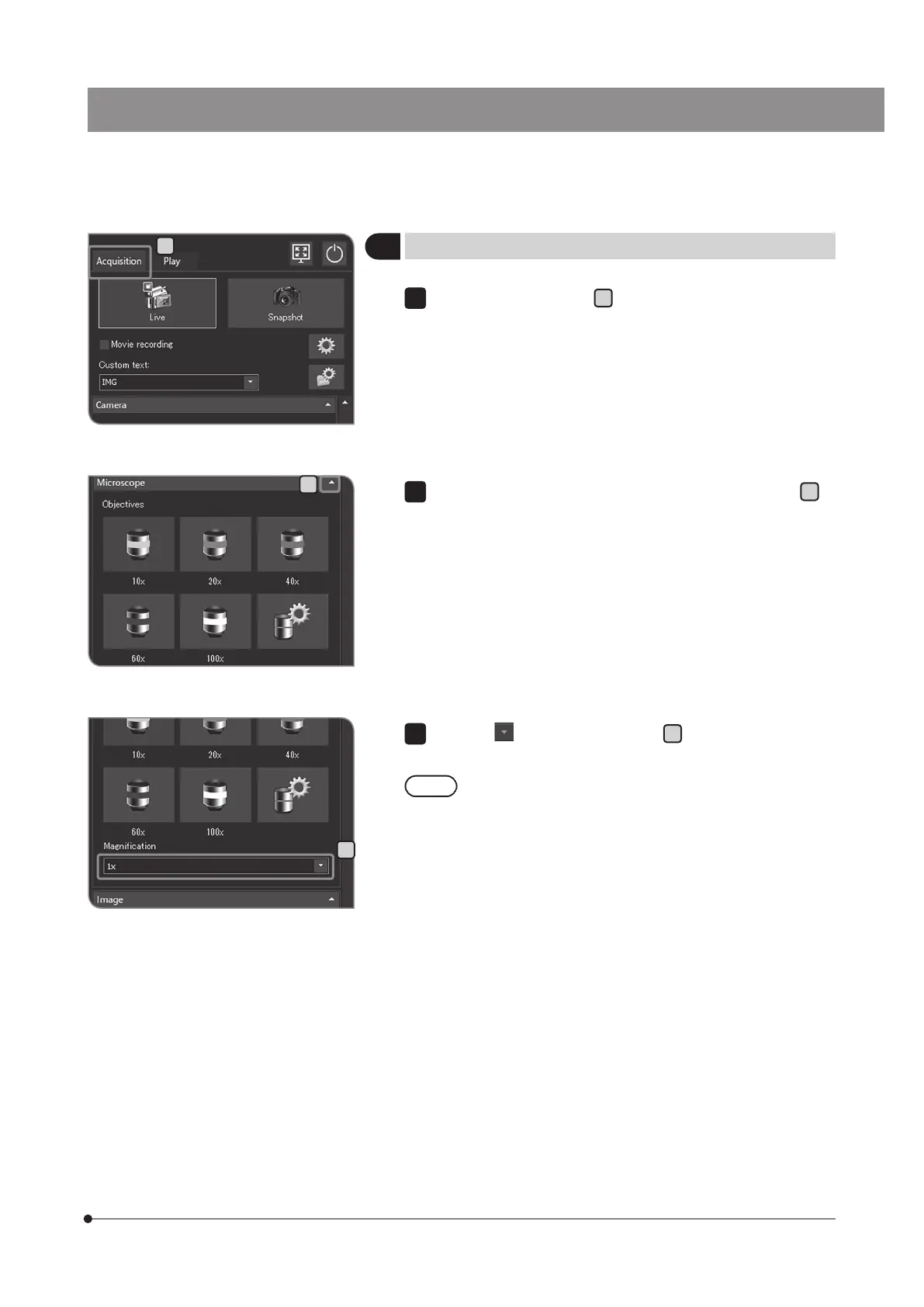
Selecting the intermediate magnification changer
Select the [Acquisition] tab
A
.
1
C
B
If the setting items of [Microscope] are not displayed, press
B
to
open them.
2
Press the button of [Magnification]
C
to select the intermediate
magnification changer currently in the light path.
You can set the contents of the selection list according to the
microscope you use. For setting procedures, see "Setting the
microscope (p.84)".
3
A



 To Next Page