DP23-AOU/DP28-AOU
39
4-3 Advanced operations
This section describes the advanced functions of DP23-AOU or DP28-AOU. With the advanced functions, you can
acquire the observed images suitable for your needs.
1
Manual exposure acquisition
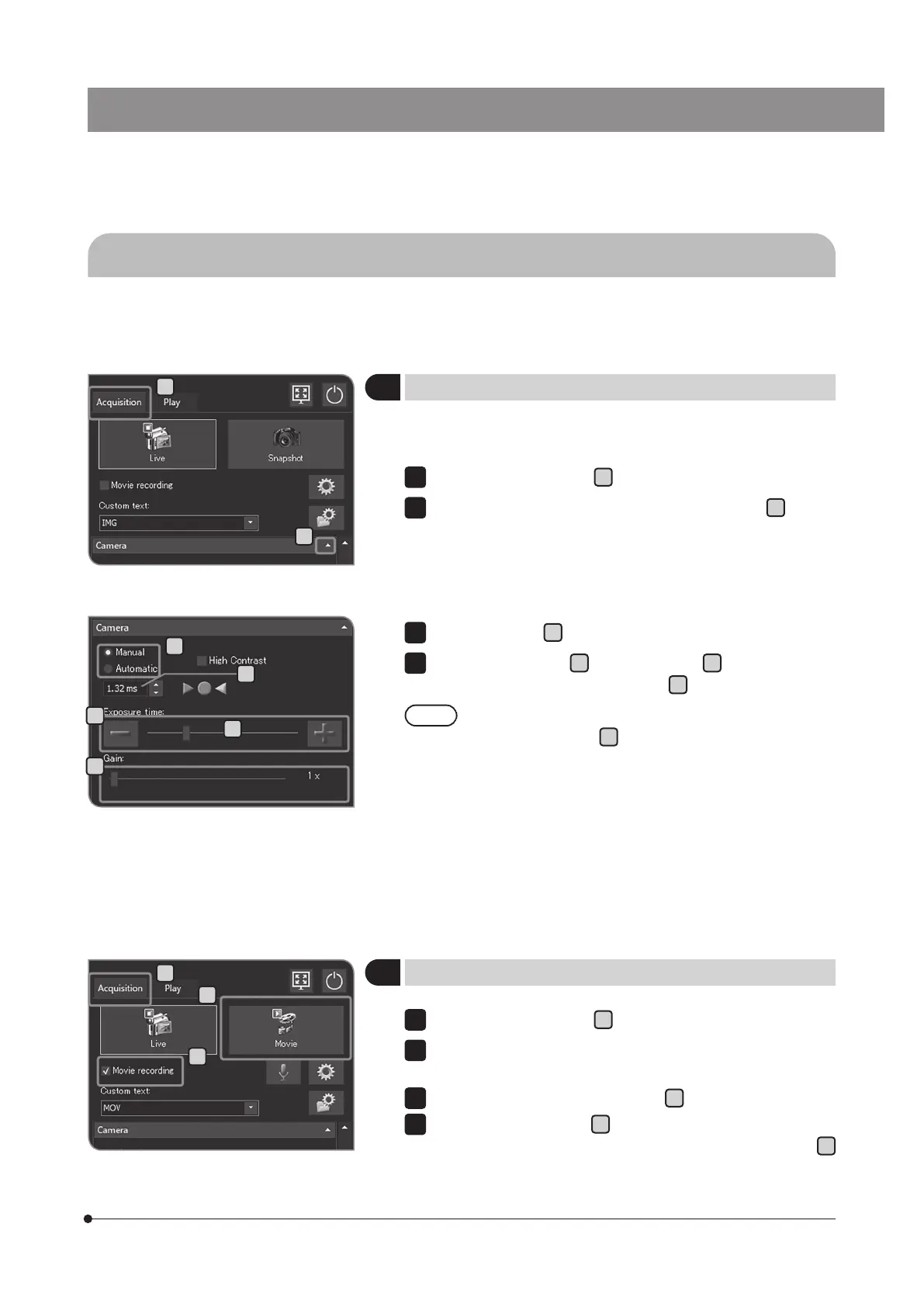
You can acquire images or movies by setting the arbitrary exposure
time manually.
Select the [Acquisition] tab
A
.
If the setting items of [Camera] are not displayed, press
B
to open
them.
1
2
Select [Manual] in
C
to change the exposure mode.
Press [-] or [+] button in
D
, or move the bar in
E
to set the exposure
time. The exposure time is displayed in
F
.
If you want to reduce the exposure time without darkening
the image, use [Gain]
G
. The [Gain] value is multiplied by the
intensity value. Using [Gain] allows you to brighten the entire
image and reduce the exposure time, but the noise in the
image is enhanced.
3
4
C
B
D
G
F
E
2
Recording the movie
C
A
B
Select the [Acquisition] tab
A
.
Operate the microscope to frame the position you want to record, and
bring it into focus.
Check the [Movie recording] checkbox
B
.
Press the [Movie] button
C
to start recording the movie. During
recording, the number of recorded movies and the remaining time
D
are displayed in the [Movie Capture Process] dialog box.
2
3
4
A



 To Next Page