DP23-AOU/DP28-AOU
47
2
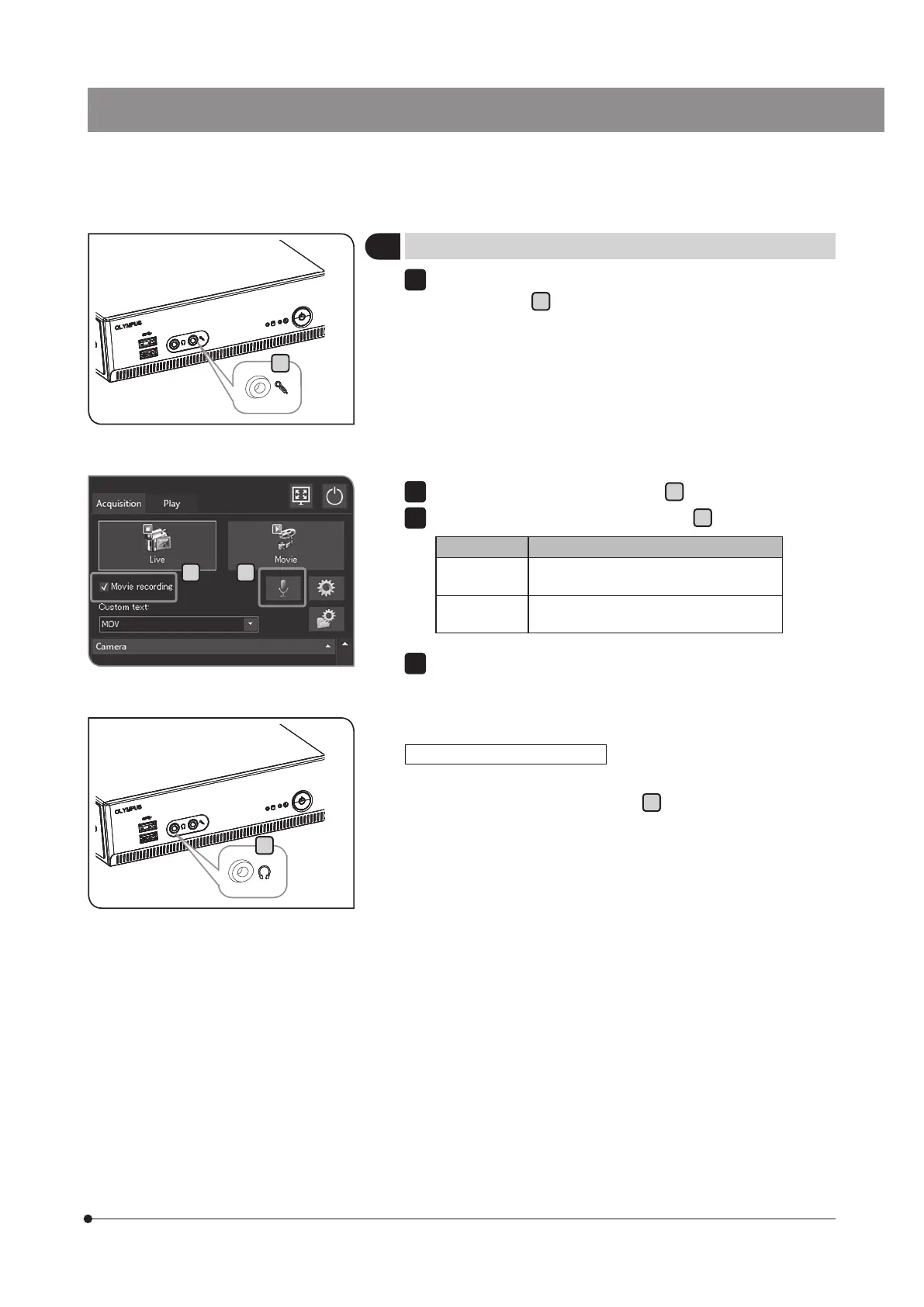
Setting the sound of movie
Connect the microphone purchased separately to the microphone
input connector
A
of DP2-AOU.
1
A
D
B C
Check the [Movie recording] checkbox
B
.
Press the [Enable Sound Recording] button
C
to set it ON.
Button Function
ON The sound is included when recording
the movie.
OFF The sound is not included when
recording the movie.
Record the movie. For recording procedures, see p.39.
While recording the movie, the sound from the microphone is recorded
in the movie file.
To output the sound by DP2-AOU, connect the speaker purchased
separately to the lineout connector
D
. (For setting the sound
volume, refer to the instruction manual of the speaker.)
2
3
4
Outputting the sound by DP2-AOU



 To Next Page