46
K
L
When a message appears, engage the objective into the light path of
the microscope according to the message, and press [OK].
When the next screen appears, perform the optical adjustment of the
microscope according to the message, and press [Next].
The next screen appears to start acquiring the corrected image. When
the acquisition is completed, the message appears. Repeat
8
and
9
.
When the correction is completed, press the [Finish] button.
If the wizard is canceled in the middle, the corrected images
acquired so far are enabled and they are used for shading
correction during acquisition.
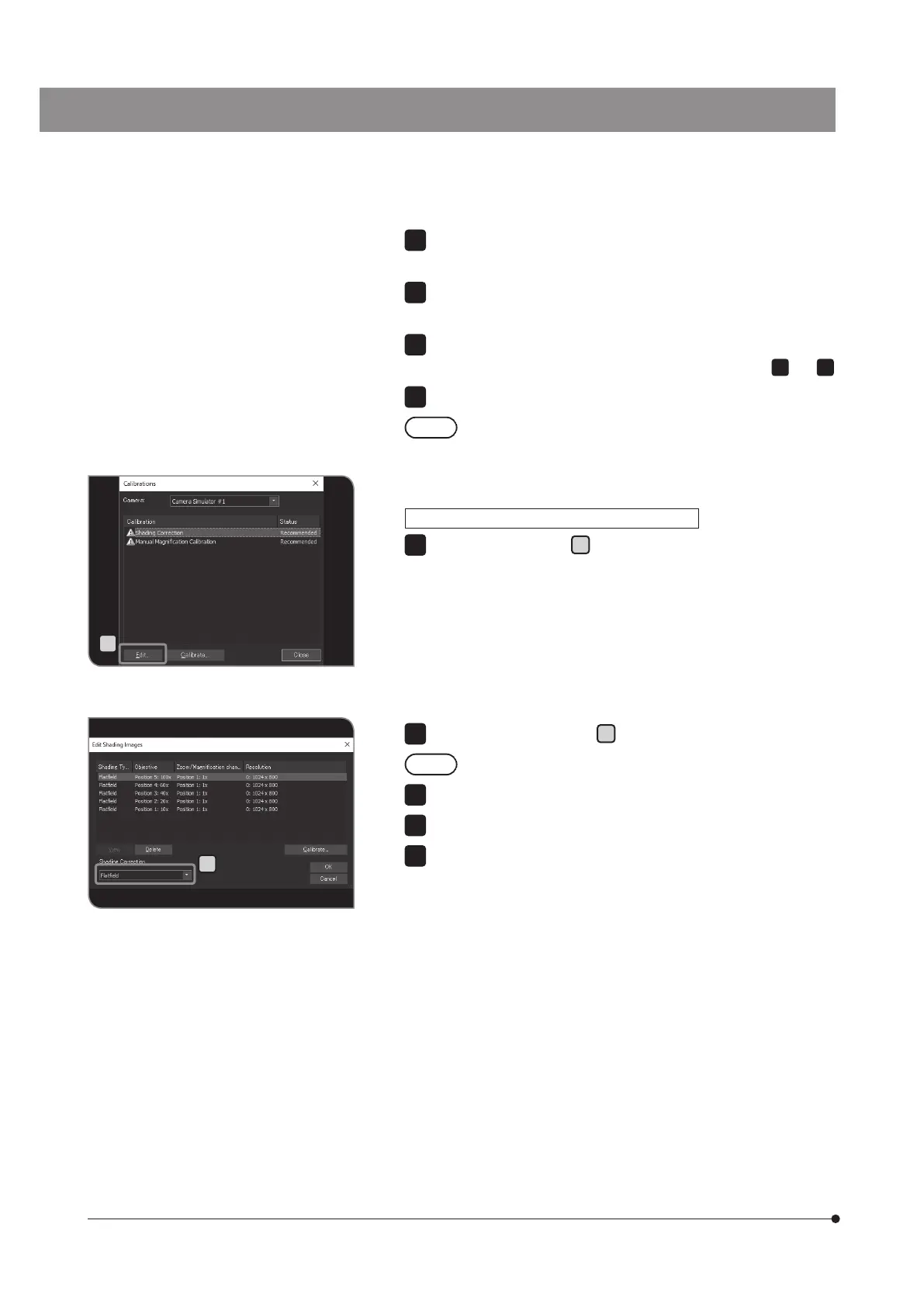
Press the [Edit] button
K
in the [Calibrations] dialog box. The [Edit
Shading Images] dialog box is displayed.
8
9
10
11
ON/OFF of shading correction during acquisition
12
Select [OFF] or [Flat field] in
L
.
While recording the movies, the shading correction is OFF.
Press the [OK] button to close the [Edit Shading Images] dialog box.
Press the [Close] button to close the [Calibrations] dialog box.
Press the [OK] button to close the [Device Settings] dialog box.
13
14
15
16



 To Next Page