60
5 Play
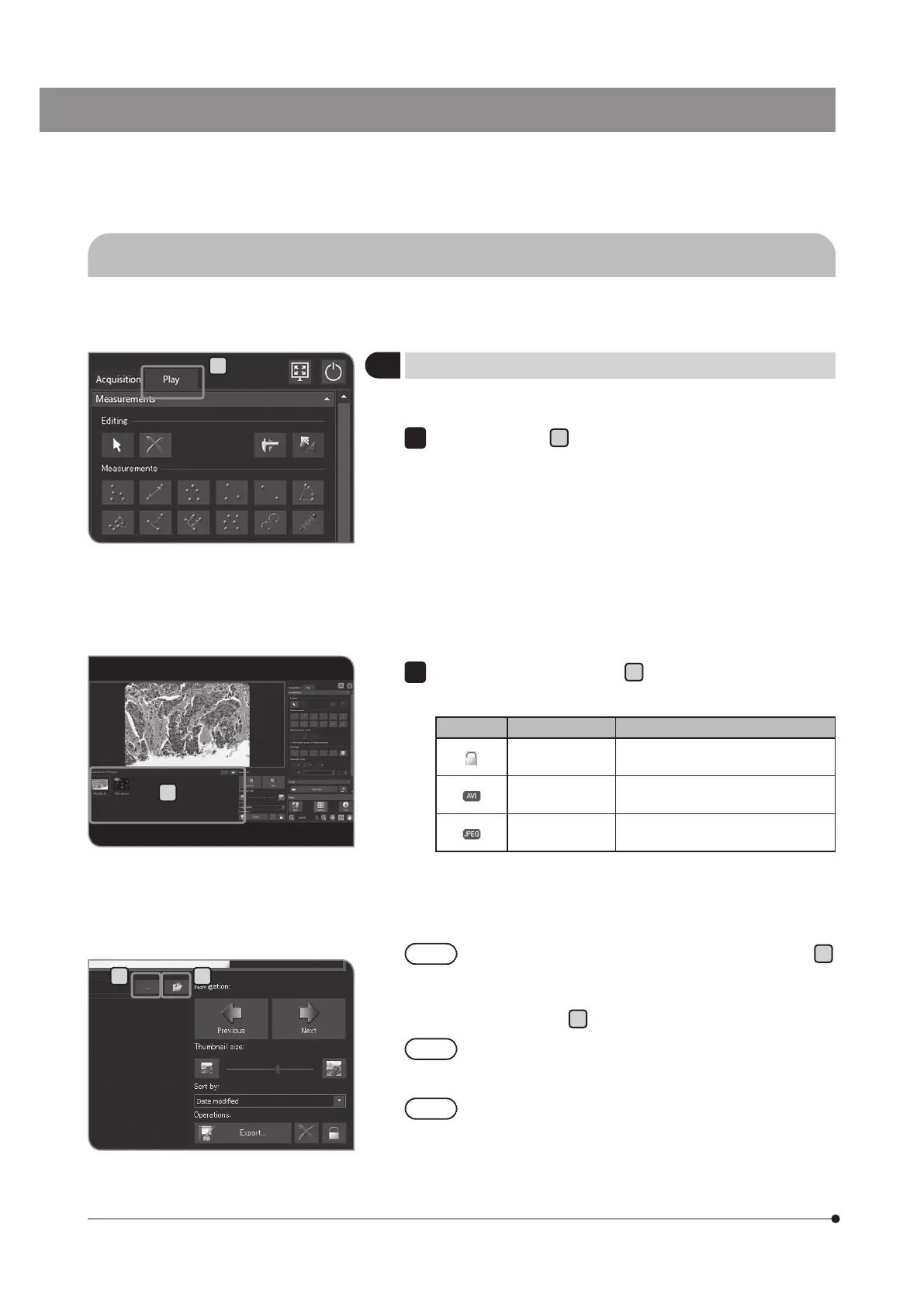
The functions used for playing images are placed on the [Play] tab.
1
Selecting the play image
You can change the image you want to play.
Select the [Play] tab
A
to display the image acquired last in the folder
that is saved automatically.
1
5-1 Basic operations
B
C D
Select the thumbnail in [Gallery]
B
to change the play image.
Icons displayed on the thumbnail
Icon Function Note
The image is
protected.
For details, see "Protecting the play
image (p.63)".
Movie file
For details, see Playing the movies
(p.62)".
JPEG file
For details see,"Setting the still
image format (p.32)".
2
To change the folder you want to view, press the [...] button
C
.
Specify the folder in the dialog box displayed. (To return to the
folder saved automatically, press the [Open Automatic Saving
Location] button
D
.)
To view the folder in the USB recording media equipped
with the password function, press the [Unlock External
Drive] button to cancel the password using the keyboard.
While the window to input password is displayed, if you place
the mouse pointer on the camera control software and click it,
the window to input password becomes invisible. In this case,
press [Alt]+[Tab] of the keyboard to make it visible.
A
This section describes the procedures to view the acquired images.



 To Next Page