48
3
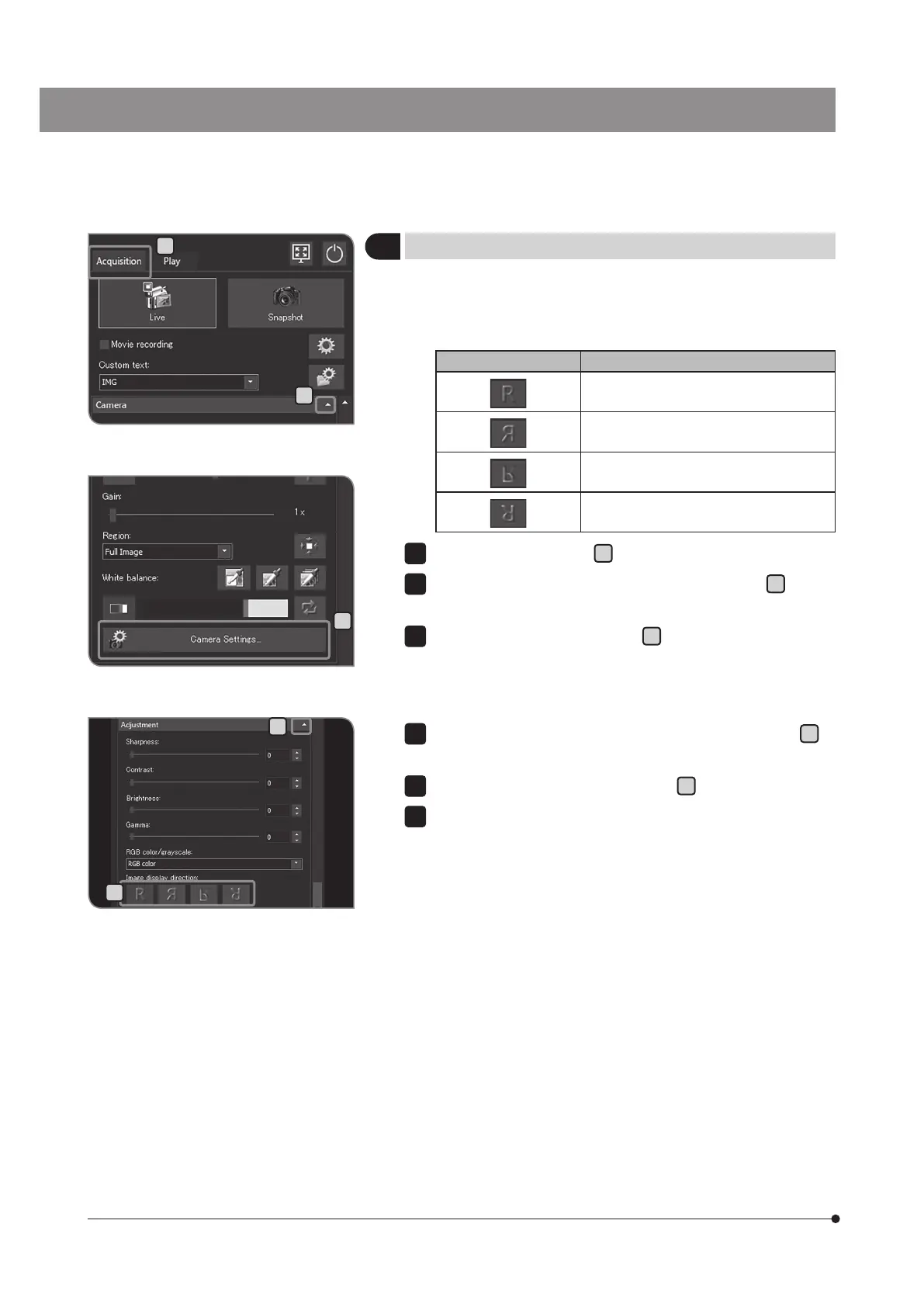
Setting the image orientation
The orientation of the image to be shown on the display can be set
to either one of the followings. This operation is not available while
saving the acquired image.
Button Function
Standard orientation
Horizontal inversion
Vertical inversion
180° rotation
Select the [Acquisition] tab
A
.
If the setting items of [Camera] are not displayed, press
B
to open
them.
Press the [Camera Settings] button
C
.
1
2
B
D
E
C
If the setting items of [Adjustment] are not displayed, press
D
to
open them.
Press the [Image display direction] button
E
to select the orientation.
Press the [Close Camera Settings] button.
4
5
6
A



 To Next Page