DP23-AOU/DP28-AOU
19
3
Connecting the AC adapter
· Always use the AC adapter and the power cord provided
by Olympus. If the proper AC adapter and the power cord
are not used, the electric safety and the EMC (Electro-
Magnetic Compatibility) performance of the device cannot
be assured.
· If the connector of the power cord is connected incorrectly,
it may cause a failure of the product. Be sure to connect it
correctly.
· Be sure to connect the grounding terminal of the power
cord and the grounding terminal of the power outlet. If the
device is not grounded, our intended electric safety and
EMC performance of the device can not be assured.
The cords are vulnerable to bend or twist. Do not apply
excessive force.
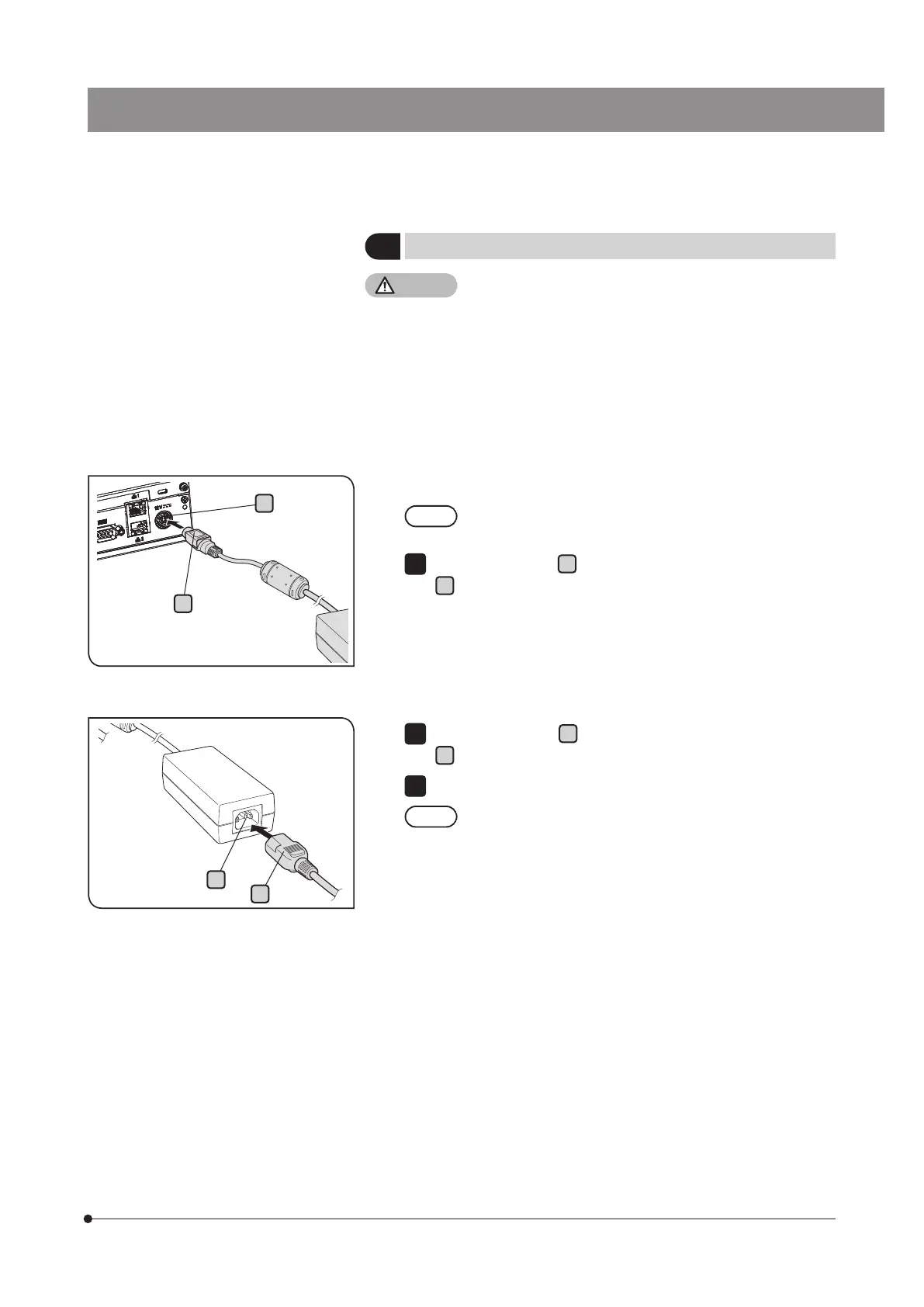
Insert the output plug
A
of the AC adapter into the DC input connector
B
of DP2-AOU.
1
Insert the connector
C
of the power cord into the input connector
D
of the AC adapter securely.
Connect the power cord plug to a power outlet with ground terminal.
The AC adapter or DP2-AOU generates heat after long hours
of use, but this is not malfunction.
2
3
C
D
A
B



 To Next Page