80
[Delete]
You can delete the measurement results or drawings on the screen.
Press the
button.
Click the mouse to specify the measurement results or drawings you want to delete.
Press the
button to delete the measurement results or drawings you specified.
You can specify multiple measurement results or drawings by dragging.
Note that the measurement results and drawings cannot be specified at the same time.
1
3
4
Details of editing functions
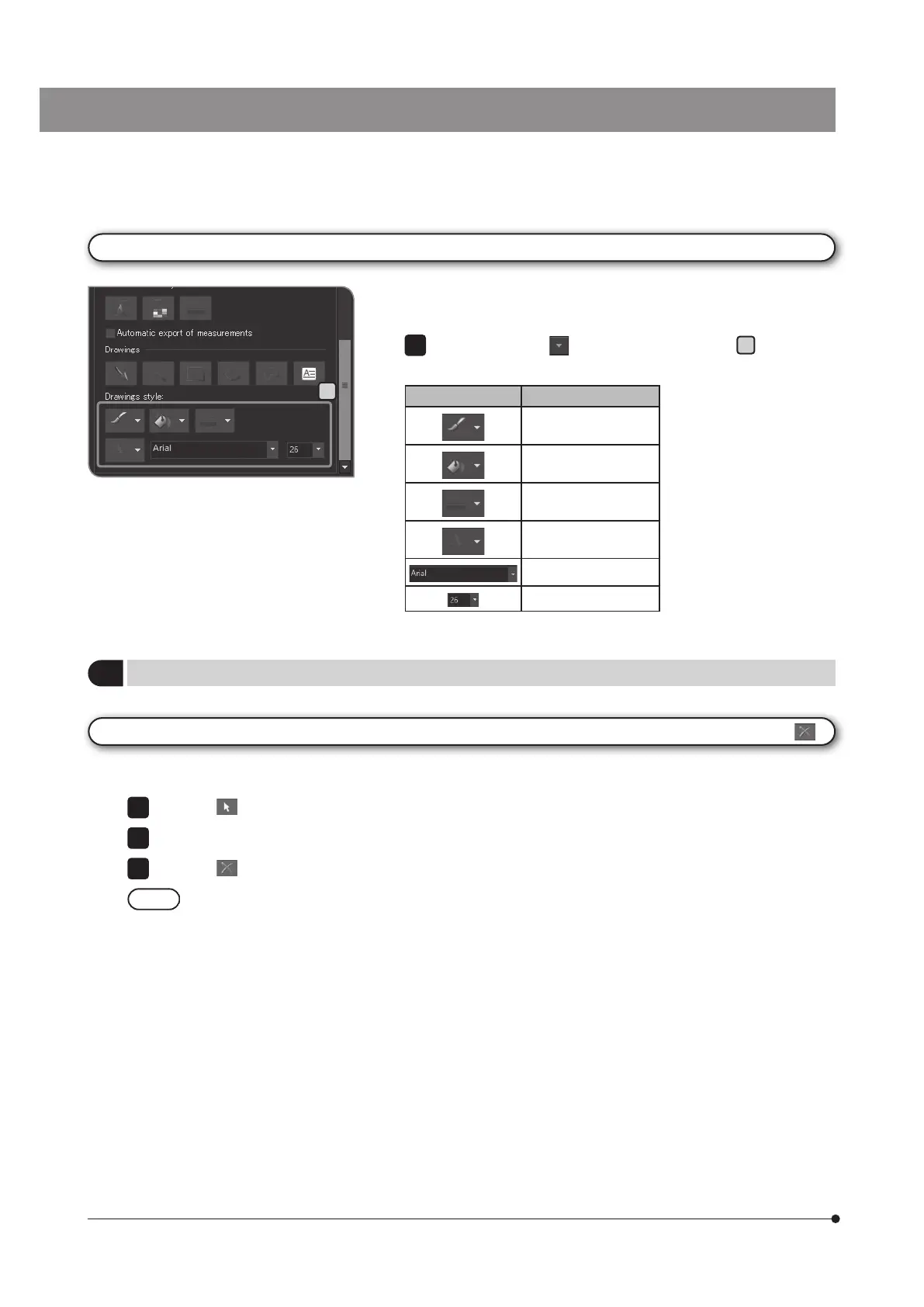
Changing the style of drawings
You can change the drawings and texts to arbitrary colors, line thickness
or fonts.
Click the following
buttons in [Drawings Style]
A
to select your
favorites from the list.
Style Function
[Line Color]
[Fill Color]
[Line Width]
[Text Color]
Font type
Font size
1
A



 To Next Page