92
8
Preparing to run programs that install the driver and update software
If DP2-AVS (Antivirus software license) (optional) is enabled, it is restricted
to run the executable program (file with the extension ”.exe”) on DP2-AOU.
Therefore, when installing the dedicated device driver or updating
software, you need to permit running the programs that execute these
operations.
The keyboard and the mouse must be connected for setting
the permission to run the program.
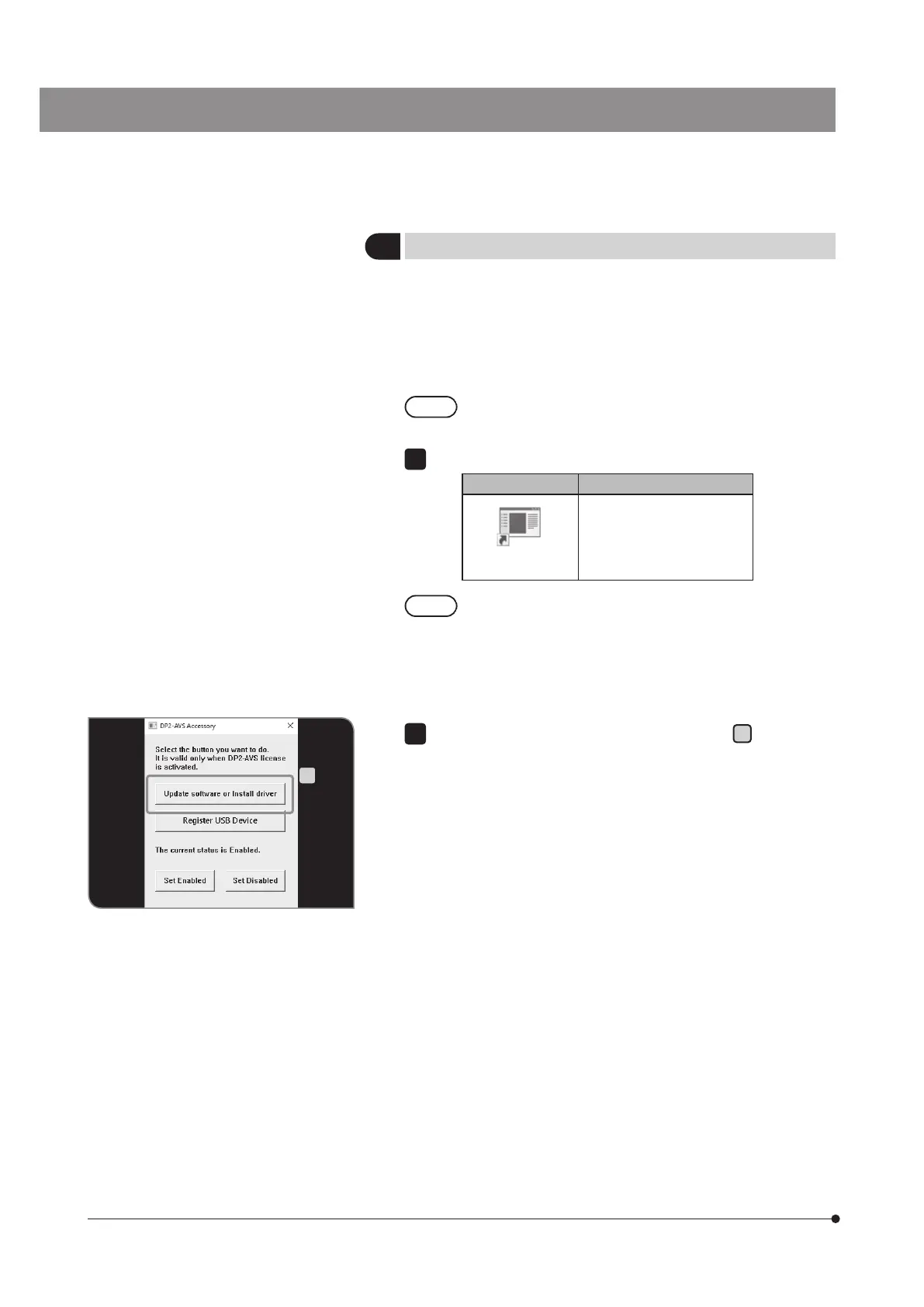
Double-click the [DP2-AVS-Accessory] icon on the desktop.
Icon Function
DP2-AVS-
Accessory
DP2-AVS-Accessory starts.
The functions of Windows
®
installed on DP2-AOU are limited
only for this system.
1
A
Press the [Update software or Install driver] button
A
to display the
dialog box, and select the installation program or update program (file
with the extension ”.exe”).
2



 To Next Page