18
2
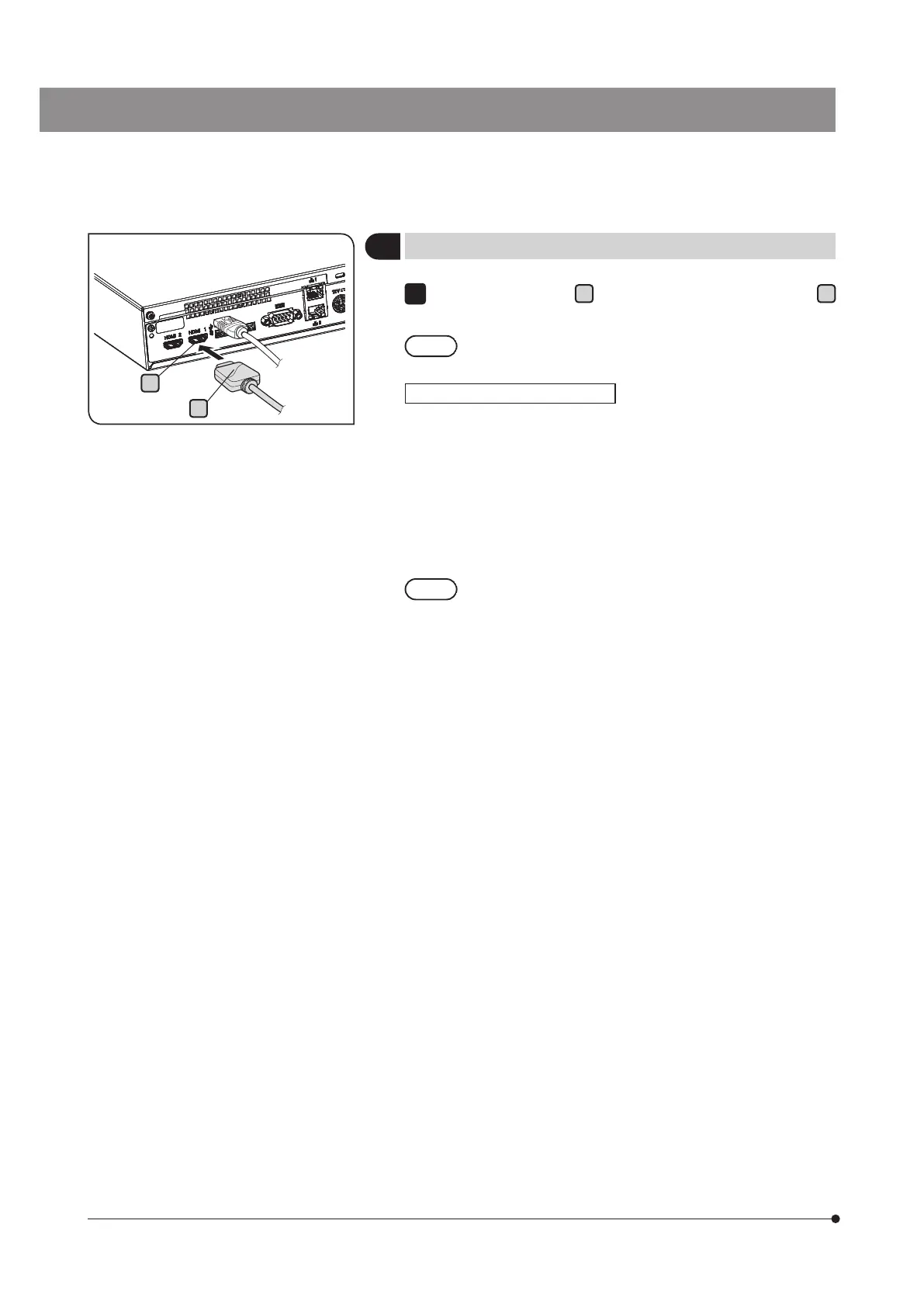
Connecting the display cable
Connect the connector
B
of the display cable to the connector
A
of DP2-AOU.
Use a HDMI cable applicable to the display as the display
cable.
The USB cable for the touch panel must be connected in addition
to the display cable. For connection procedures, see "Connecting
USB devices (p.21)”.
Depending on the display to be connected, it may be necessary to
install the dedicated device driver. For installation procedures, see
"Installing the dedicated device driver (p.90)".
If the display is connected via a display switcher,
malfunction may be caused. Do not use a display
switcher.
1
When using a touch panel display
A
B



 To Next Page