6
6-1 OOOOOOOOOO
OOOOOOOO
OOOOOOOOOO
OOOOOOOOOOOOOOOOOOOOOOOOOOOOO
OOOOOOOOOOOOOOOOOOOOOOOOOOOOO
OOOOOOOOOOOOOOOOOOOOO
OOOOOOOOOOOOOOOOOOOOO
OOOOOOOOOOOOOOOOOOOOO
DP23-AOU/DP28-AOU
1
Concept of this instruction manual
This instruction manual applies to users who use this product according to "Intended use" and Olympus distributors.
Applicable user of this instruction manual
How to read this instruction manual
This instruction manual mainly describes the contents related to DP2-AOU. For procedures to use DP23-CU or
DP28-CU, refer to the instruction manual for the microscope digital camera DP23-CU or DP28-CU.
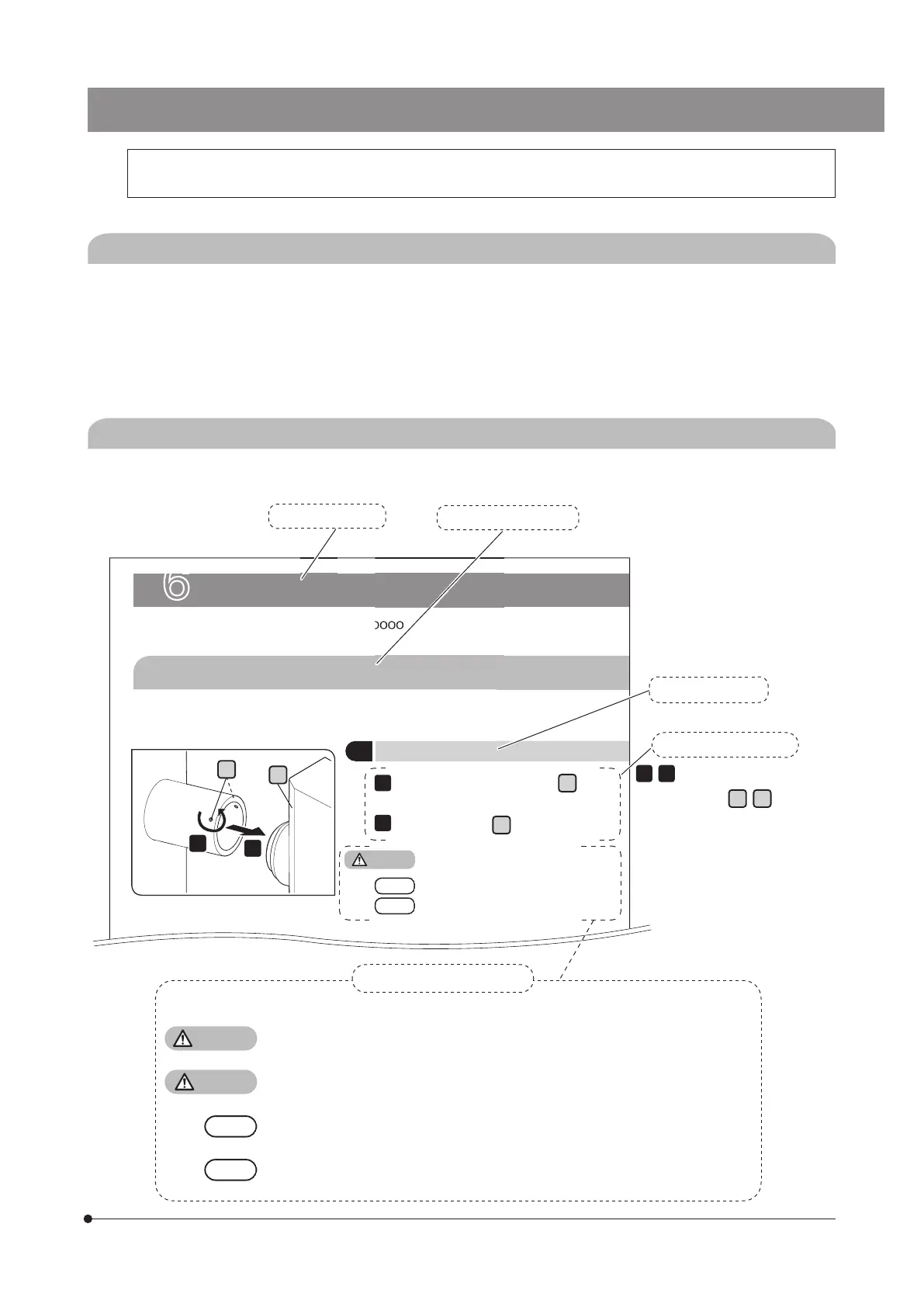
This instruction manual is created as follows.
Title in second layer
OOOOOOOOOOOOOOOOOOOOOOOOOOOOO
Title in third layer
Title in first layer
2
1
,
... indicates the operating
procedure and
A
,
B
... indicates
the portion you operate.
Operating procedure
B
A
The following symbols are used in this instruction manual.
WARNING
: Indicates a potentially hazardous situation which, if not avoided, could result in
death or serious injury.
CAUTION
: Indicates a potentially hazardous situation which, if not avoided, may result in
minor or moderate injury.
: Indicates a potentially hazardous situation which, if not avoided, may result in
damage to the product or other property and/or may cause problems.
: Indicates the useful knowledge or information for use.
Cautions and references
Loosen the
clamping screw
A
using
the screwdriver.
Remove the
unit
B
.
TIP
NOTE
CAUTION



 To Next Page