14
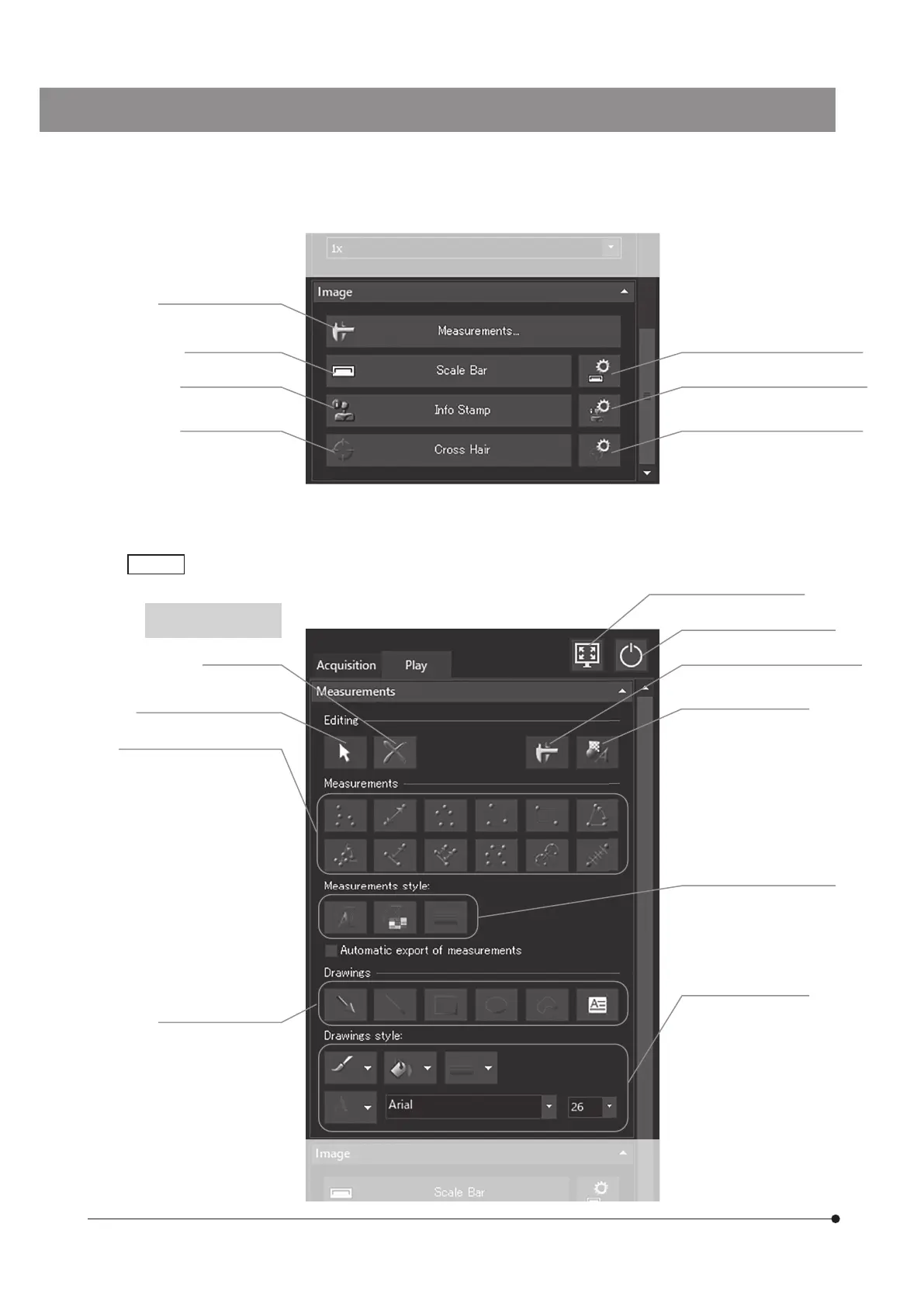
[Delete] (p.68)
[Select Measurements or
Drawings] (p.68)
The [Play] tab is used mainly for playing images.
[Play] tab
[Maximize to Screen] (p. 61)
[Turn Off System] (p. 24, 28)
[Show Measurements] (p.66, 68)
[Show Drawings] (p.68)
[Measurements] (p.66, 68)
(From the left of upper row)
[Point Group]
[Arbitrary Line]
[Polyline]
[3 Point Circle]
[Rectangle]
[3 Point Angle]
(From the left of lower row)
[4 Point Angle]
[Perpendicular Line]
[Multiple Perpendicular Lines]
[Closed Polygon]
[Circle to Circle]
[Linear Ruler]
[Drawings] (p.66, 68)
(From the left)
[Arrow]
[Line]
[Rectangle]
[Ellipse]
[Freehand Polygon]
[Text Field]
[Measurements style] (p.76)
(From the left)
[Change Font]
[Change Color]
[Change Line Thickness]
[Drawings Style] (p.80)
(From the left of upper row)
[Line Color]
[Fill Color]
[Line Width]
(From the left of lower row)
[Text Color]
Font type
Font size
When the still image is
selected
[Show Scale Bar Options] (p.51)
[Show Info Stamp Options] (p.52)
[Show Cross Hair Options] (p.53)
[Measurements] (p.66)
[Scale Bar] (p.51)
[Info Stamp] (p.52)
[Cross Hair] (p.53)



 To Next Page