DP23-AOU/DP28-AOU
69
Button Function Outline of functions Page
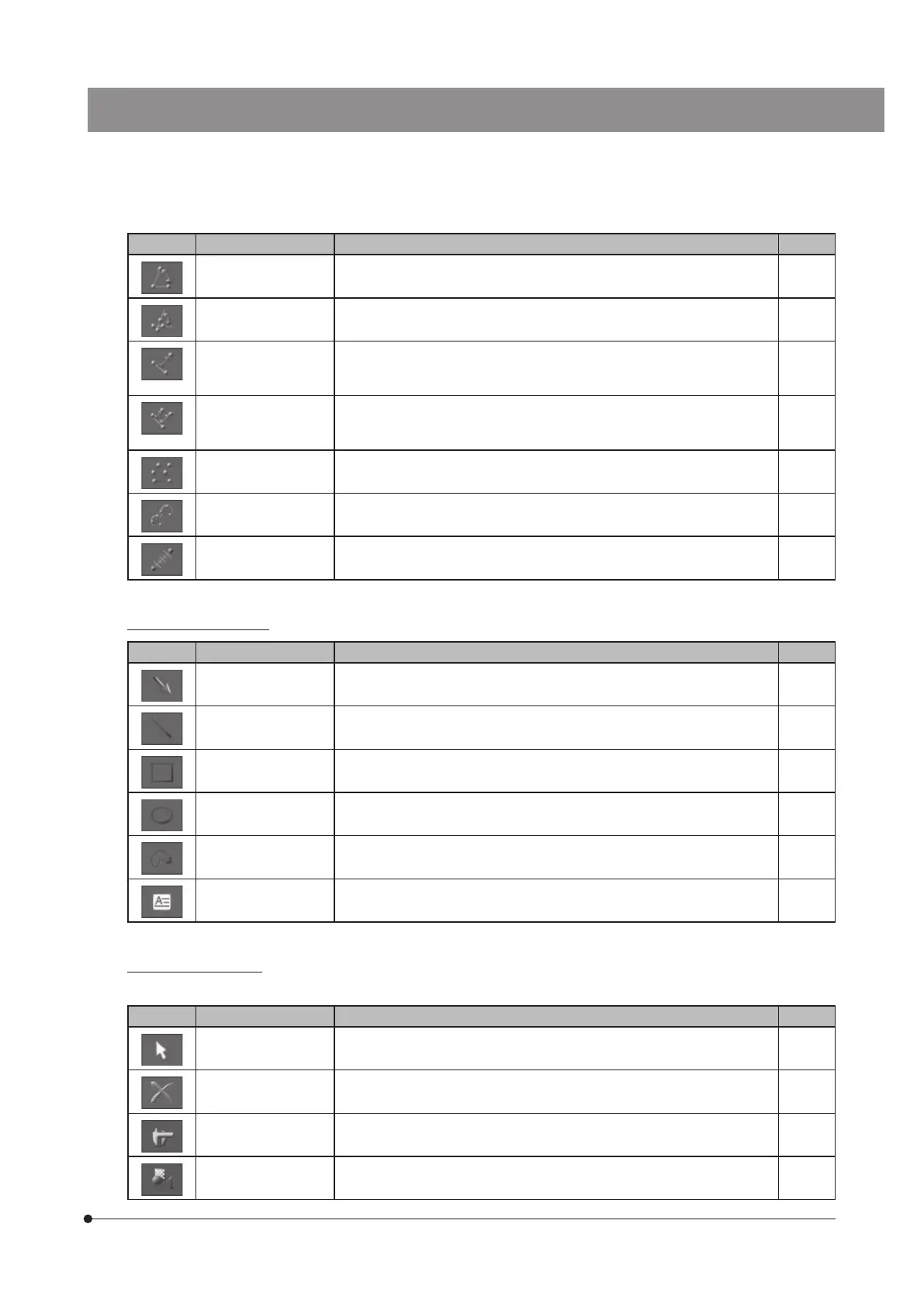
[3 Point Angle] By specifying 3 points, the angle is measured. p.72
[4 Point Angle] By specifying 4 points, 2 lines were created, and the angle between 2
lines are measured.
p.73
[Perpendicular Line] By creating the line and then specifying one point, the perpendicular
line is drawn from the specified point to the created line, and its length is
measured.
p.73
[Multiple Perpendicular
Lines]
By creating the line and then specifying multiple points, the perpendicular
lines are drawn from the specified points to the created line, and their
lengths are measured.
p.74
[Closed Polygon] By creating the polygon, its area and perimeter are measured. p.74
[Circle to Circle] By creating 2 circles, the length between centers of 2 circles is measured. p.75
[Linear Ruler] A ruler is drawn. p.75
List of drawing functions
Button Function Outline of functions Page
[Arrow] An arrow is drawn. p.77
[Line] A line is drawn. p.77
[Rectangle] A rectangle is drawn. p.78
[Ellipse] An ellipse is drawn. p.78
[Freehand Polygon] A free hand graphic is drawn. p.79
[Text Field] A text is drawn. p.79
List of editing functions
The following functions are used for editing measurements and drawings.
Button Function Outline of functions Page
[Select Measurements
or Drawings]
The measurement results or drawings on the screen are selected. -
[Delete] The selected measurement results or drawings are deleted. p.80
[Show Measurements] The measurement layer is shown or hidden. -
[Show Drawings] The drawing layer is shown or hidden. -



 To Next Page