430
Conversion Instructions Section 3-11
Flags
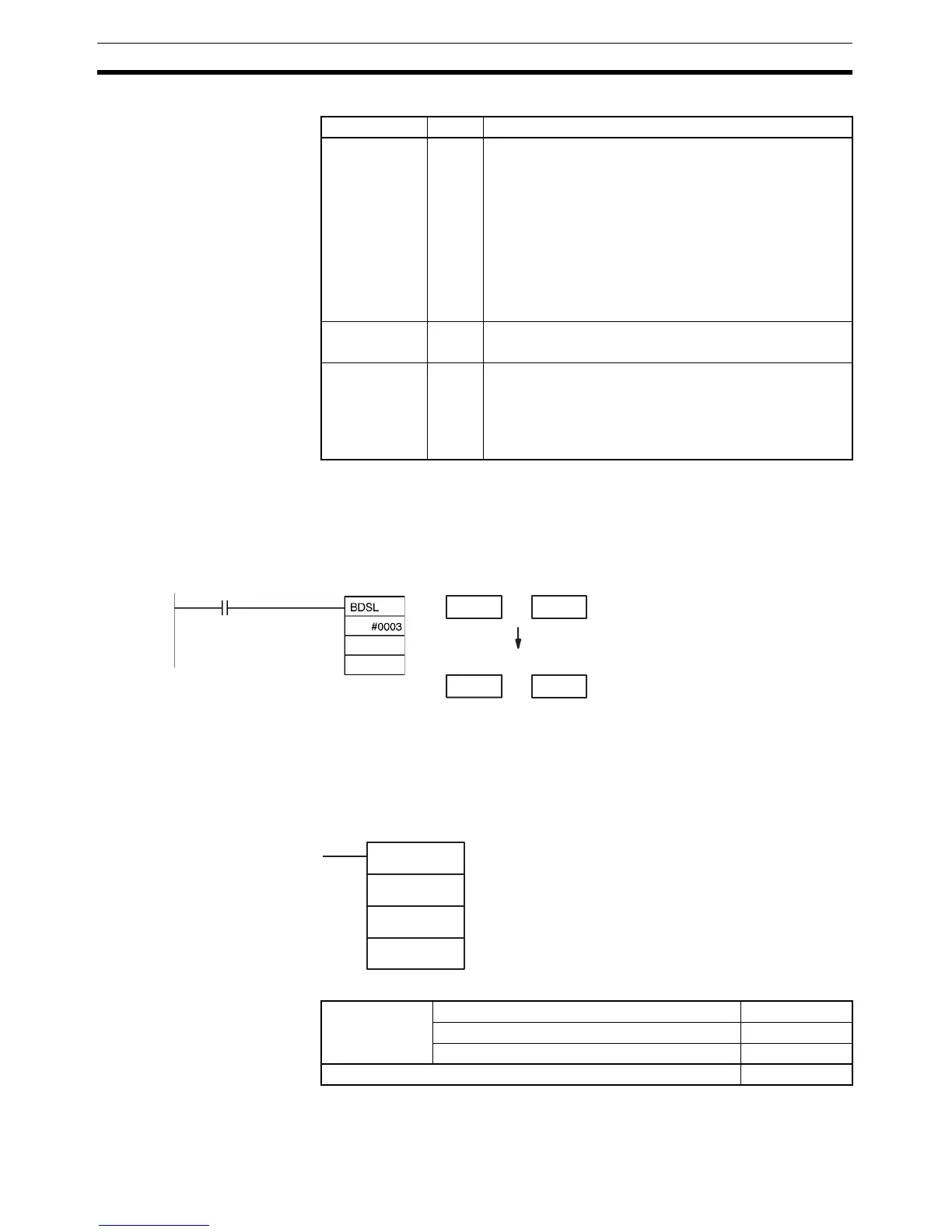
Example When CIO 0.00 is ON in the following example, the double signed binary data
in D101 and D100 are checked against the format specified in the control
word (0003). The source data is correct, so the double signed binary data in
D101 and D100 is converted to double signed BCD and output to D201 and
D200.
3-11-18 GRAY CODE CONVERT: GRY(474)
Purpose Converts the gray binary code in a specified word to standard binary data,
BCD data, or an angle at the specified resolution.
Ladder Symbol
Variations
Name Label Operation
Error Flag ER ON if C is not within the specified range of 0000 to 0003.
ON if C=0000 and the source data is not within the range:
FF67 6981 to FFFF FFFF or 0000 0000 to 0098 967F.
ON if C=0001 and the source data is not within the range:
FB3B 4C01 to FFFF FFFF or 0000 0000 to 04C4 B3FF.
ON if C=0002 and the source data is not within the range:
FF67 6981 to FFFF FFFF or 0000 0000 to 05F5 E0FF.
ON if C=0003 and the source data is not within the range:
FECE D301 to FFFF FFFF or 0000 0000 to 05F5 E0FF.
OFF in all other cases.
Equals Flag = ON if D and D+1 contain 0000 0000 after execution.
OFF in all other cases.
Negative Flag N ON if C=0000 or 0001 and the result’s sign bit is ON after
execution.
ON if C=0002 and the leftmost digit of the result is F.
ON if C=0003 and the leftmost digit of the result is A or F.
OFF in all other cases.
S+1: D101
F F 8 B
D+1: D201
F 7 6 5
S: D100
3 4 4 F
D: D200
4 3 2 1
Double signed binary data
Double signed BCD data
(–7,654,321)
0.00
D100
D200
GRY(474)
C
S
D
C: First control word
S: Source word
D: First destination word
Variations Executed Each Cycle for ON Condition GRY(474)
Executed Once for Upward Differentiation @GRY(474)
Executed Once for Downward Differentiation Not supported
Immediate Refreshing Specification Not supported



 To Next Page