6 - 13
6 System Configuration and Setup
NX-series Safety Control Unit User’s Manual (Z930)
6-5 Setting the Safety Input and Output Functions
6
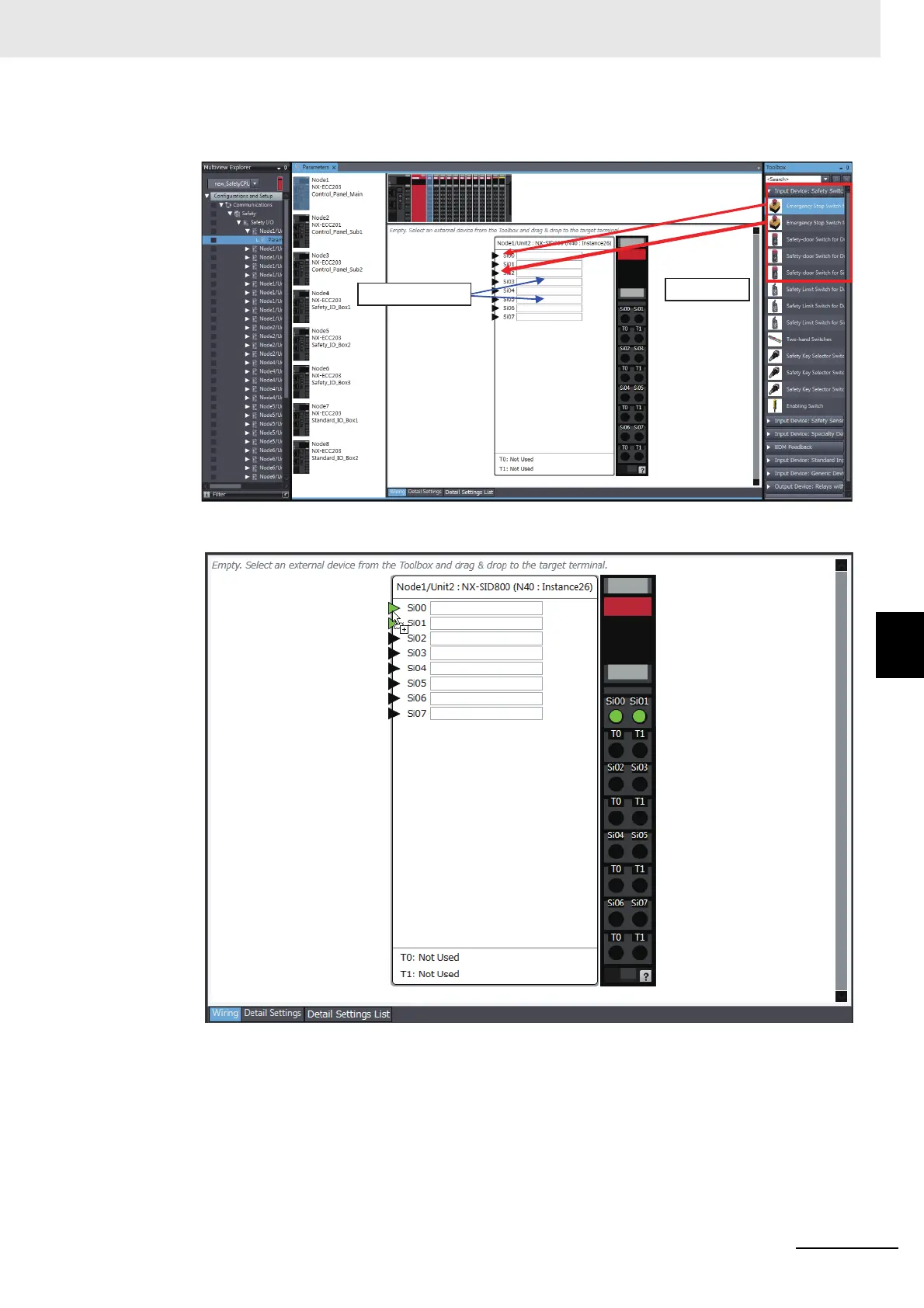
3 Select a device from the Toolbox to connect to the safety input terminal or safety output terminal
of the Safety I/O Unit, and drag it to the desired I/O terminal.
When you drag the device to connect to a terminal where it can be dropped, a + mark appears
below the mouse cursor as shown below.
Drag & Drop
Enter a comment.










 To Next Page