When 2 grippers are used, the radio buttons Gripper 1 and Gripper 2 will appear. These
buttons will select which one of the 2 grippers performs the action. In the robot program, the
command name will show [1] or [2] to indicate which grippers is performing the action.
Channel(s): Select which channel perform the action. It is possible to select channel A, B or
both. To see which one is channel A and B, for VG10 see stickers under the arms and for
VGC10 see the letters on the sides on the housing.
Back away from workpiece: when the workpiece is released, the robot will travel away 15
mm.
When pressed, the gripper will act as if the command is executed.
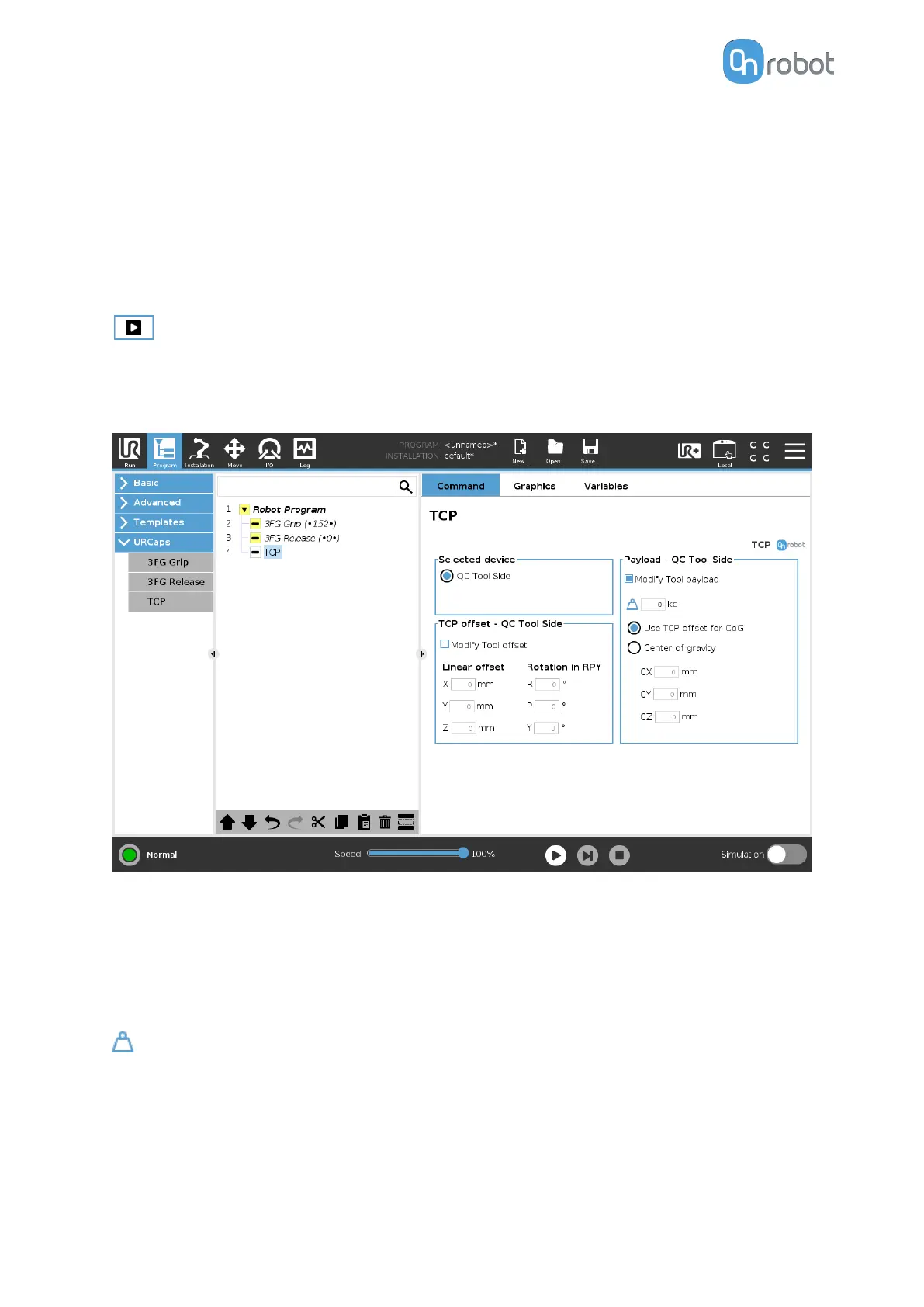
TCP
The TCP command is used to set the current TCP and/or payload for the robot.
TCP oset
Set the Linear oset (X,Y,Z) and the Rotation in RPY (Roll-Pitch-Yaw) values to adjust the
OnRobot device dependent calculated TCP.
Payload
Modify Tool payload: If enabled the UR's payload will be overwritten.
enter the workpiece mass that is attached to the device. The device own mass is added
automatically.
Use TCP oset for CoG: set the center of gravity of the workpiece at the active TCP position.
Center of gravity CX, CY, CZ: set the location of the center of gravity of the workpiece.
OPERATION
112



 To Next Page