The Dropdown list options are:
•
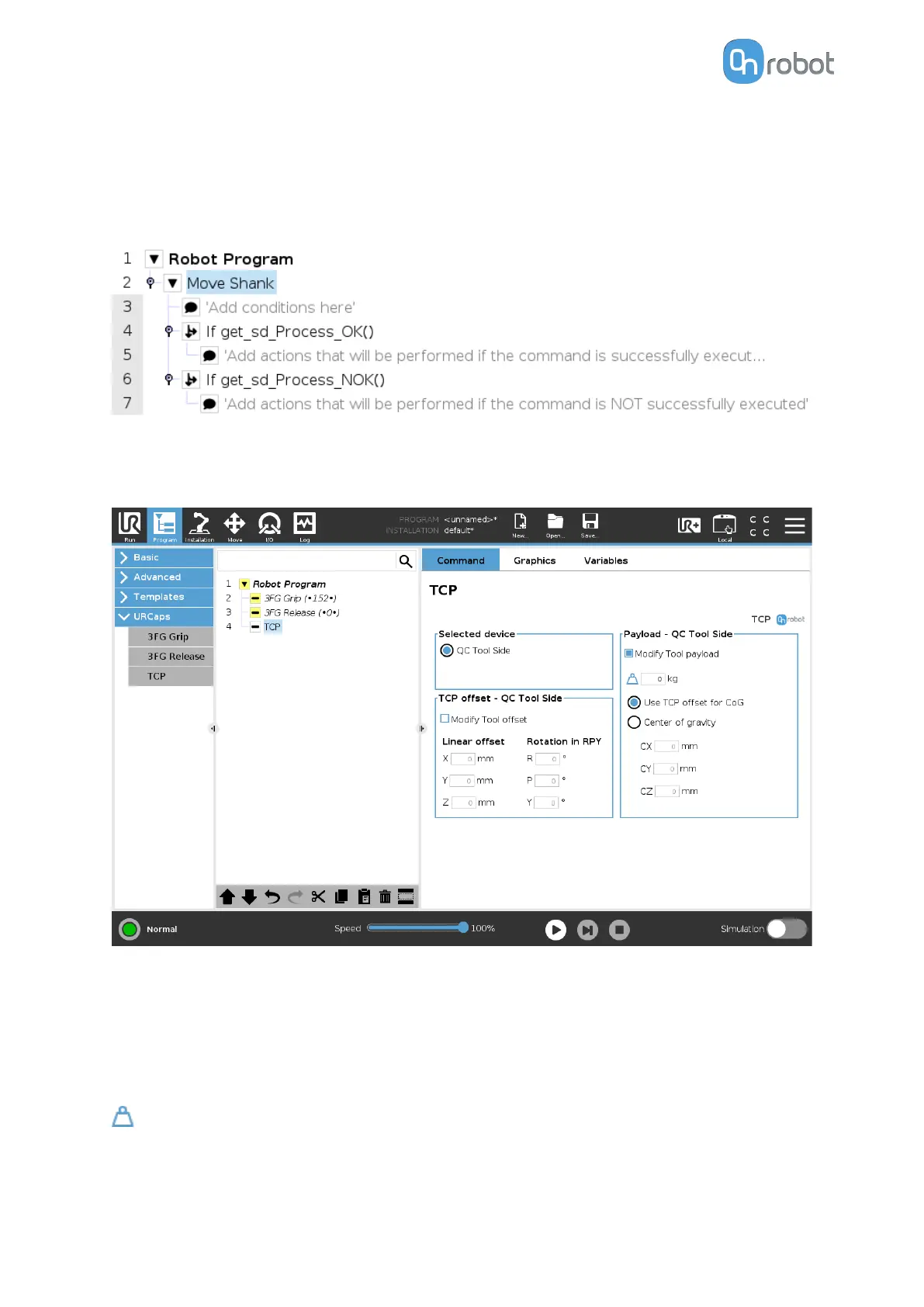
Process successful: Uses the function get_sd_Process_OK() and returns true if the
command is executed correctly.
•
Process NOT successful: Uses the function get_sd_Process_NOK() and returns true if the
command is not executed correctly.
6.1.5.5. TCP
The TCP command is used to set the current TCP and/or payload for the robot.
TCP oset
Set the Linear oset (X,Y,Z) and the Rotation in RPY (Roll-Pitch-Yaw) values to adjust the
OnRobot device dependent calculated TCP.
Payload
Modify Tool payload: If enabled the UR's payload will be overwritten.
enter the workpiece mass that is attached to the device. The device own mass is added
automatically.
Use TCP
oset for CoG: set the center of gravity of the workpiece at the active TCP position.
OPERATION
106



 To Next Page