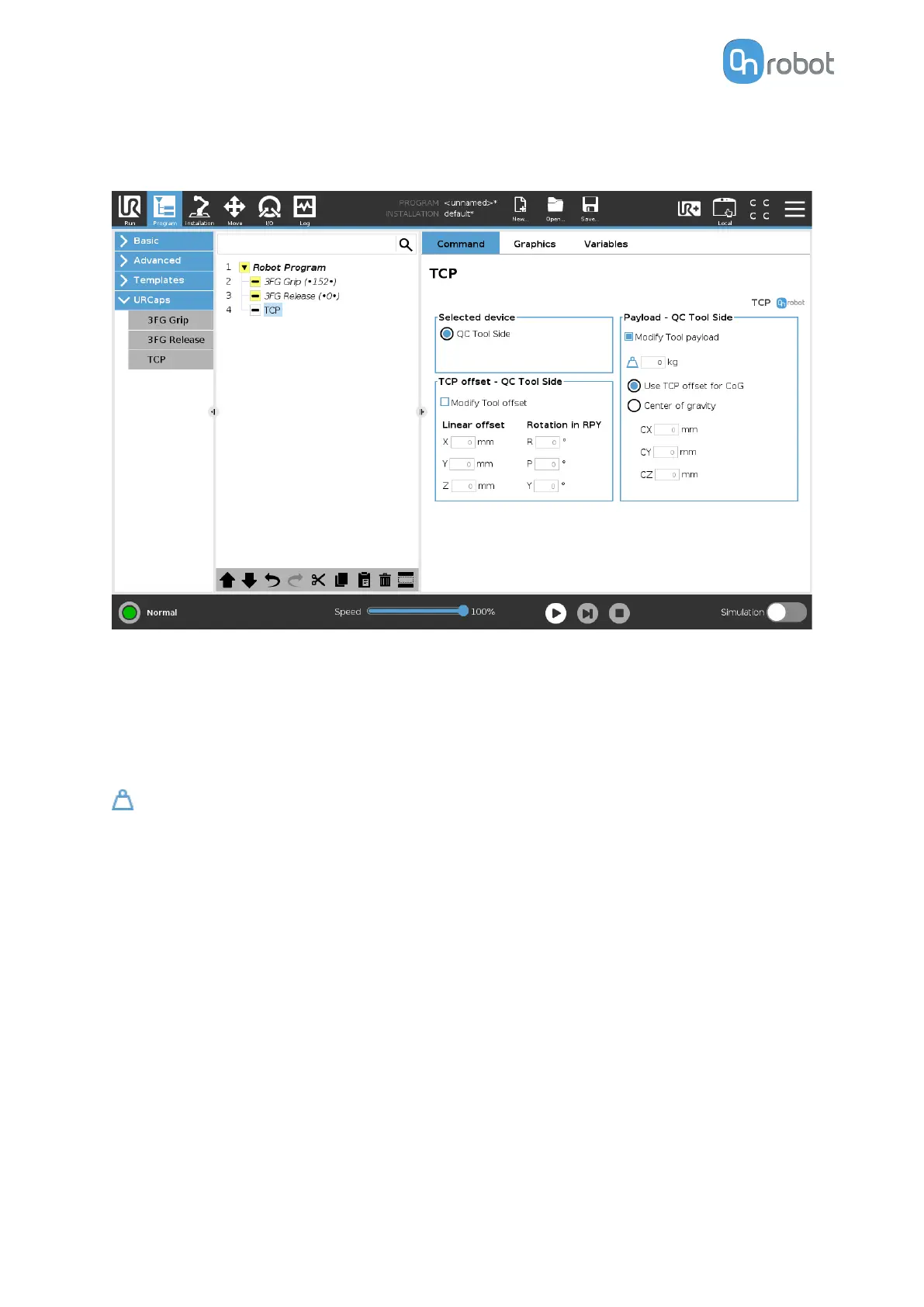
TCP
The TCP command is used to set the current TCP and/or payload for the robot.
TCP oset
Set the Linear oset (X,Y,Z) and the Rotation in RPY (Roll-Pitch-Yaw) values to adjust the
OnRobot device dependent calculated TCP.
Payload
Modify Tool payload: If enabled the UR's payload will be overwritten.
enter the workpiece mass that is attached to the device. The device own mass is added
automatically.
Use TCP oset for CoG: set the center of gravity of the workpiece at the active TCP position.
Center of gravity CX, CY, CZ: set the location of the center of gravity of the workpiece.
6.1.5. Screwdriver
6.1.5.1. Pick Screw
When the Pick Screw command is executed, the screwdriver will move and rotate the bit to
align it with the screw head, then it will pick up the screw and hide it inside the housing.
In the 6.6.5. Feedback Variables section, the variables that provides information about the
result of the command are explained.
The
dierent functions are explained below.
OPERATION
100



 To Next Page