When pressed, the gripper will act as if the command is executed.
Force: Set the target gripping Force (3-40 N for the RG2 and 25-120 N for the RG6).
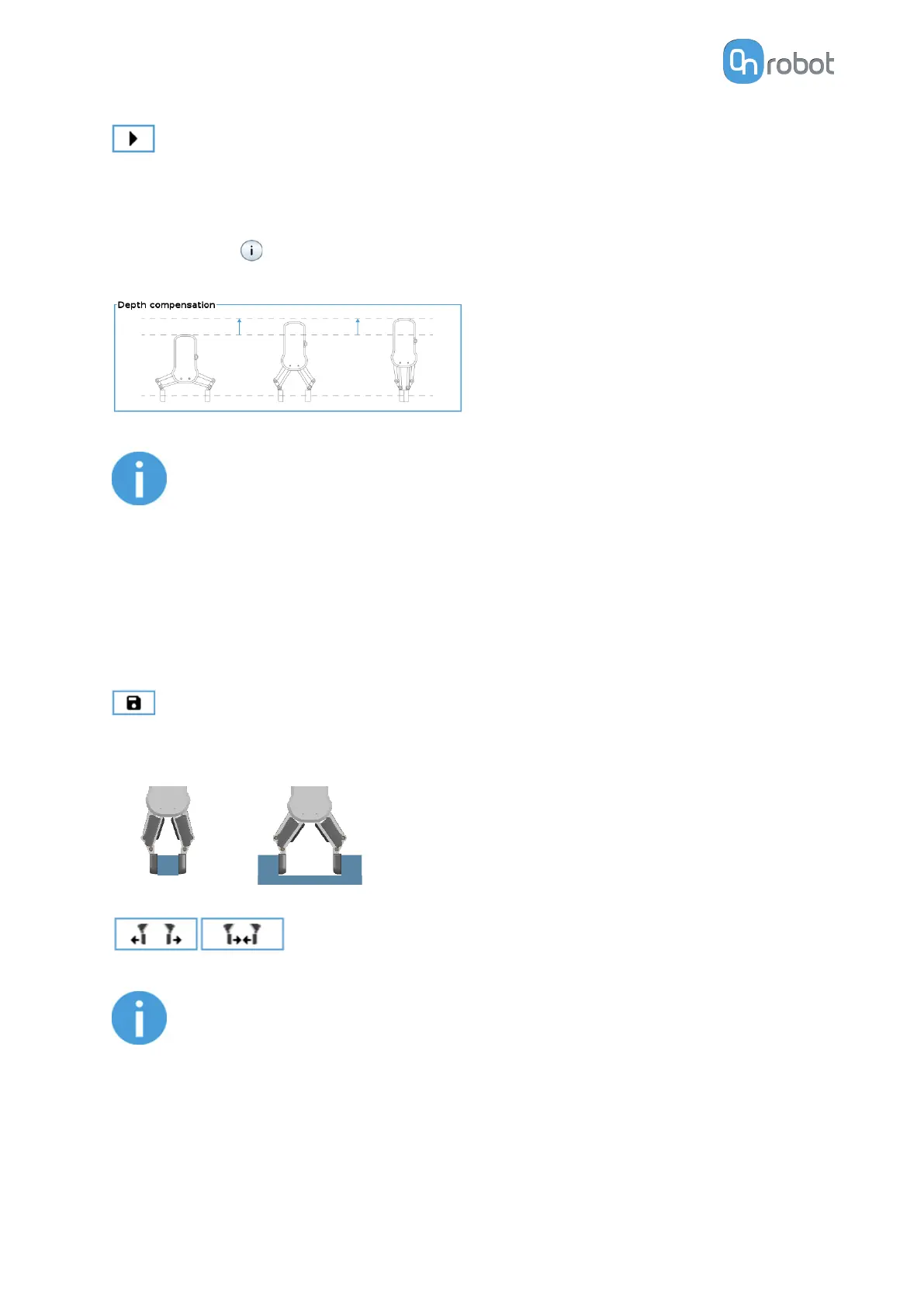
Depth compensation: During closing and opening the gripper, the robot moves to
compensate for the circular movement of the fingers, so that the fingertips remain on the
target. When the icon is pressed, the following graphical illustration will appear in a new
page.
NOTE:
For optimal performance of gripping Force, set the Target Width 1 to 4 mm
lower than the Width of the workpiece if the workpiece is grabbed externally
or 1 to 4 mm higher if grabbed internally.
For optimal performance of Depth compensation set the robot speed slider to
100%.
Current width
The number shows the Current width value.
will set the Current width as target width. If used when a grasp is detected (see image
below) this will set the target width as current width – 3 mm if the workpiece is grabbed
externally and + 3 mm if the workpiece is grabbed internally.
These are open and close hold-to-run buttons.
NOTE:
To enhance width precision the target Force is not applied when using these
buttons
Workpiece
Mass: the workpiece weight can be entered. The URCap software will then perform the
calculation of the resulting payload mass considering the gripper, the Quick Changer, and the
workpiece mass.
OPERATION
99



 To Next Page