1. When looking at the grippers, make sure that the Quick Changer is orientated with the
part 1 on the left side and the part 2 on the right side . The numbers are written
on the side of the Quick Changer that connects to the robot.
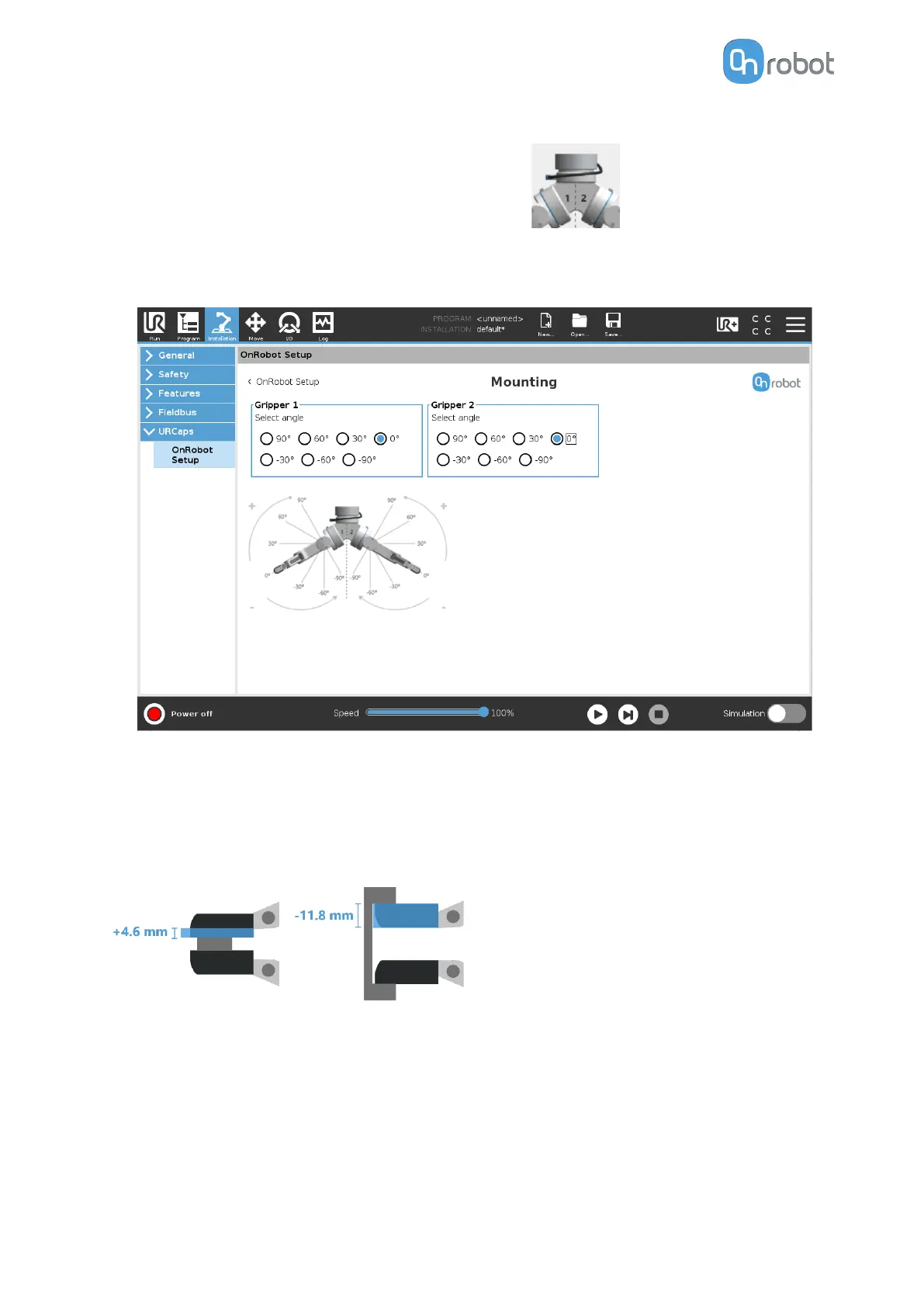
2. Select the angle of one gripper and then select the angle of the other gripper (positive
angle towards the Quick Changer release button).
Fingertip oset
This is used to specify the distance from the inside of the gripper’s aluminum fingertip to the
reference point on the attached fingertip. The Fingertip oset for the Standard Fingertips is
4.6 mm when placed in the inner side and - 11.8 mm when placed in the outer side (see image
below).
5.3.5. Screwdriver
The Screwdriver does not need any software installation to be setup. Only changes in the
TCP part if needed.
TCP
In the normal view of the panel the TCP of the robot can be overwritten by the TCP of the tool
by pressing the Automatic overwrite of the robot TCP
configuration checkbox.
SW INSTALLATION
51



 To Next Page