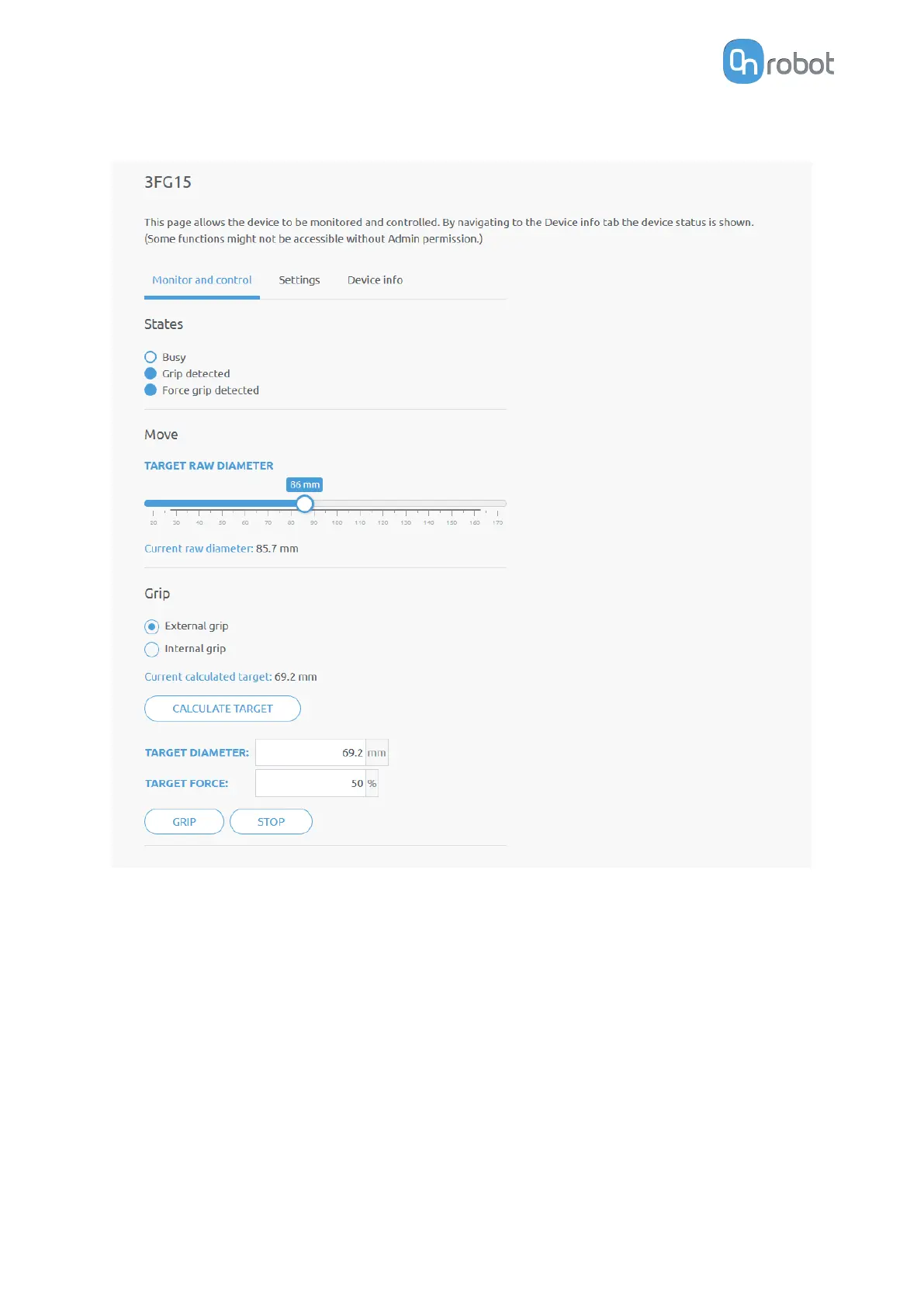
7.1.3.1. 3FG15
The state of the gripper could be:
•
Busy - the gripper is in motion
•
Grip detected - the gripper has detected a workpiece
•
Force grip detected - the gripper has applied the target force to a workpiece. This also
activates a break. See more info in section Finger Movement and Force.
The gripper can be controlled in two modes:
•
Move mode - The easiest way to move the gripper but the gripping force is limited (<50N).
This should be used to release a part and open the gripper.
•
Grip mode - This should be used to properly grip a part with a given target force. If the
part is properly gripped (target force is reached) the break will engage to make sure the
part will not be dropped in case of a power loss.
In Move mode:
ADDITIONAL SOFTWARE OPTIONS
145



 To Next Page