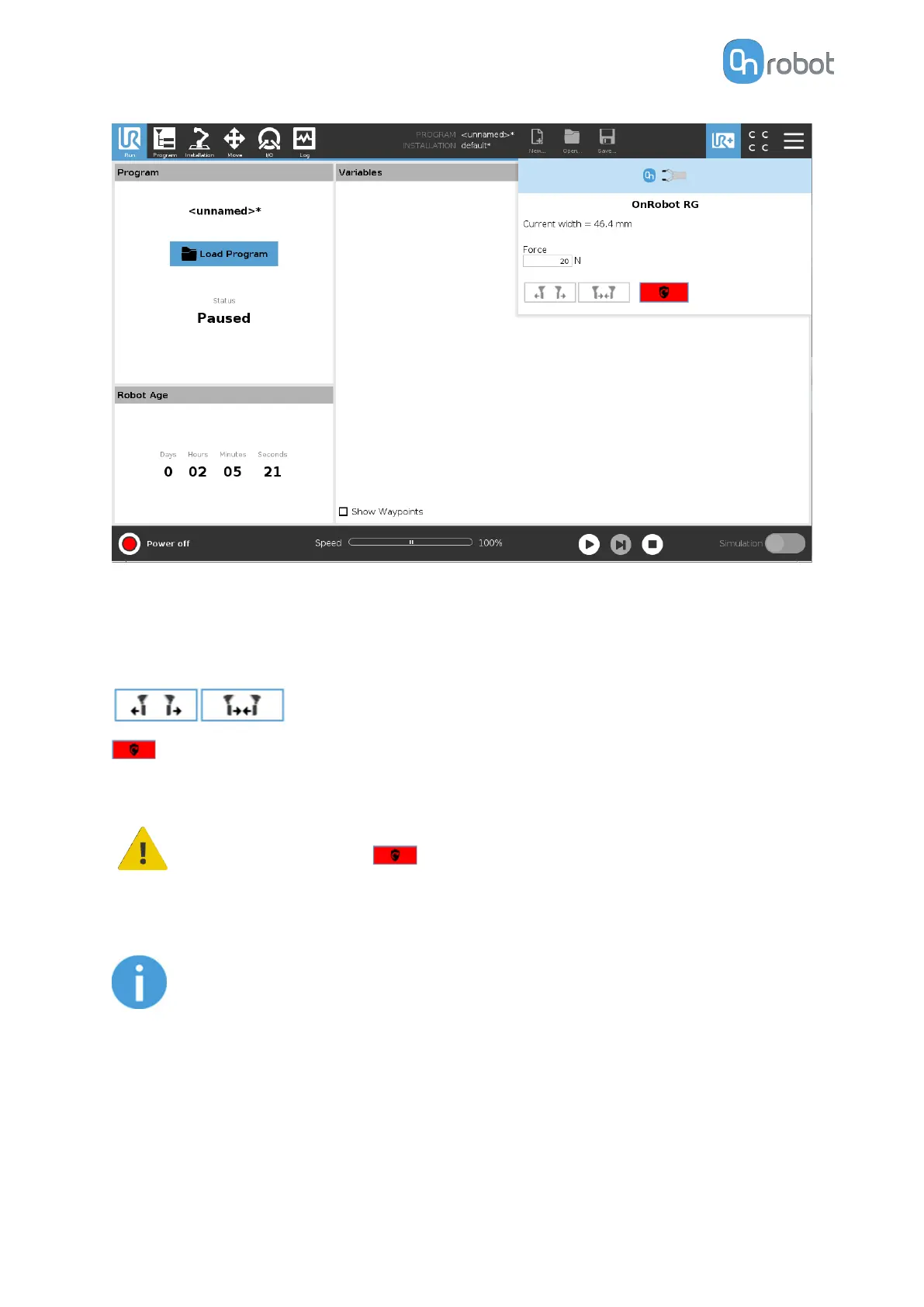
Gripper 1 and Gripper 2: In case of using two RG grippers you can select which one performs
the action.
Current width: shows how wide the gripper is opened.
Force: Set the target gripping force.
: These are open and close hold-to-run buttons.
:This button can be used to reactivate the RG2 or RG6 after any of the gripper's Safety
Switch is activated. Pressing this button will cycle the tool power for a few seconds.
CAUTION:
Before pressing the button always make sure that no part will be
dropped due to the loss of gripper power. If Dual Quick Changer is used it will
cycle the power for both sides.
NOTE:
To operate, - when connected via the Tool Connector - the Tool IO must set to
be controlled by OnRobot.
6.2.5. Screwdriver
To open up the toolbar follow the instructions in the How to Access the Toolbar section.
The toolbar for the Screwdriver is shown below.
OPERATION
122



 To Next Page