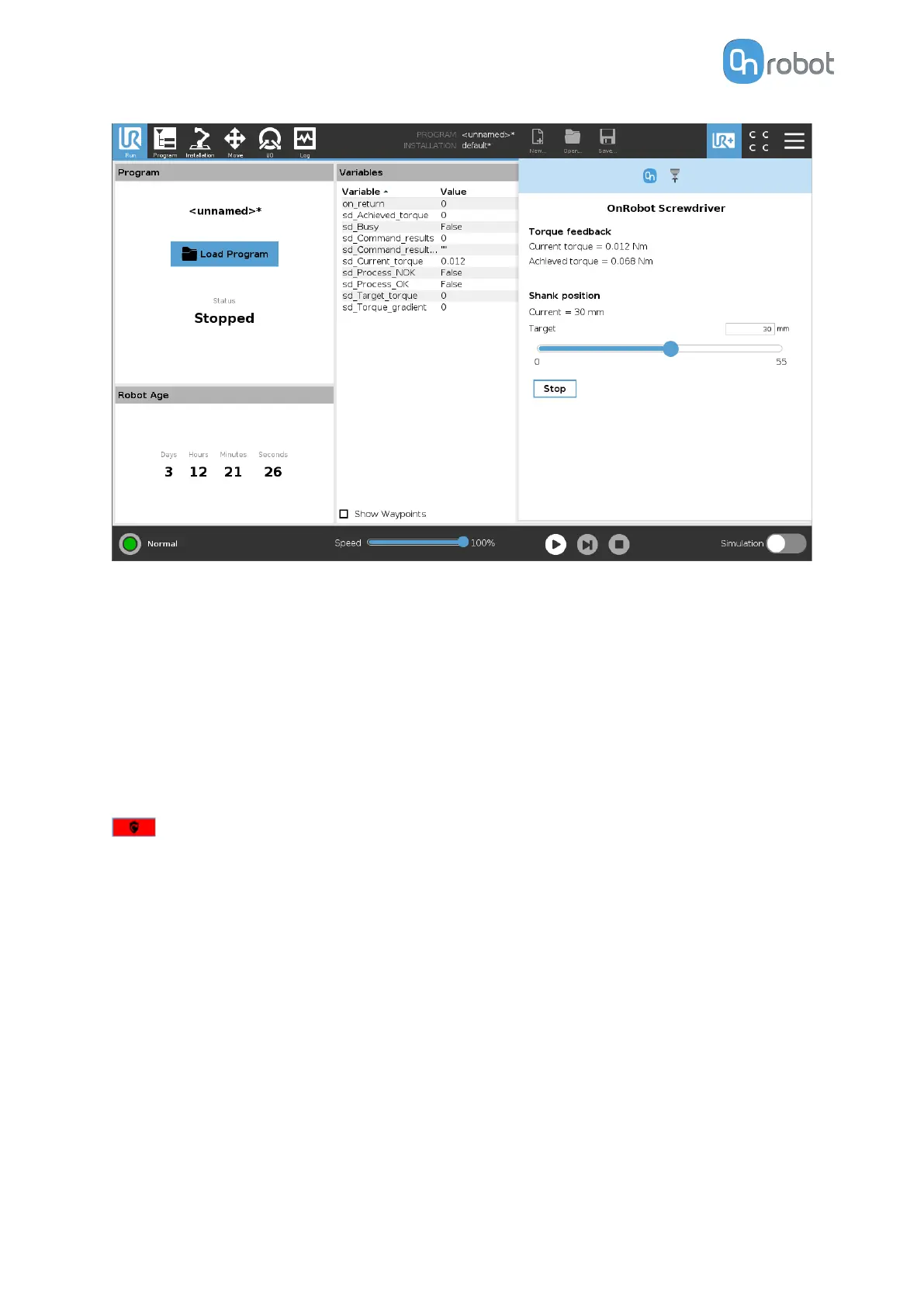
Torque feedback
Current torque: show the current torque the screwdriver is applying at the moment.
Achieved torque: shows the achieved torque on the last Tighten command executed.
Shank position
Current: shows the current position of the shank.
Target: changes the position of the shank immediately. The target position can also be set by
using the input
field above the slider.
Stop: Will stop the screwdriver command that is being executed at that time.
if the mechanical safety is activated, this button will show up. Pressing this button will
enable back the screwdriver from the safety state.
6.2.6. SG
To open up the toolbar follow the instructions in the How to Access the Toolbar section.
The toolbar for the SG grippers is shown below.
OPERATION
123



 To Next Page