7.1.3.3. RG2/6
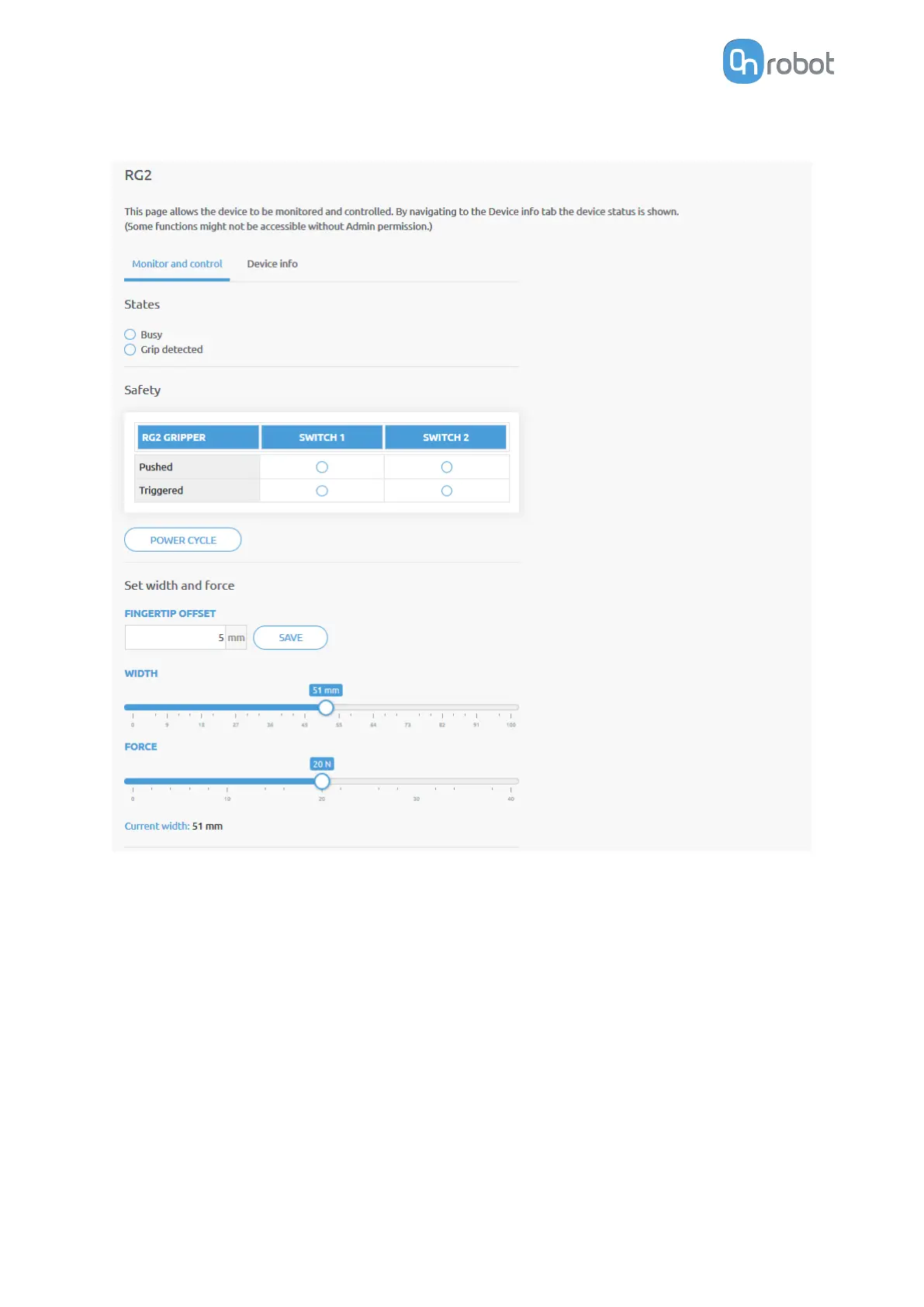
The state of the gripper could be:
•
Busy - the gripper is moving
•
Grip detected - the set force limit is reached but the set width is not.
The status of the two safety switch shows:
•
Pushed - the safety switch 1/2 is still being pushed
•
Triggered - the safety switch 1/2 has been activated and gripper is stopped.
To recover from a Triggered state:
•
Check if any of the safety switch is being pushed
•
If yes, remove the object pushing the switch
•
Click on Power cycle to power all devices
o and then on to recover.
Fingertip oset must be set according to the current fingertips attached to the gripper. Oset
is measured from the inner mating face of the bar metal fingertips. To save the value to the
gripper permanently click Save.
ADDITIONAL SOFTWARE OPTIONS
149



 To Next Page