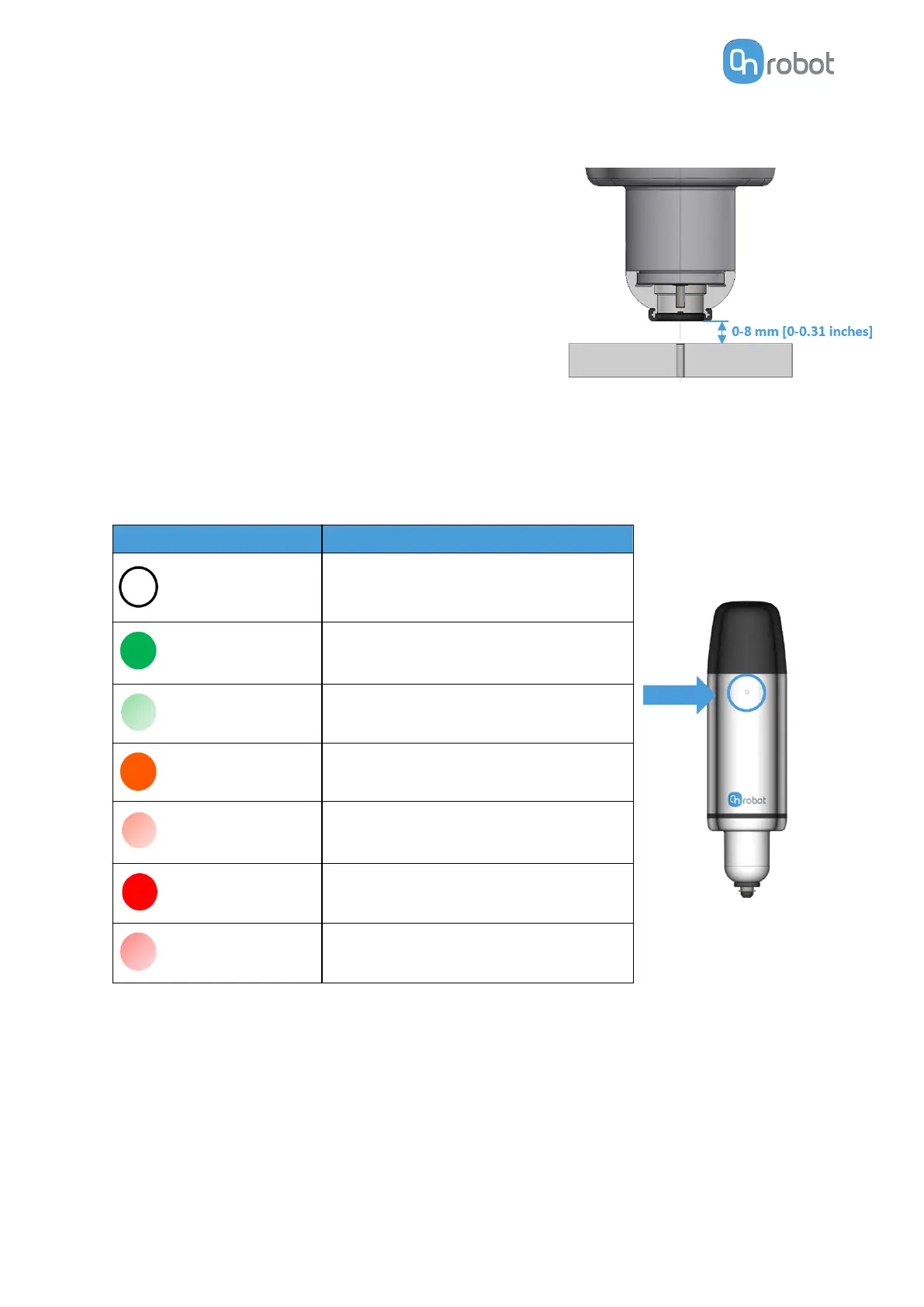
2. The distance between the Screwdriver's bottom part
and the surface where the action takes place must
be within the range of 0-8 mm [0-0.31 inches].
LED - Device Status
The screwdriver has a LED that shows the device status.
Color
Device Status
No light
Power missing
Steady green
Ready to work - Idle - Static
Blinking green
Initializing
Steady orange
Busy – Moving/rotating shank
Blinking orange
Operational malfunction
Steady red
Not working – Hardware problem
Blinking red
Safety – Emergency stop
Torque Angle Curve and Torque Gradient
The torque gradient shows how the torque is applied in the last phase of the Tightening
screw command. This could be used as an indicator to detect if a Tightening command is
performed correctly.
For instance, the torque gradient could be
dierent if:
•
The hole thread is not long enough
HARDWARE SPECIFICATION
201



 To Next Page