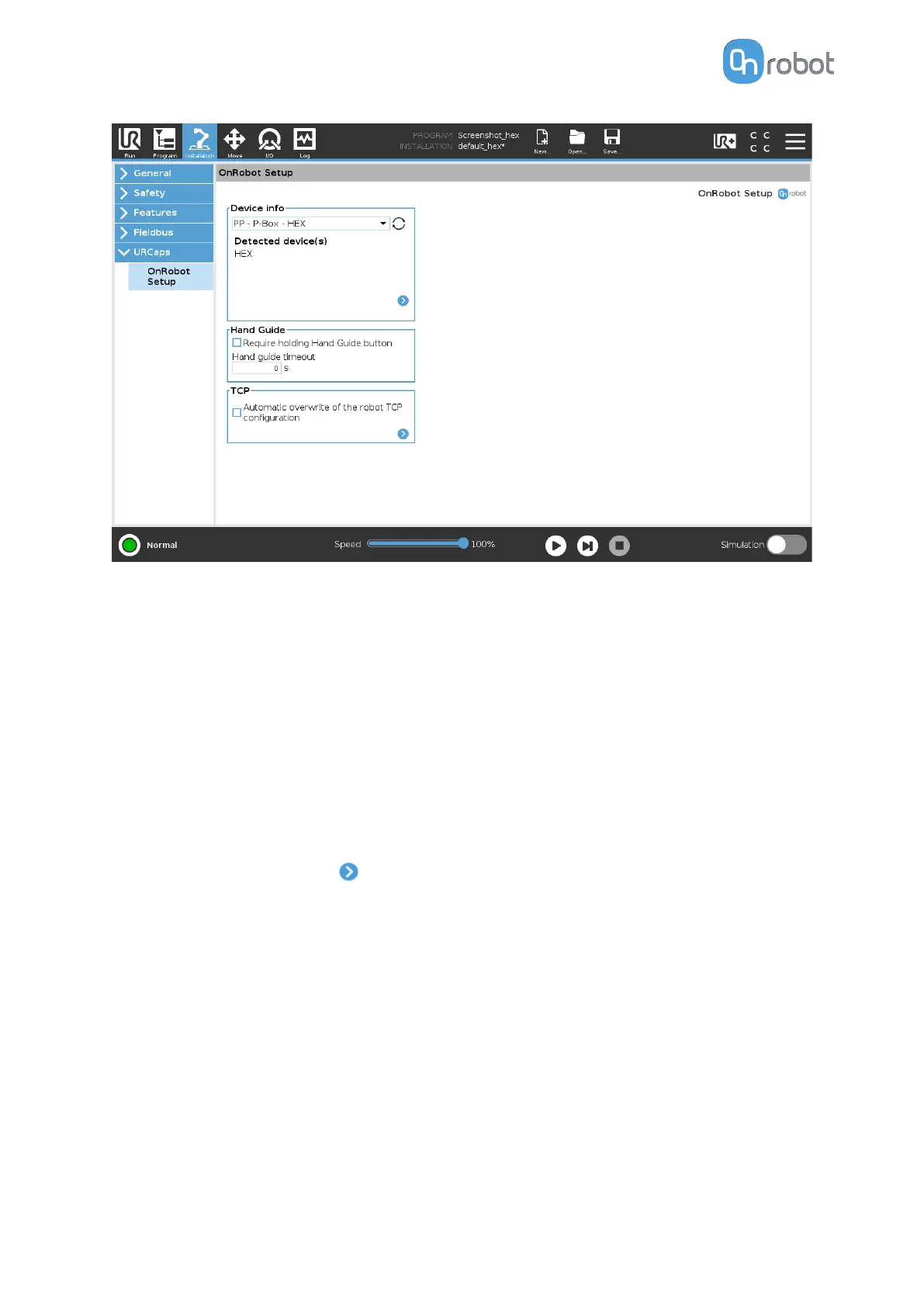
Hand Guide
Require holding Hand Guide button: If checked (recommended) the Hand Guide enable
button needs to be pressed constantly during the hand guiding. If unchecked, the hand
guiding could be started by pressing the enable button and stopped by pressing the enable
button again.
Timeout: After the set timeout value, the hand guiding will be stopped automatically. The
default value is 0 that sets the timeout to
infinite.
TCP
In the normal view of the panel the TCP of the robot can be overwritten by the TCP of the tool
by pressing the Automatic overwrite of the robot TCP
configuration checkbox.
To see more options press on and the following screen will show:
SW INSTALLATION
43



 To Next Page