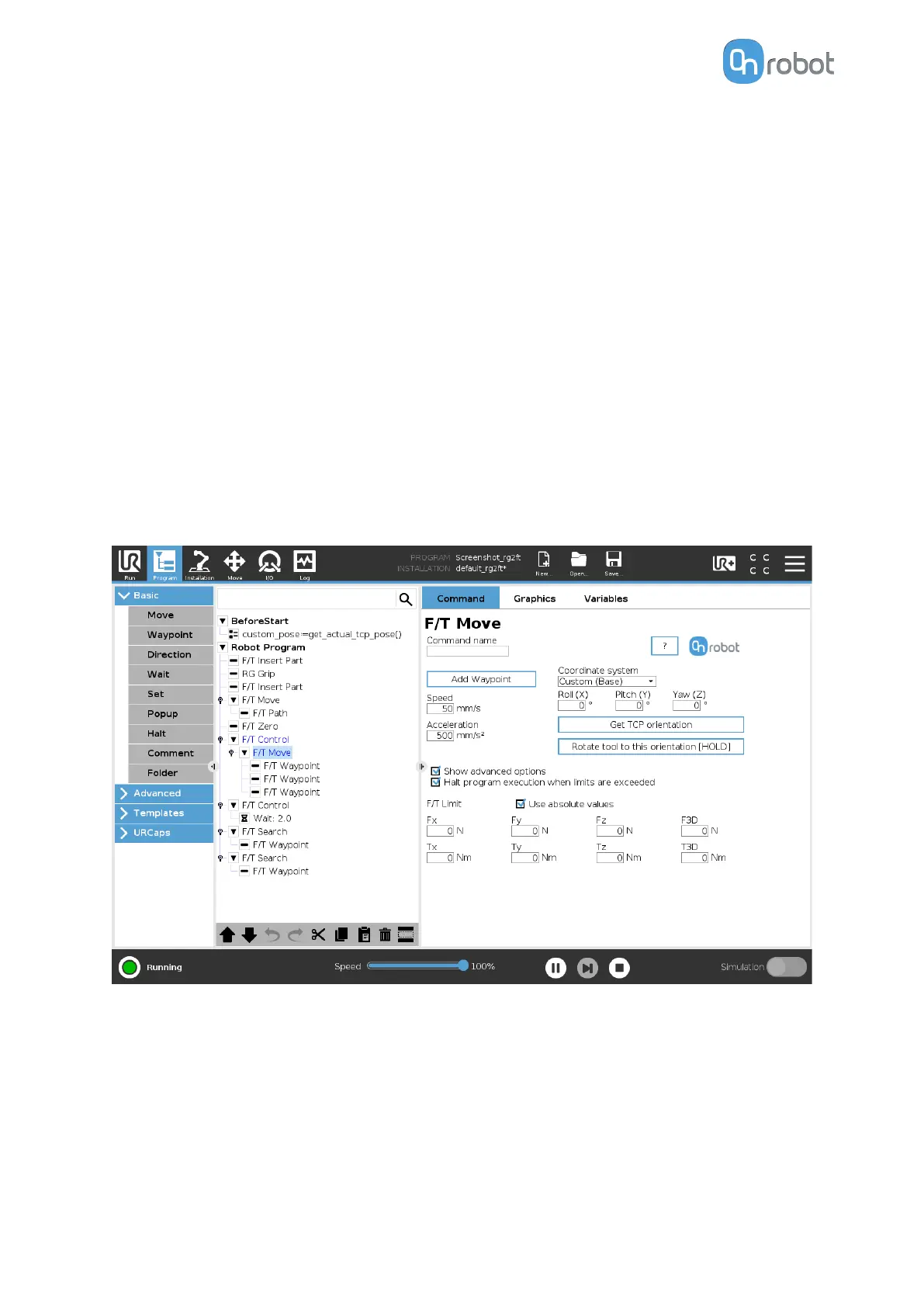
To operate the F/T Move command tap on the Add {{ waypoint.title }} button to add an F/T
Waypoint as a child node. More waypoints can be added in the same way. To remove a
waypoint, use the Structure tab Delete button.
Alternatively, F/T Waypoint or F/T Path could be added as a child node of the F/T Move
command by using the Structure tab.
Speed: The movement speed limit while moving. The movement is carried out in a constant
translational speed. If the route or path has sharp changes in the direction, or the orientation,
the actual speed of the robot may be less than
specified, but still constant throughout the
route or Path.
Acceleration: The acceleration and deceleration parameter of the movement.
Coordinate system: The coordinate system used both for the movement and for the sensor
reading. It can be set to Base, Tool, Custom (Base), Custom (Tool) (according to the UR’s
reference frames). The Custom coordinate systems are calculated from the basis coordinate
system and the given Roll, Pitch and Yaw values. For the Custom (Base) coordinate system, it
is also possible to use the Get TCP orientation button to specify the orientation of the
coordinate system, by the orientation of the current TCP. To test the given orientation, the
Rotate tool to this orientation [HOLD] button can be used.
Show advanced options: If checked then more options become available:
F/T Limit Fx,Fy,Fz,Tx,Ty,Tz,F3D,T3D: If any of the values reach the set threshold the stop is
triggered. Values equal to zero are neglected. More than one option can be set.
If the Use absolute values option is enabled, then it is not important whether the entered
value is positive or negative (e.g.: |Fz| > = 3), otherwise the sign
defines how the threshold is
calculated (e.g.: Fz > = 3 or Fz <= -3)
Halt program execution when limits are exceeded: If enabled then the program execution
will be stopped when the target position is not reached (the move is not successful since the
F/T Limit is reached). If the move is successful, then the program continues. If disabled, then
OPERATION
91



 To Next Page