range Pi 用户手册 深圳市迅龙软件有限公司版权所有
www.orangepi.cn 19 www.xunlong.tv
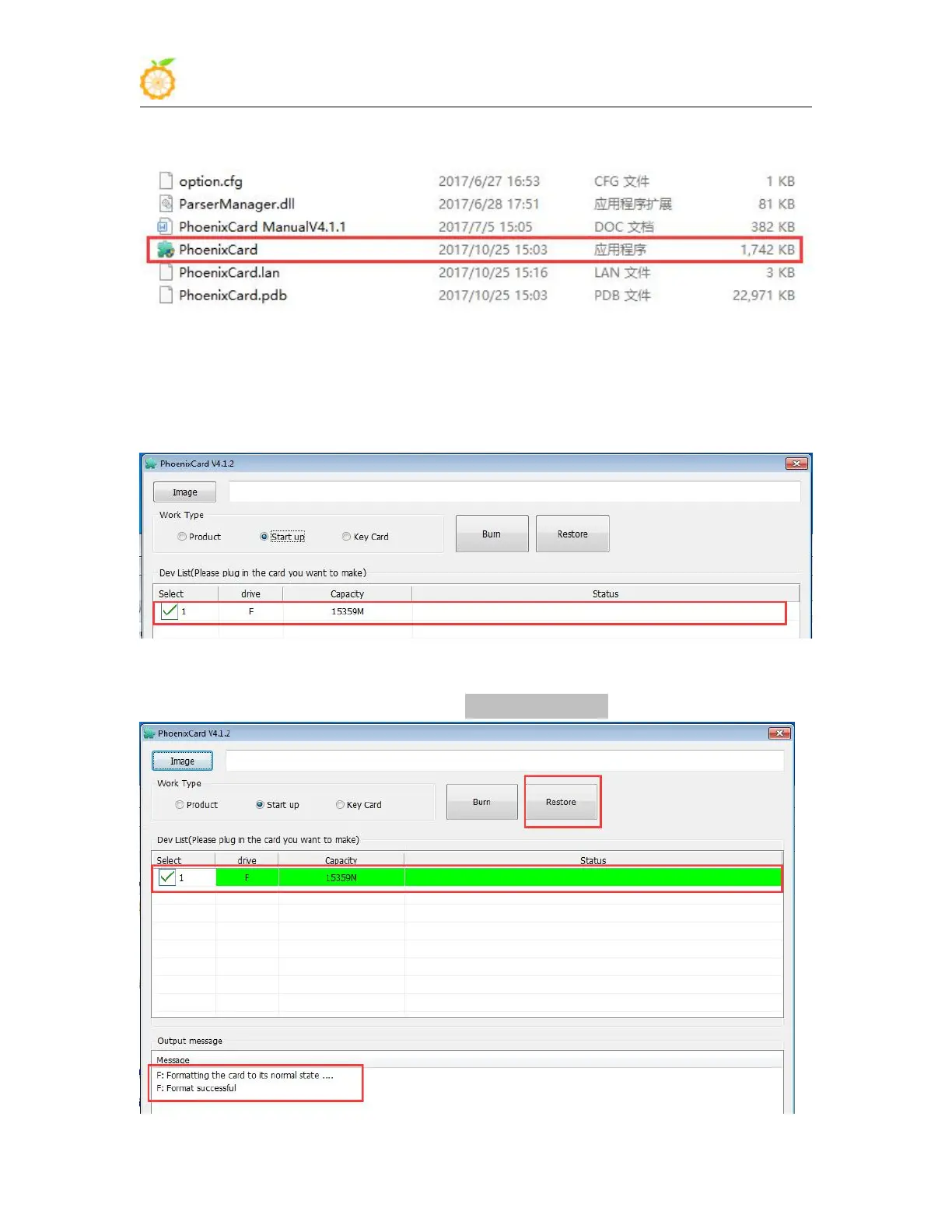
5) Use decompression software to decompress PhoenixCard v4.1.2.rar, this software does
not need to be installed, you can find PhoenixCard in the decompressed folder and open it
6) After opening PhoenixCard, if the TF card is recognized normally, the drive letter and
capacity of the TF card will be displayed in the middle list. Please make sure that the
displayed drive letter is consistent with the drive letter of the TF card you want to burn. If
it is not displayed You can try to unplug and plug the TF card
7) After confirming the drive letter, format the TF card first, click the restore card button
in PhoenixCard, or use the aforementioned SD Card Formatter to format the TF card



 To Next Page