range Pi 用户手册 深圳市迅龙软件有限公司版权所有
www.orangepi.cn 20 www.xunlong.tv
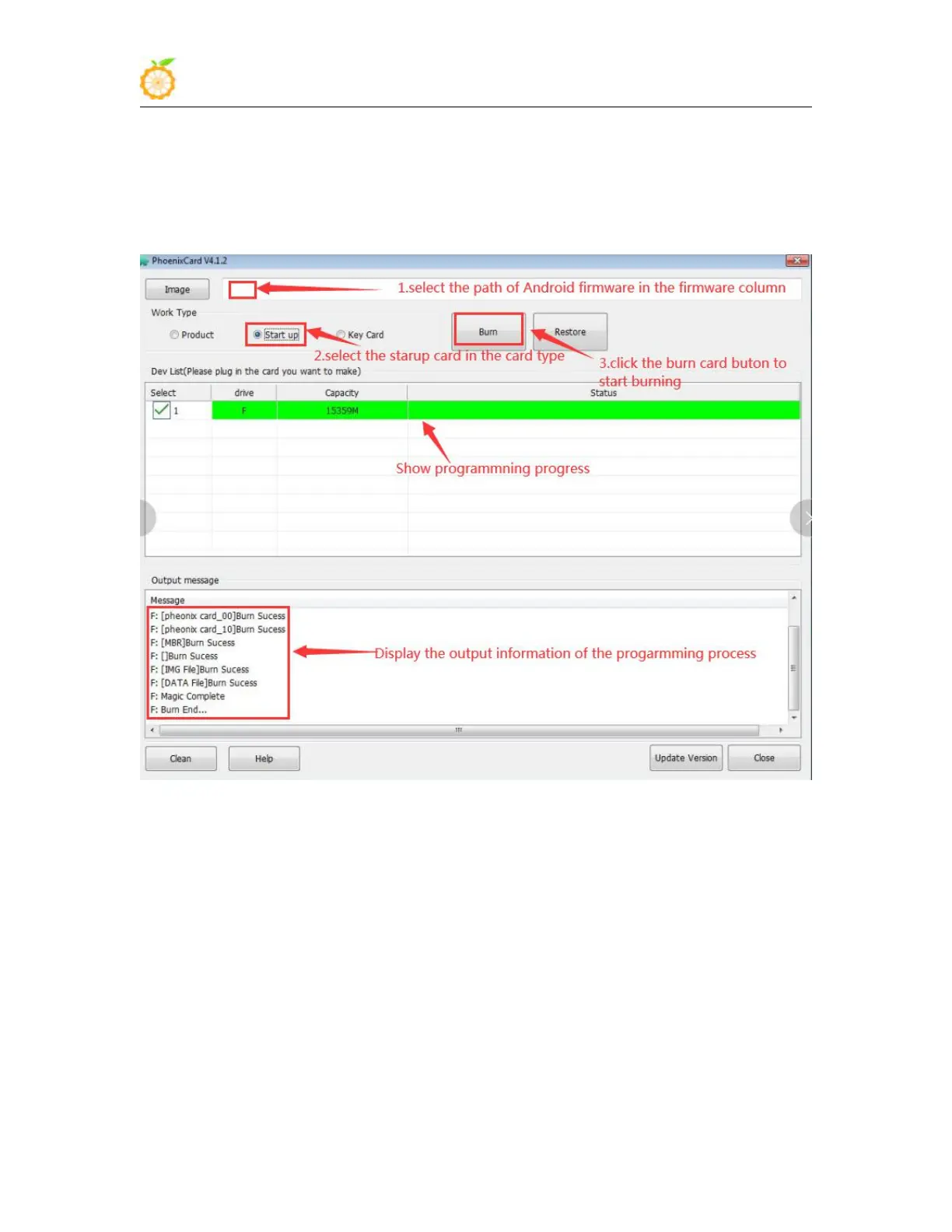
8) Then start to write the Android firmware to the TF card
a. First select the path of Android firmware in the firmware column
b. Select the startup card in the card type
c. Then click the burn card button to start burning
9) After burning, the PhoenixCard will be displayed as shown in the figure below. At this
time, click the close button to exit PhoenixCard, and then you can unplug the TF card
from the computer and insert it into the development board to start.



 To Next Page