range Pi 用户手册 深圳市迅龙软件有限公司版权所有
www.orangepi.cn 95 www.xunlong.tv
7) Because the default terminal font is too large, the screen cannot display too much
content, you can use the following method to reduce the terminal font
a. Run first dpkg-reconfigure console-setup
root@orangepi:~# apt-get update
root@orangepi:~# apt-get install kbd
root@orangepi:~# dpkg-reconfigure console-setup
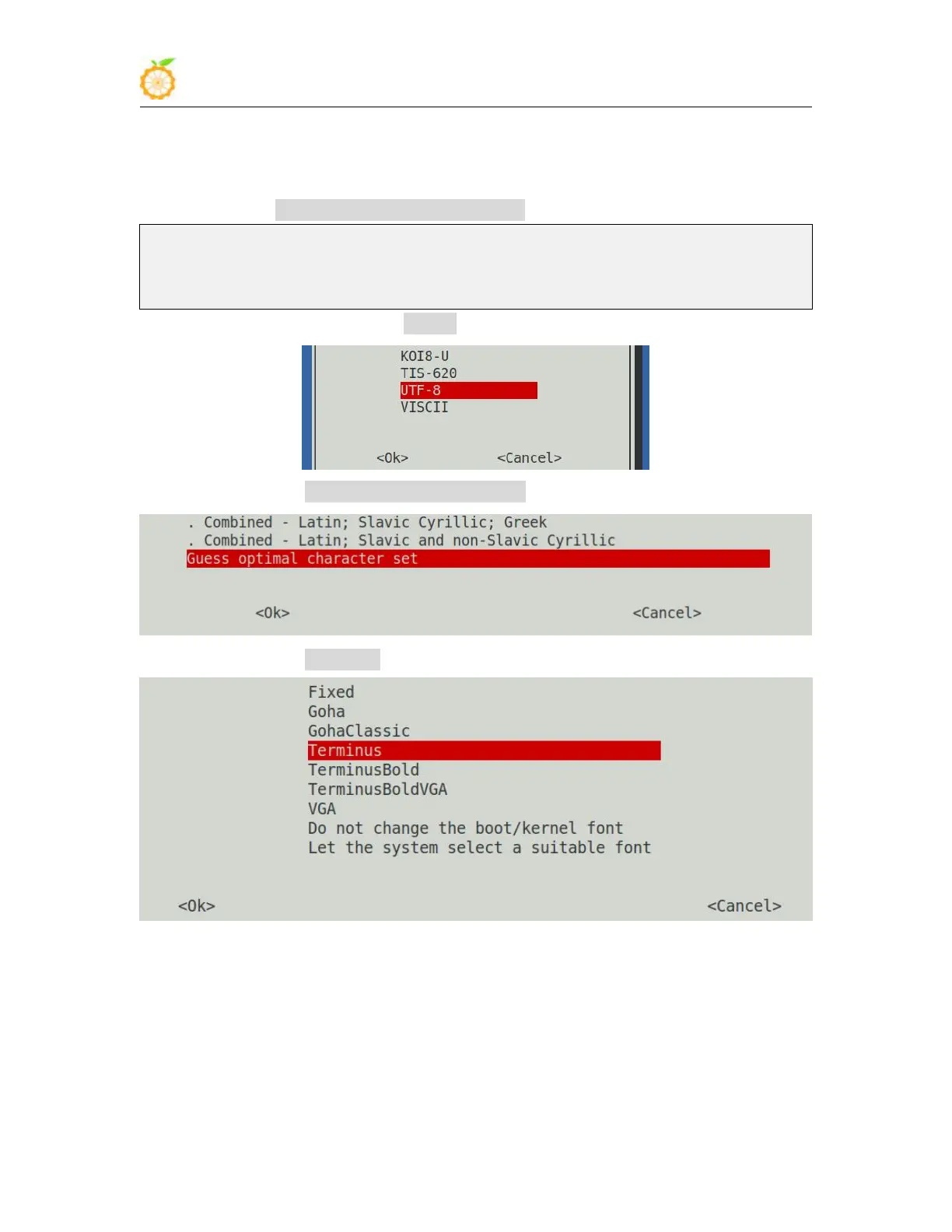
b. Terminal coding selection UTF-8
c. Then choose Guess optimal character set
d. Then choose Terminus
e. Finally select the font size as 6x12



 To Next Page